A warehouse control system (WCS) is the software layer between your WMS and your floor equipment.
A WMS decides what happens; a WES balances tasks in real time; a WCS fires the actual stop-or-go signal, in milliseconds.
Benefits compound fast: up to 40% productivity gains, up to 40% more usable storage space, fewer manual-handoff errors.
We tested six platforms on equipment integration, exception handling, configurability, and multi-site scale.
Manhattan Active WMS leads automation-heavy distribution centers, Blue Yonder WMS fits e-commerce hubs, NetSuite WMS suits mid-market ERP unification.
Choosing the right one means checking scalability, integration depth, real-time visibility, and vendor track record.
A warehouse control system (WCS) is the digital connective layer between your software and your equipment. It translates orders into real-time commands for conveyors, sorters, and pickers, coordinating them like a traffic controller. Manhattan Active WMS leads for automation-heavy operations. Blue Yonder fits e-commerce hubs. NetSuite WMS suits mid-market ERP unification.
Most operations pair a WCS with a warehouse management system. The WMS decides what needs to happen. The WCS decides how and tells each machine exactly when to move. Without that layer, automated equipment runs blind to what's happening two aisles away. These solutions aren’t interchangeable. We will cover their differences later in this article.
We tested six leading platforms against equipment integration depth, exception handling, configurability, and multi-site scale. Manhattan Active WMS was the best for automation-heavy distribution centers. Blue Yonder WMS turned out great for e-commerce hubs managing seasonal demand swings. And NetSuite WMS fits mid-market operations that want ERP and warehouse control unified.
Read on for our full evaluation, the complete workflow breakdown, and our roadmap for integrating the WCS solution successfully.
Why use a warehouse control system?
A truck backs into your dock at 6 AM. Nobody's sure which bay it needs. Three different screens show three different answers. Your floor lead guesses, and guesses wrong. That guess costs you forty minutes today. Next quarter, it costs you a contract renewal.
It’s not your staff's fault. The gap is from equipment that can't talk to your software. Pallets are in the wrong slot entirely. Conveyors idle while a picker searches three aisles over. If you recognize your business in any of these situations, you need a warehouse control system yesterday.
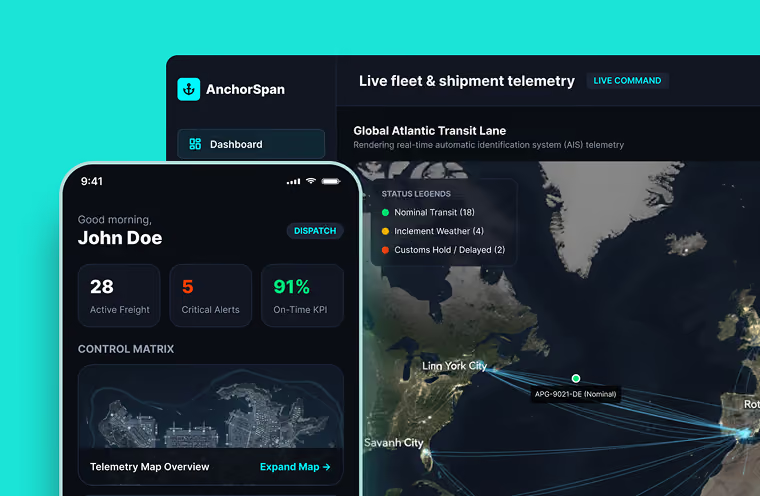
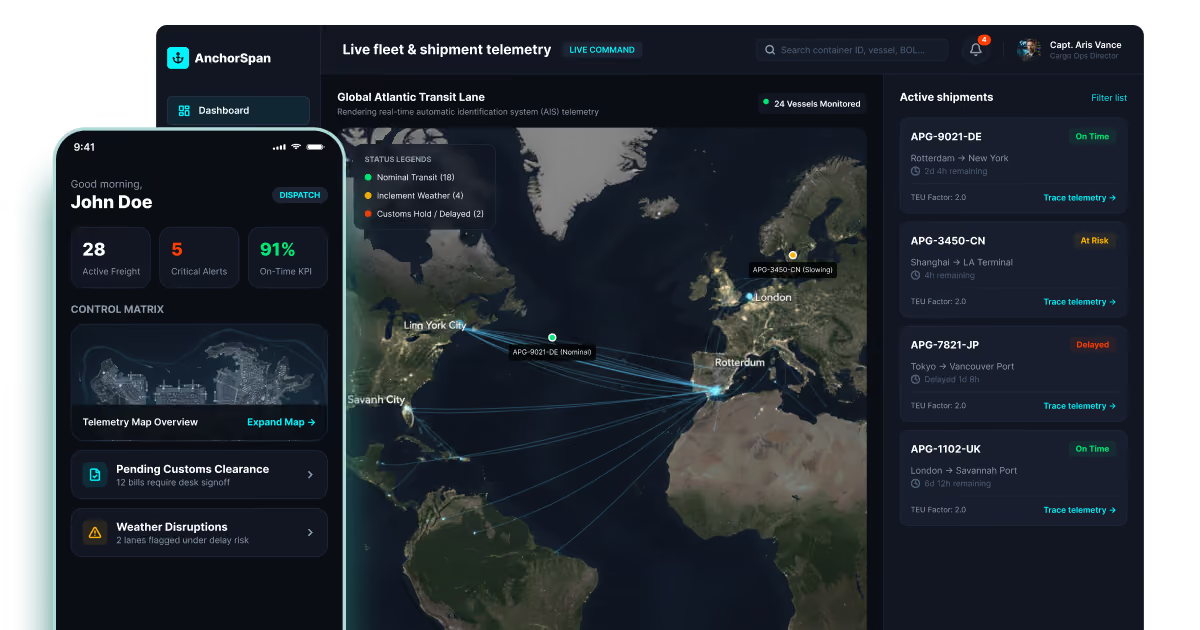
At COAX Software, we've spent 16 years building logistics and transport software. When we think of the reason why you need a WCS in the first place, we can’t help but think of our AnchorSpan project. It’s a tracking platform for a cargo group running six inland warehouses. Before COAX got involved, warehouse software tracked pallets and dispatch tracked trucks separately. Nothing coordinated the two. Once we tied slotting decisions to live capacity data, misplaced-pallet incidents fell by 34% in the first quarter.
That kind of disconnect between the systems is common in the industry. And it’s exactly why the market's expanding fast. The global warehouse control software market was valued at $3.55 billion in 2023. It's projected to hit $10.12 billion by 2030. This growth isn’t a surprise to us. From what we’ve seen, realtime visibility and automation really do make a difference in the warehouse and in the supply chain in general.
Warehouses running tighter margins and faster fulfillment windows are driving that curve. More facilities are layering warehouse control solutions onto existing systems instead of ripping out what already works.
What are the benefits of a warehouse control system?
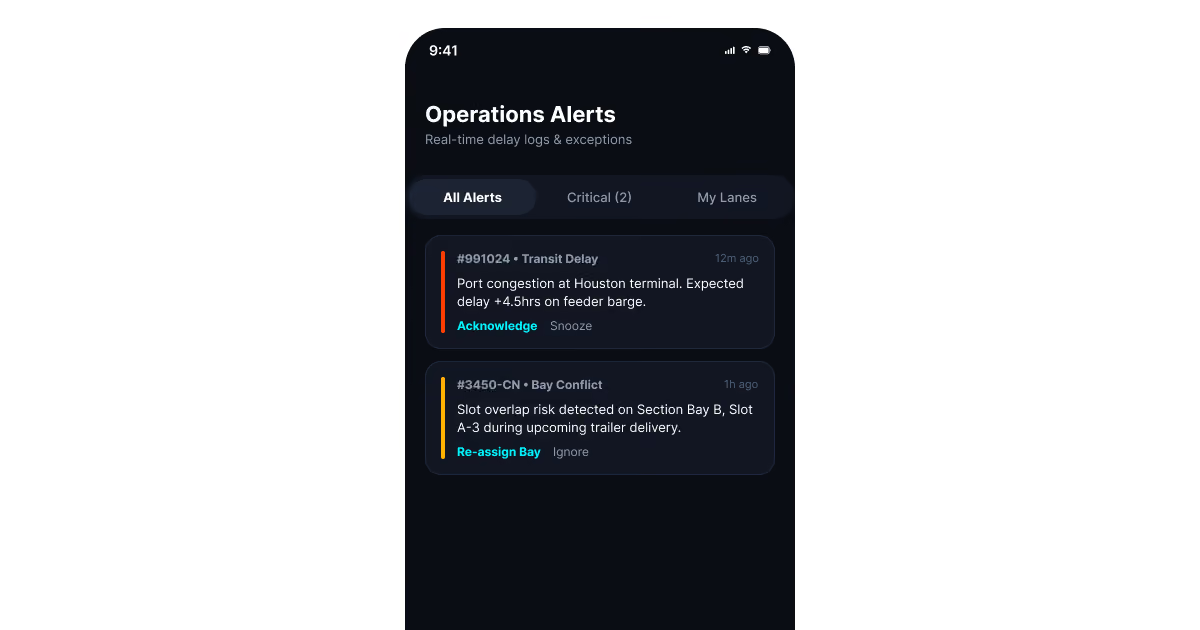
AnchorSpan routes delay alerts by job, not by broadcast. Warehouse managers see slotting conflicts. Dispatchers see route risk instead. That single change cut late-notice complaints by 40% in one quarter.
That's just a small slice of what warehouse control systems can deliver. The whole cake spreads across productivity, space, and accuracy, and it compounds fast once the system's live.
Productivity climbs first.
A WCS synchronizes every machine's next move in real time. That coordination raises labor and equipment productivity by 25% on average. Pair it with a stronger host layer, like an advanced WMS, and gains climb toward 40%. Fewer idle conveyors and fewer wrong-aisle picks explain most of that jump.
Storage capacity opens up.
Slotting decisions sharpen once a WCS tracks live capacity instead of yesterday's count. Facilities typically gain up to 40% more usable space through smarter material flow. Pallets land where room actually exists, not where a spreadsheet guessed last week. That's the same mechanism behind AnchorSpan's 34% drop in misplaced-pallet incidents.
Errors drop, accountability rises.
Manual handoffs between systems create most of the errors floor teams chase daily. A WCS removes that handoff by feeding equipment instructions directly, without retyping. Every action gets logged against a specific device and timestamp automatically. That log turns "who moved this pallet" from a guess into a lookup.
None of these gains stay isolated to one warehouse. Once a WCS feeds clean data upstream, integrated logistics planning gets sharper across every downstream stage: trucking, customs, delivery windows. An automated warehouse control system doesn't just speed up picking. It becomes the single source of truth every other system downstream relies on.
"A WCS earns its budget the moment two machines stop waiting on each other. That's not a productivity metric on a slide. It's a conveyor that doesn't sit idle for four minutes while a picker finishes an aisle three sections over," says Orest Falchuk, Head of Engineering at COAX Software.
How does a WCS work?
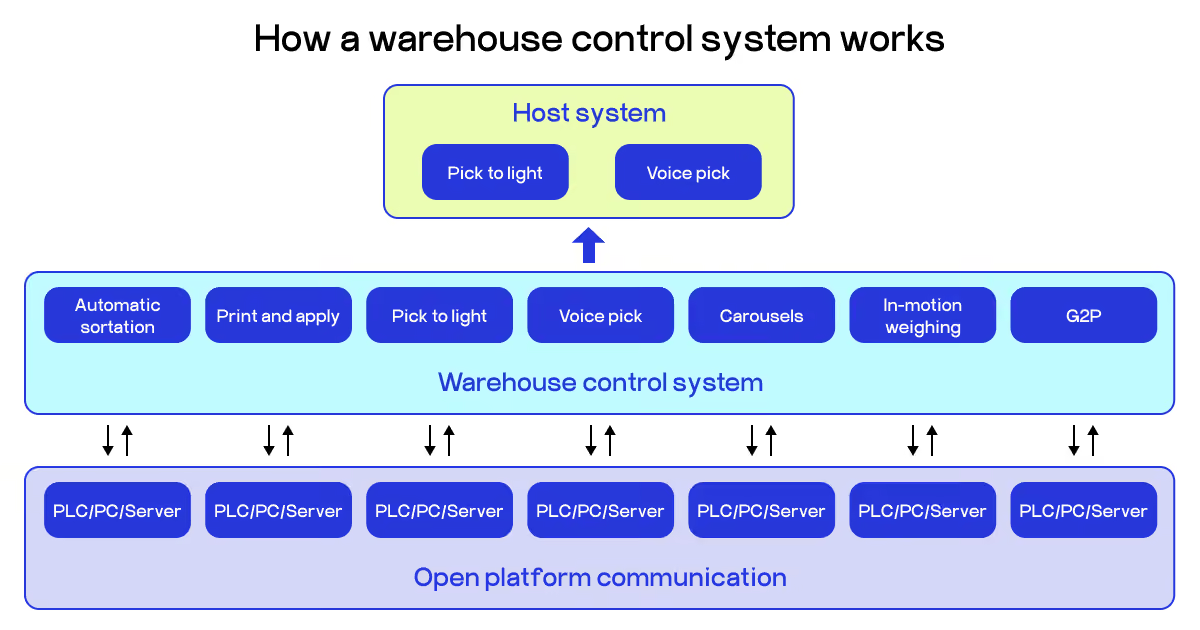
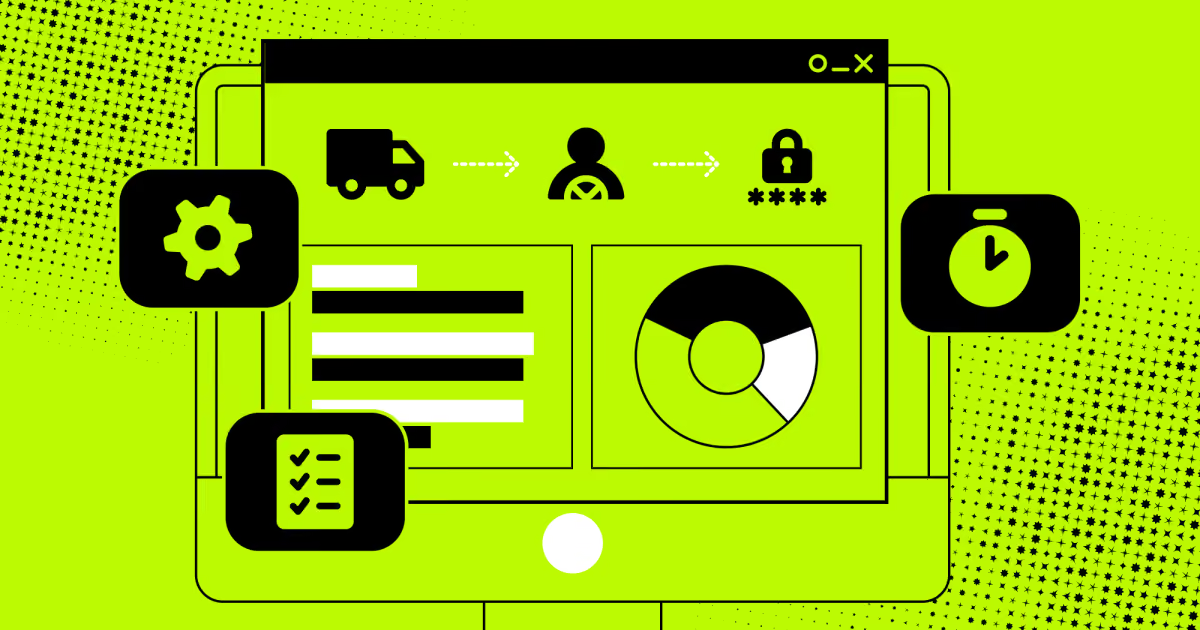
A warehouse control system sits between your host software and your floor equipment. It takes order data from above and turns it into machine-level commands below. Then it logs everything that happens in between.
The host system sends the order.
Your WMS or ERP starts the chain. It hands the WCS order profile data, exact lane assignments, labeling data, and weight targets. This is the "what needs to happen" layer, decided before any equipment moves.
The warehouse management systems above the WCS never talk to a conveyor directly. They shouldn't have to. That separation is what lets you swap out a sorter or add a new pick station without touching your core software.
The WCS translates orders into equipment commands
This is the coordination layer, and it's where a WCS earns its name. It takes the host's instructions and routes them to whichever "island of automation" needs to act:
Automatic sortation diverts each item to its correct lane.
Print and apply stations generate labels in motion, no manual pause.
Pick-to-light and voice pick guide operators through the fastest sequence.
Carousels and goods-to-person systems bring inventory to the worker instead of the reverse.
In-motion weighing confirms weight targets without stopping the line.
Each island runs its own logic, but the warehouse control solution keeps them working off one shared order, not seven disconnected ones.
Open platform communication carries the signal
Below the WCS sits the hardware layer: PLCs, PCs, and servers wired to the actual equipment. This layer executes the commands the WCS issues and reports status back up instantly. It's the two-way link that lets a sorter confirm "done" the moment a package clears.
Without that live confirmation loop, your warehouse control software would be issuing instructions blind. It wouldn't know if a diverter jammed or a scanner missed a read. Real-time feedback is what turns a WCS from a scheduler into an actual controller.
The system logs, reports, and archives
Every action generates data, and a solid warehouse control system software solution sorts it into three buckets. Current reports track throughput, error rates, and scanner performance as it happens. History reports archive that same data once it ages past a set window. Maintenance reports flag downtime causes and totals for whoever's fixing the hardware.
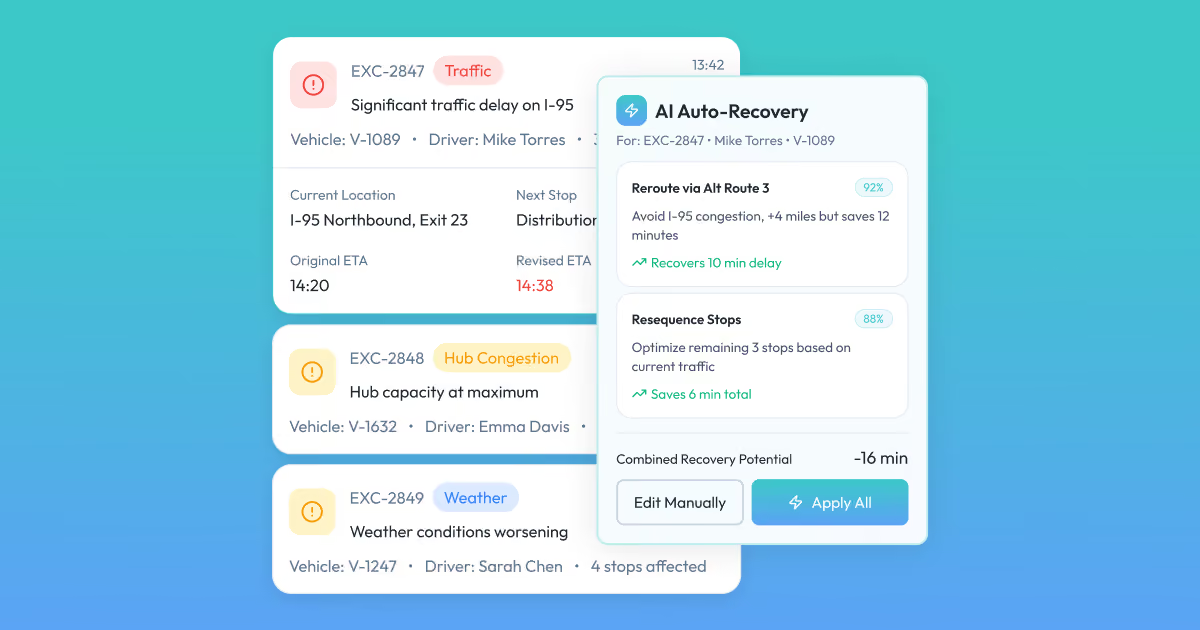
On DriveIQ, a similar clustering approach grouped delivery exceptions by root cause instead of listing them flat. Same underlying idea: don't just log the problem, sort it so someone can act on it fast.
What does a warehouse control system do?
A warehouse control system runs the floor, not the plan. It takes commands from above and turns them into machine actions. Every conveyor, sorter, and scanner answers to it directly.
Four core functions define what a WCS handles day-to-day:
Equipment coordination: Synchronizes conveyors, sorters, AS/RS units, and robotic shuttles. This prevents jams, collisions, and machines stuck idle nearby.
Task execution: Converts a WMS instruction into an exact command. "Ship this order" becomes "route box 4471 to lane seven."
Traffic control: Calculates the fastest path for every item on the floor. It adjusts equipment speed as volume shifts hour to hour.
System monitoring: Tracks equipment health and surfaces alerts before a jam becomes downtime. Operators see performance data through one interface, not seven.
Good warehouse control software segments orders by product before they hit the floor. That segmentation stops orders from tangling mid-fulfillment, and it speeds up accuracy downstream. You also need to see equipment condition and daily activity in one place, live. That visibility turns a maintenance flag into a scheduled fix, not an unplanned stop.
Another vital pillar of WCS success is data integration. Automation only pays off when it's wired into everything else already running: sortation, ASRS, scanners, labeling. Systems that stay isolated stay slow, no matter how fast the hardware runs alone.
On projects like AnchorSpan, we layered a prediction model on top of that same visibility principle. Delay risk surfaced hours before a shipment actually slipped, not after the fact. That's the direction enterprise warehouse control solutions are heading now. Not just logging what happened, but flagging what's about to. A control layer that only reports the past is half a system. The other half predicts what's coming and hands your team time to act.
How do WCS, WMS, and WES differ?
Three systems, three jobs, one floor. Mixing up which layer owns what is the fastest way to build the wrong architecture. Here's where each one starts and stops.
What is each system responsible for?
Each system owns a different slice of warehouse work.
A warehouse management system owns the big picture: inventory counts, order status, labor assignments. It decides what needs to happen today, not how it gets done.
A warehouse control system owns the floor itself. It decides which machine moves which item, and exactly when. Think lane assignments, sortation logic, conveyor sequencing.
A warehouse execution system is between the two. It balances real-time work across people and machines at once. A warehouse control system decides whether a picker or a robot handles the next order, based on who's actually free.
On AnchorSpan, we split responsibility the same way, just for cargo instead of pallets. Warehouse managers see live slotting and flag capacity conflicts before a trailer arrives empty. Dispatch coordinators configure route priorities and override automated recommendations when risk gets flagged. Neither role touches the other's queue, because the software routes each task to the right layer first.
Key differences between the systems
The three systems differ across scope, time scale, and how directly they touch hardware.
A WMS plans in days and weeks. It tracks stock levels and predicts restocking needs, not what a conveyor does next second.
A WES plans in minutes. It reassigns a stalled pick task to whichever resource, human or robot, clears it fastest right now.
A WCS plans in milliseconds. It fires a stop-or-go signal to a diverter before a box misses its lane.
System
Primary role
Time scale
Talks directly to
WMS
Inventory and order records
Days to weeks
People, planning tools
WES
Task balancing across labor and machines
Minutes to hours
WMS above, WCS below
WCS
Direct equipment commands
Milliseconds to seconds
Conveyors, sorters, AS/RS
Most warehouse control system suppliers sell one of these three layers well, rarely all three. That gap is worth checking before you commit to a single vendor.
How they work together
None of the three works alone. A WMS decides what ships today. A WES decides who or what handles it right now. A WCS makes the hardware move.
Picture one order moving through all three layers. The WMS releases it for fulfillment and assigns a priority. The WES checks current capacity: is a picker free, or does a robot have a shorter queue? The WCS then sends the actual signal, telling a diverter to route the box to lane nine.
That handoff has to run without a gap, or the whole chain stalls. On AnchorSpan, cargo owners track shipments live because slotting, dispatch, and compliance data all feed one stream instead of three. Compliance officers review customs forms auto-filled from that same shipment data, catching mismatched weights before a truck leaves the yard. That's what integrated warehouse control solutions look like once the layers actually talk to each other.
Plenty of facilities still run older warehouse automation software, where a WCS handles machines and a WMS handles everything else, with no WES bridging them. It works, but every added conveyor adds another integration to maintain. A modern stack closes that gap.
What are the features of a warehouse control system?
Warehouse control systems run on five core functions. Together, they turn scattered equipment into one coordinated operation. Here's what each one actually does.
Task execution.
The WCS receives a task from your WMS. It picks which machine or workstation handles it. That decision weighs equipment availability, proximity, and current workload. A conveyor sitting idle two lanes over gets the next job, not the busiest one.
Equipment control.
This is the direct line to your hardware. The system issues commands: move, stop, redirect, adjust speed. It's constant, not scheduled. Get this wrong, and a sorter jams while a picker waits three aisles down.
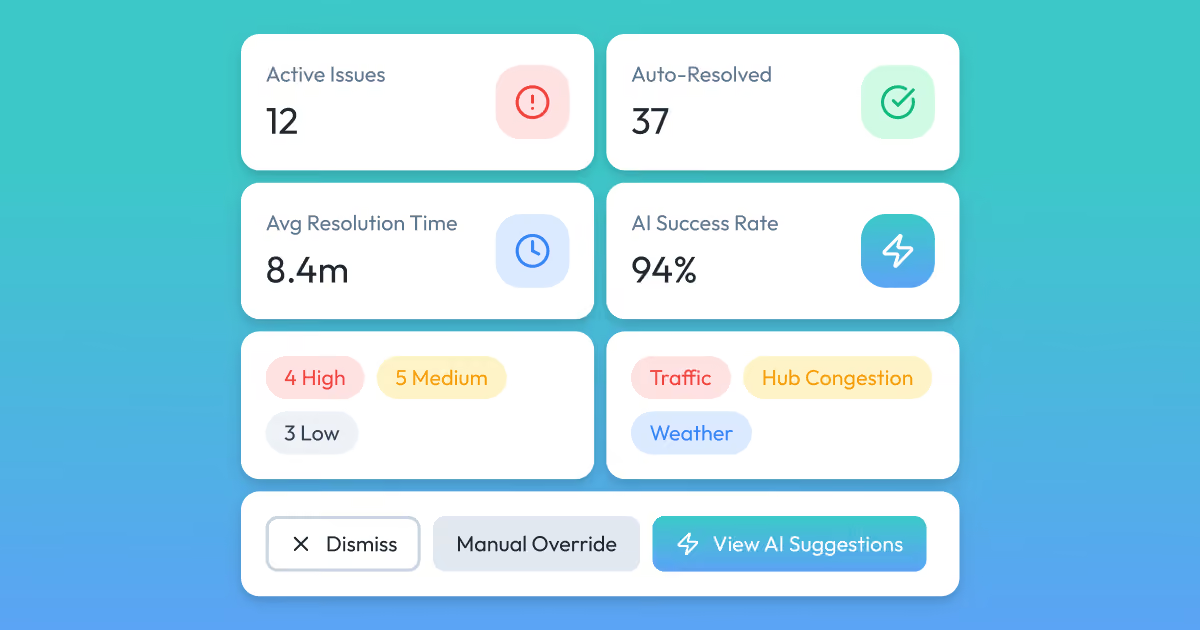
We saw a version of this logic on DriveIQ, our AI delivery platform. When a route slipped, the system proposed a fix, and dispatchers accepted it in one click. That same "detect, recommend, act" loop applies whether you're routing trucks or pallets. The mechanism doesn't change much between fleets and floors.
Real-time monitoring.
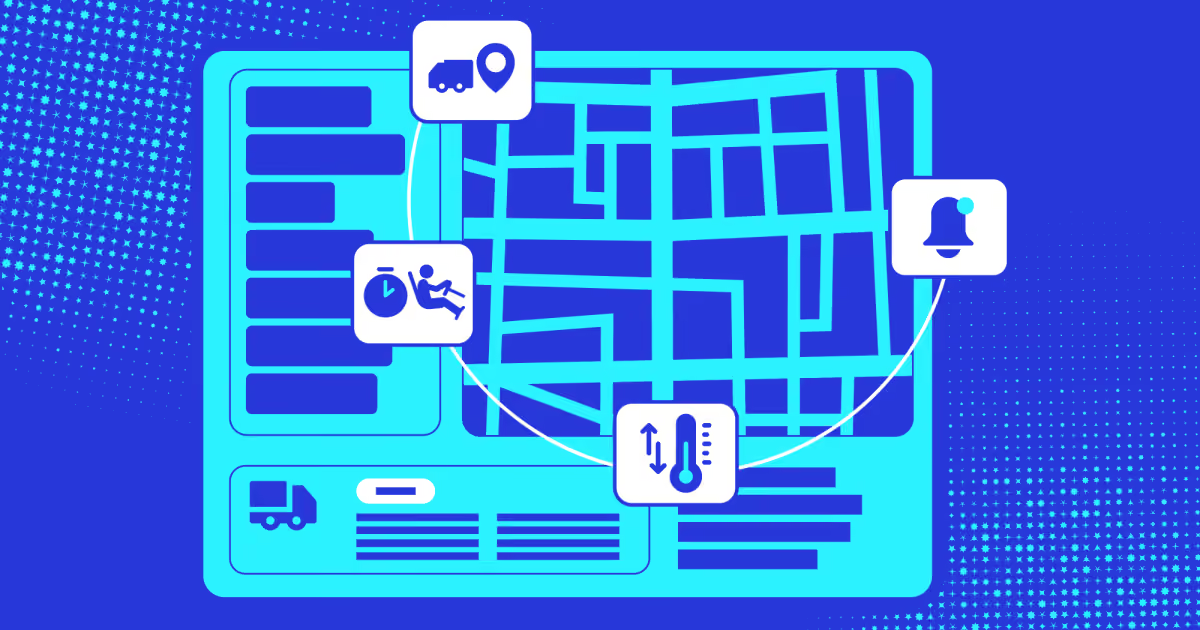
Your WCS watches every connected device continuously. It logs throughput, error rates, and equipment health as it happens. That stream feeds two things: maintenance alerts and performance dashboards. Neither works without the other.
Workflow optimization.
Raw data means nothing without action behind it. A strong enterprise warehouse control solution reprioritizes tasks based on what's actually happening now. Congestion in one zone shifts work elsewhere automatically. DriveIQ's exception clustering cut diagnosis time from twelve minutes to under three. Same principle: don't just flag the problem, sort it fast enough to act.
Integration and communication.
None of this works in isolation. Your warehouse control software needs to talk to barcode scanners, sensors, your ERP, your WMS. We hit this exact wall building a HubSpot integration for a transportation client with zero public API. The fix wasn't a plug-and-play connector. It was a translation layer built to survive whatever the vendor changed next.
That's the honest version of integration work. Legacy systems rarely hand you clean data on request. An automated warehouse control system worth deploying assumes messy inputs from day one, not perfect ones.
These are the main features that your warehouse needs. However, in many cases you might require more advanced functionality. This might be notification routing, analytics layered on top, or a specific commission or exception rule. That's where a custom build is a must.
At COAX Software, we default to wrapping proven models instead of building prediction from scratch. Time-to-market beats reinventing what OpenAI or AWS Forecast already solved well. We reserve custom engineering for the parts no vendor ships: the middleware between your legacy TMS and a modern logistics management software stack, the alert routing tuned to your actual roles, not a generic template.
A lean team runs most of these builds: one or two senior developers, a DevOps engineer, PM, and QA. Small enough to move fast, experienced enough to skip the mistakes a first build usually makes.
Best warehouse control systems on the market
If AnchorSpan's client had only needed maritime cargo tracking, we would have built just that layer and helped them choose a ready-made WCS module. This would have been understandable: warehouse floor automation is a different problem than port-to-door visibility. Here's how we'd have helped them choose a warehouse control system instead.
Equipment integration depth: Does it talk natively to conveyors, sorters, and AS/RS, or need custom middleware for each?
Exception handling logic: Does it cluster root causes, or dump every alert flat on one screen?
Configuration vs. custom code: Can an admin change a rule, or does every change need a developer?
Multi-site scalability: Does it hold up across six warehouses, or was it built for one?
Reporting depth: Does it separate current, historical, and maintenance data automatically?
We excluded tools that require a full replatform just to add one automation. We also dropped anything with no documented API for equipment-level control. Neither survives a real floor.
Platform
Equipment integration
Exception handling
Configurability
Multi-site scale
Best for
Manhattan Active WMS
Deep, robotics-ready
AI-driven task interleaving
High, but needs training
Enterprise-grade
Automation-heavy distribution centers
Oracle WMS Cloud
Broad, digital twin modeling
Moderate
Complex setup
Global multi-site
Large enterprises, complex networks
SAP Extended Warehouse Management
RFID-native, strong
Rules-based, mature
High, SAP-ecosystem locked
Enterprise-grade
Existing SAP shops
Blue Yonder WMS
Solid, AI-forecasting layer
Predictive, labor-focused
Moderate
Multi-site
Retailers, e-commerce hubs
Infor CloudSuite WMS
Voice and 3D visualization
Reactive, visual-first
Moderate
High-volume, single or multi-site
Bottleneck visibility, planning teams
NetSuite WMS
RFID, native ERP tie-in
Basic
High, cloud-fast deploy
Mid-market
Businesses wanting ERP and WMS unified
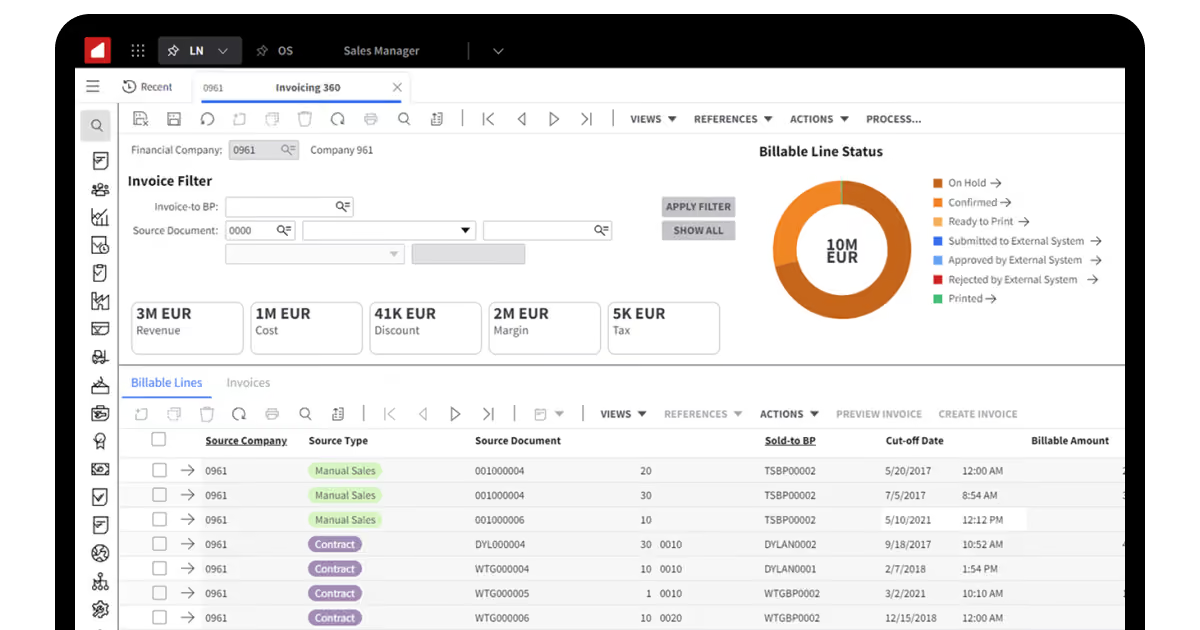
Manhattan Active WMS leads on raw automation depth. It handles robotics orchestration and AI-driven task interleaving natively, not bolted on. That strength comes at a cost: implementation demands real training time, and pricing sits at the enterprise level. Teams running heavy automation across multiple facilities get the most from it. Smaller floors with one or two automation islands will feel over-equipped.
Oracle WMS Cloud fits organizations already managing complex, global supply networks. Its digital twin modeling lets teams simulate layout changes before committing to them physically. Where this warehouse control system vendor struggles is speed of setup. Smaller operations without a dedicated implementation team will find the complexity outweighs the benefit.
SAP Extended Warehouse Management makes the most sense inside an existing SAP ecosystem. RFID tracking and wave and slotting logic run tightly integrated with S/4HANA. Outside that ecosystem, the deployment timeline stretches, and the cost climbs fast. This is a platform you adopt because you're already committed, not because you're starting fresh.
Blue Yonder earns its place through predictive labor allocation and demand forecasting. Real-time visibility pairs with AI models that cut guesswork from staffing decisions. The tradeoff is upfront investment: this isn't a lightweight add-on for a single warehouse. Retailers managing seasonal demand swings get the clearest return here.
Infor CloudSuite’s warehouse control system stands out for planning visibility. Its 3D visualization helps teams spot a bottleneck before it costs a shift. Voice-enabled picking adds a layer most competitors on this list skip entirely. It's a stronger fit for teams optimizing an existing floor than ones automating from zero.
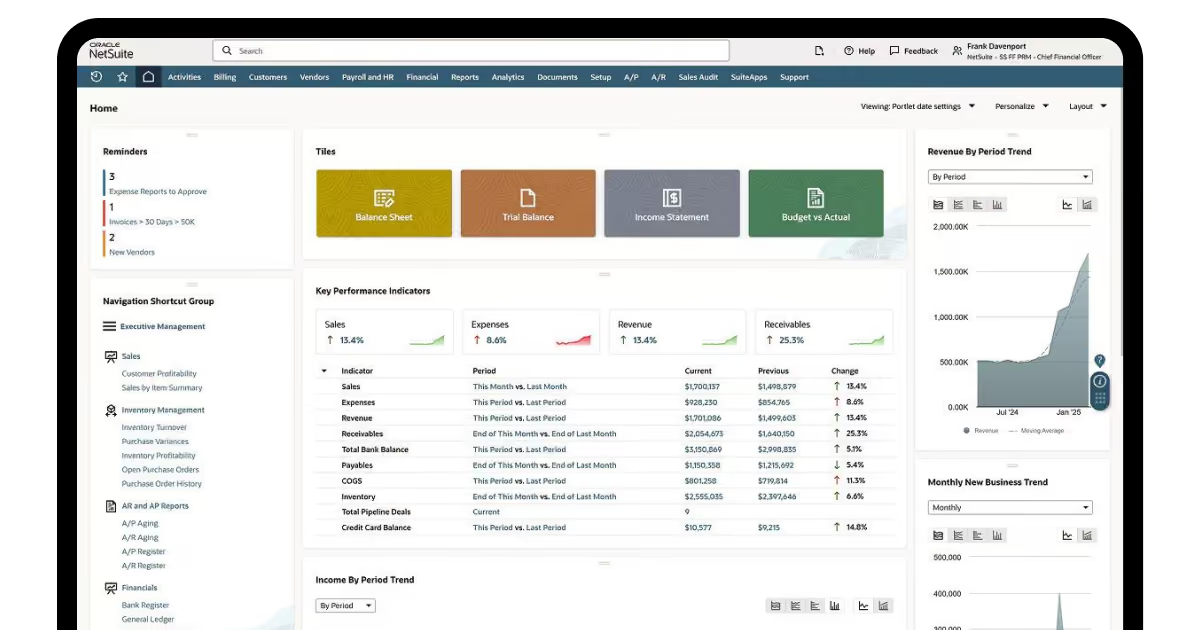
NetSuite WMS is the fastest path to unifying ERP and warehouse control in one system. RFID scanning and real-time picking cover the essentials without enterprise-level complexity. What it doesn't offer is deep automation orchestration. Mid-sized operations without heavy robotics get most of what they need here.
Most of these warehouse control system suppliers specialize in one layer, like automation depth, forecasting, or ERP unification. Rarely do you get all three at once in a nice sync. That's usually where the gap between a vendor demo and your actual floor shows up.
At COAX Software, we've spent close to twenty years in travel, transportation, and logistics technology specifically. Booking platforms, supplier connectivity tools, and operational automation systems make up most of that work. Because our teams have solved versions of these integration problems before, builds move faster: often 50 to 60 percent faster than a generalist firm starting from zero. If a piece of warehouse control software doesn't cover a specific rule your floor needs, we build the missing piece rather than force a workaround.
Legacy infrastructure gets modernized in place, not ripped out overnight. Whether you need one solution integrated cleanly or a full logistics management software infrastructure built around your real workflow, that's where we come in.
How to choose a warehouse control system for your business?
If you've decided an off-the-shelf tool fits better than a custom build, here's how to pick the right one.
Weigh every option against five questions.
Can it scale as you add automation?
Does it integrate with what you already run?
Does it give you real-time visibility, not end-of-day reports?
Will your floor staff actually use it?
Does the vendor have a real track record in intralogistics, not just a sales deck?
If the answers are clear, we would suggest the following workflow to ensure you’ve got a suitable warehouse control system vendor to integrate with.
Ask for industry references.
Request at least two references, and actually call them. Ask about delivery timelines and whether problems came up mid-project. Push on functionality, too: what worked, what didn't, what they'd change. Then ask the one question that matters most. Would they hire this vendor again?
Enquire about the range of services.
A good vendor sells more than installation. Ask specifically about three things.
Data migration: Can they move your legacy records without manual re-entry?
Training: Do they have staff qualified to teach your team the system, not just hand over a manual?
Customization: Can they tune the tool to your specific workflow, not a generic template?
A vendor who can't answer all three clearly is selling you half a solution.
Learn the scope of after-sales support.
Look for around-the-clock support, not business-hours-only. Ask how often they ship patches and updates. Find out what the warehouse control system’s upgrade actually involves on your end. Then check the fine print: under what conditions can the vendor refuse a service request?
Come prepared with your own questions.
Write your questions down before the meeting. Ask how the software handles workflows specific to your industry. Ask how the vendor tracks regulatory changes that might affect your operation. A vendor who can't answer specifics clearly hasn't done this before.
"Off-the-shelf software is like buying a suit in one size and hoping it fits. Sometimes it does. More often, you're paying a tailor later anyway," says Orest Falchuk, Head of Engineering at COAX Software.
That compatibility question is exactly why some teams skip the sizing problem entirely. Custom inventory management software development starts from your actual process. We cover the full cycle: discovery, build, launch, and support after you're live. No handoff gap between the team that built it and the team that answers when something breaks at 2 a.m.
A conclusion on warehouse control software
A warehouse control system turns disconnected equipment into one coordinated floor, translating WMS orders into millisecond-level machine commands. Get it right, and productivity climbs up to 40%, storage capacity opens up, and errors drop because handoffs stop happening by hand.
Manhattan Active WMS wins on automation depth, Blue Yonder on predictive labor allocation, NetSuite on fast ERP unification. No platform covers every vendor protocol or every custom exception rule out of the box. Match the system to your automation density and integration mess, not a feature sheet. Where a vendor's standard build hits a wall, that's where custom middleware, not a rebuild, closes the gap.
FAQ
What is a warehouse control system, exactly, versus the automation hardware itself?
A warehouse control system is software, not hardware. It sits between your host system and physical equipment, issuing real-time commands. The conveyors, sorters, and robots are hardware; the WCS is the logic layer telling them what to do next. Buying automation equipment without a control layer leaves each machine running blind, disconnected from every other machine on your floor.
How does a warehouse control system work when equipment comes from different vendors?
Different manufacturers rarely share a common protocol out of the box. Your WCS translates each vendor's interface into one shared command set. That translation layer is what a mixed-vendor floor needs to run without gaps. We've built similar middleware for clients stuck between a legacy TMS and a modern automation layer. The fix rarely means replacing hardware. It usually means one translation layer, built once.
What features do warehouse control systems have that a basic WMS doesn't?
A WMS tracks what's in stock and where it should go next. A WCS adds direct equipment commands, millisecond-level traffic control, and live maintenance alerts that a WMS was never built to issue. Sortation logic, conveyor sequencing, and equipment health monitoring all live in the control layer. Without it, your WMS can plan perfectly and still watch a conveyor sit idle for minutes.
Does a small warehouse actually need warehouse control software, or is that overkill?
Scale matters less than automation density. A single facility running two or three automated islands, a sorter, a carousel, still needs coordination between them. Skip the control layer, and you're manually syncing machines that should sync themselves. The real question isn't facility size. It's how many pieces of equipment need to talk to each other without a person relaying instructions.
How long does implementing warehouse control systems typically take?
Timeline depends on how many automation islands you're connecting, not facility square footage. A single conveyor-and-sorter integration can go live in weeks. Adding voice pick, carousels, and goods-to-person systems together stretches that timeline months longer. Budget separately for data cleanup before implementation starts. That step alone, reconciling mismatched formats across vendors, has cost real projects weeks before a single feature shipped.

























































































_.avif)










%2520explained.avif)

We are interested in your opinion