Drivers leaving due to unsociable hours and overwork. Dispatchers having to deal with a flood of requests for help. When our clients in the DriveIQ case addressed us, their turnover rate reached 45%. These problems hit their company suddenly. They'd been growing well for 5 years and created a fleet of 500 vehicles.
Our team at COAX Software solved these challenges by focusing on data collection and improving scheduling. Most solutions on the market focus on the first aspect. Big Data and AI for logistical companies are everywhere in the media. Logistical apps like Onfleet, Route4Me, or OptimoRoute focus their marketing there. And, indeed, AI is very strong. A predictive engine in DriveIQ helped our clients reduce fuel waste by 18%. Before it, drivers and dispatchers relied on intuition and subjective judgments while optimizing routes. Now, the tool gives them objective data to judge whether routes are optimal. Analysis of variables like weather or traffic leads to massive savings.
But logistical problems aren’t about information alone. You also need experts who know how to use it. A turnover of 45% means constant retraining for new workers and dispatchers. Big Data and AI strategies require similarly innovative management of human resources.
Driver scheduling software has massive impacts, but experts rarely discuss it. Our goal is to close this gap. You'll learn about the key functions and advantages of driver scheduling software. In the end, we also review available software options, both off-the-shelf and custom.
What is driver scheduling software?
Driver scheduling software is a dedicated app that organizes and automates scheduling for drivers. Driver scheduling requires a combination of data collection, communication, and fatigue optimization tools. Not every scheduling app fits this definition. Google Calendar or Microsoft Outlook Calendar lack the necessary tools for managing human resources.
Our DrivenPeople case illustrates the difference very well. We helped our clients develop a platform for connecting drivers and operators. In the first 4 months after launch, almost 5000 drivers registered in the UK. Its success is a result of treating driver scheduling seriously.
Before development, the DrivenPeople team noticed that many drivers complain about work-life balance. This problem motivated them to start searching for a solution. On paper, many operators offered flexible or semi-flexible schedules. But managers often ignored drivers' choices in non-specialized systems like Google or Apple Calendar. In the best cases, drivers used to get stable schedules but at antisocial hours. In the worst cases, drivers reported chaotic schedules that made any planning impossible. Monitoring tools and internal chats in our solution enable them to resolve disputes quickly. Drivers no longer have to use ten different chats on Facebook, LinkedIn, and WhatsApp. Instead, all information they need is in one app. DrivenPeople has a 99.2% approval rate for requested shifts thanks to these tools.
Work-life balance problems have very bad implications for operators, too. For example, there's a shortage of 70000 truck drivers in Germany. American companies report similar figures. Talented drivers encounter burnout and leave the industry. Shortages of experts lead to even more chaos with schedules. A negative feedback loop of overwork leading to turnover and turnover leading to overwork is evident.
European Commission reports that many truck drivers work more than 12 hours per day. In many cases, they get one weekend or no weekends at all. Working weeks of 70 hours with common night shifts are a normal practice. This overwork increases incidents and undermines good decision-making. In these conditions, predictive analytics and AI are simply useless. Drivers and dispatchers who support them become too tired to benefit from innovations. Fatigue absorbs all improvements in decision-making from Big Data.
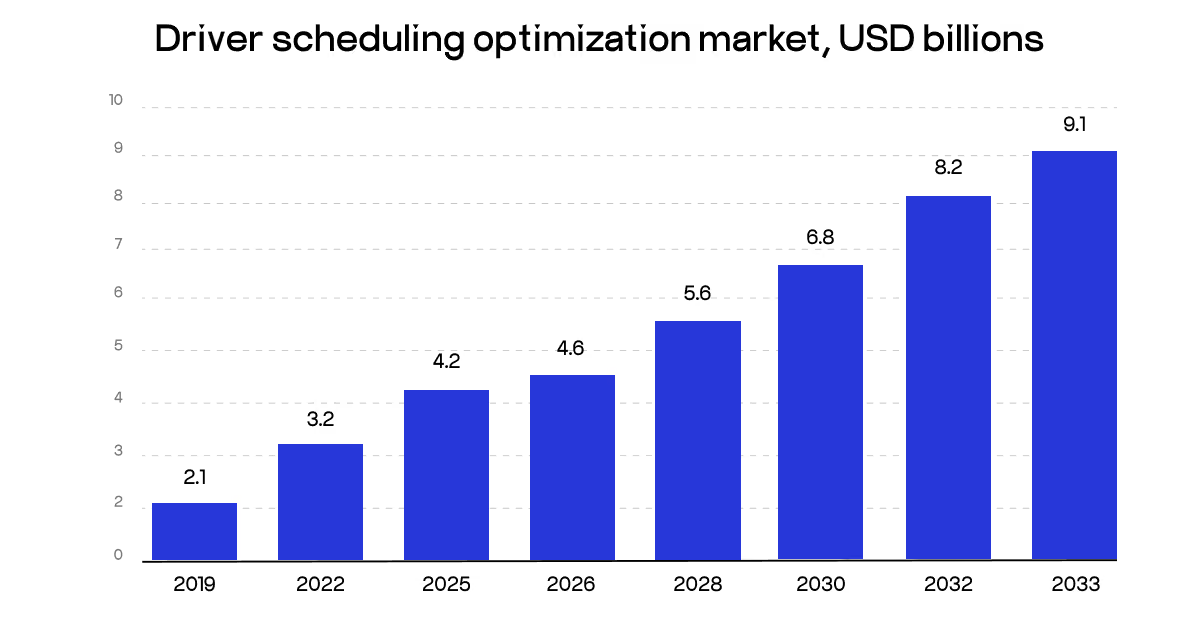
Truck driver scheduling software is growing to help logistical companies solve these problems. In 2025, the market amounted to $4.2 billion. By 2034, it will grow to $9.1 billion at a 9.8% CAGR. Software takes the majority of this market, 58.3%, and is the main driver of its growth. In addition to targeting driver shortages, driver scheduling software aims to decrease fuel costs. Good driver scheduling is a part of real-time tracking, which is transforming the industry today.
How does driver scheduling software work?
Many logistical companies continue using manual scheduling. Managers and dispatchers personally call drivers or chat with them to arrange shifts. Then, they add this data to large tables on Google Docs or other collaborative platforms. Errors are inevitable in those conditions. Manual scheduling suffers the most from fragmented data collection and poor communication. These issues are among the main sources of driver dissatisfaction. They often lead to cynicism, which is a predictor of burnout.
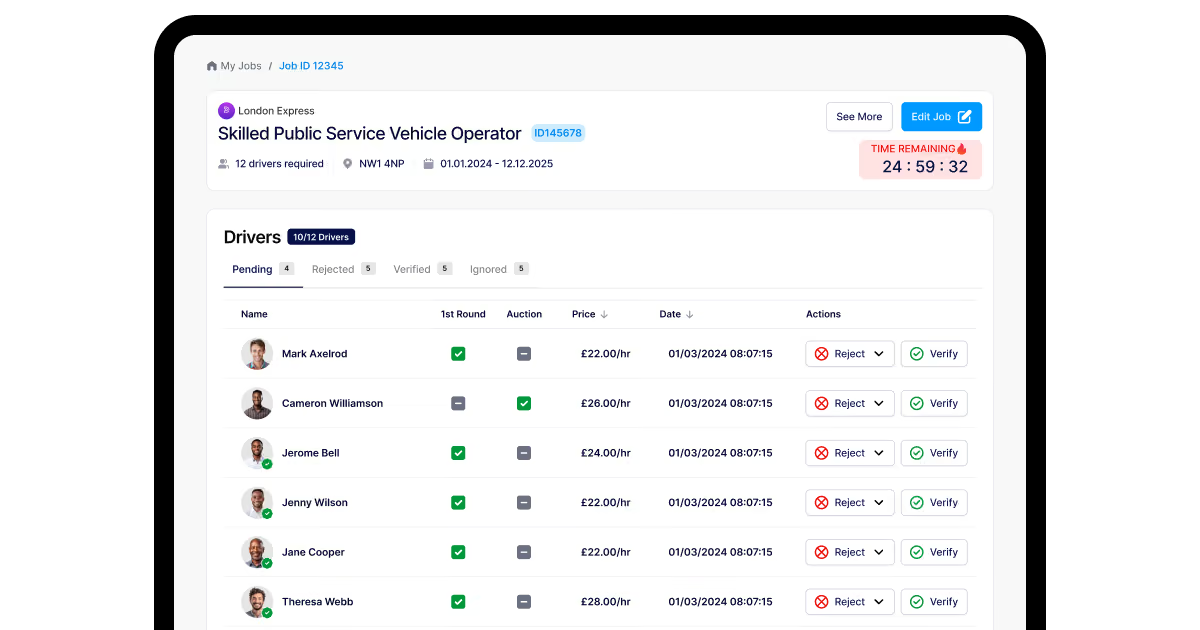
Investments in driver scheduling software are growing in light of this problem. In the next 10 years, the market is expected to double in size. Driver scheduling software focuses on automating the most labor-intensive planning tasks. It combines filters, predictive alerts, generative AI, and internal chats. Algorithms filter and categorize scheduling requests, allowing managers to quickly approve them. Predictive alerts warn about overwork faced by drivers. When we added these features to DriveIQ, the client eventually saw a 22% decrease in turnover rates.
In manual systems, managers and dispatchers have to manually collect data, process it, and make decisions. Automated systems simplify collection and processing stages. They enable managers to focus on making decisions.
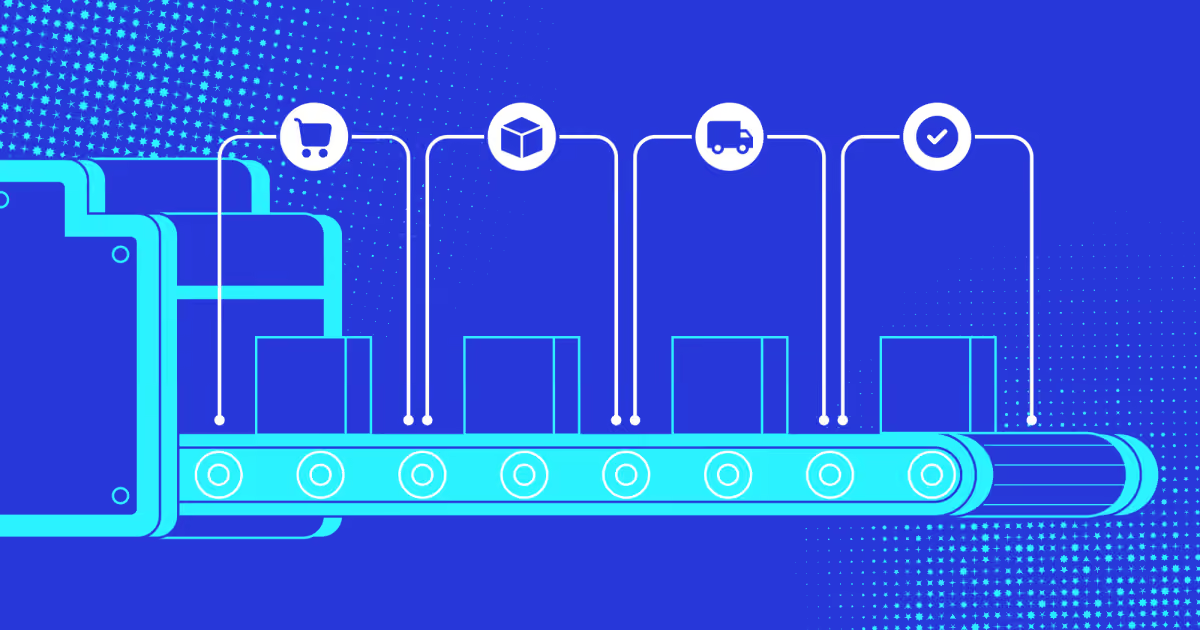
Modern driver scheduling workflows focus on four steps:
Step 1. Collecting data. You need to know when particular drivers want to work. It’s also important to understand their fatigue levels. With manual systems, managers have to personally keep track of work hours, driver requests, and driver expertise. This large volume of data reduces space for decision-making and increases dispatcher fatigue. In our DriveIQ case, we solved this problem by adding trackers for the most common problems like fatigue.
Step 2. Categorizing data. It’s not enough to have data. You need to filter and categorize it. Some drivers don’t possess the necessary expertise for complex tasks. Others request particular workdays. With manual scheduling, dispatchers must personally filter all this information. Scheduling software solves this problem by applying filters to data and automatically creating schedules.
Step 3. Assigning shifts/tasks. Once you have a table with categorized data, you need to make final decisions. Managers have to approve shifts and inform drivers about their decisions. In manual systems, managers personally do all those tasks. Automation solves this problem by offering auto-optimization recommendations. In DriveIQ, our prediction systems alert managers about past driver performance. If accidents or late deliveries occur, they can quickly choose easier tasks or assign a weekend.
Step 4. Resolving disputes. In large organizations, even the best scheduling workflows result in some mismatches. Certain drivers don’t get the shifts they want. Others receive too many tasks. Managers have to use several chat apps to resolve scheduling conflicts in manual systems. This process is slow and inevitably ends in unresolved issues. In our DrivenPeople case, we gave users access to group and personal work chats. Since communication occurs in one app, it’s easy to keep track of information.
All in all, delivery management software development requires a focus on complex systems. They must combine data collection and processing with accessible communication.
Why is effective driver scheduling critical for fleet success?
Driver scheduling improves productivity, prevents incidents, and helps companies comply with regulations.
Preventing accidents
Driver fatigue significantly elevates risks of accidents. Empirical investigations show that overwork is among the key factors leading to crashes. It affects up to 58% of the accidents. Drivers often start experiencing dangerous levels of fatigue due to lack of control. Chaotic schedules with bad work-life balance are more dangerous than predictable 60+ hours workweeks.
A driver scheduler is vital for reducing incidents. In our DriveIQ case, overwork was one of the main problems for our client. Many drivers faced overtime. Thanks to schedule and route management, our client saw a 22% decrease in overtime for drivers. Driver safety improved tremendously, too. Proper scheduling and driver alert systems reduced the number of safety accidents by 38%.
Improving productivity
Good scheduling is a prerequisite of improved productivity. When drivers feel well-rested, they naturally make better decisions. Incidents decrease, and attention improves. Modern AI systems automate routine tasks, but they also raise cognitive requirements. Accident risks are 7-times higher for drivers who work for more than 10 hours. Software-based driver scheduling ensures that overwork is minimized, raising attention levels. That’s why we combined prediction engines with schedule management in the DriveIQ case. These features synergize, boosting one another. Better scheduling and a prediction engine for routes reduced late deliveries from 18% to 7%.
Complying with regulations
Governments in North America and the EU often assign big fines for HOS violations. Hours of Service have a direct negative impact on the number of road accidents. After 10-11 hours of driving, risks of crashes rise sevenfold. The Canadian government prepared more than 60 fines for HOS violations in 2023. Fines range between 300$ and 2000$. Prevention of Hours of Service issues not only improves safety but also prevents unexpected expenditures. In our DriveIQ case, proper driving scheduling and predictive alerts prevented more than 40 HOS violations.
What are the key features of a driver scheduling software?
Our DriveIQ and DrivenPeople cases indicate five key features of successful driver scheduling software:
Intuitive UI/UX. Manual systems for driver scheduling are chaotic. Dispatchers working with them feel overwhelmed. They solve hundreds of small repetitive issues per hour. All this leads to chaotic schedules, burnout, and massive (up to 7 times) increases in accident risks. The main advantage of driver scheduling software lies in reducing this pressure. The key feature that helps achieve this goal is an intuitive UX for data collection. In our SyncMatix case, drivers can send milestone reports to dispatchers with one button press. This easy-to-use data workflow improved responses to real-time events for SyncMatix by 25%.
Centralized data collection. Driver scheduling apps centralize scheduling tasks. Drivers request shifts via one app. This data then appears in a centralized dashboard for dispatchers. Thanks to this, all reports and requests reach decision-makers on time. Moreover, dispatchers don’t have to personally analyze several chats to find the data. They can focus on decision-making instead.
Fatigue tracking. Fatigue tracking is also a vital part of a delivery driver scheduling platform. It's not enough to create a schedule where everything fits well on paper. This schedule must also reflect the real needs and capabilities of drivers. Our clients in the DriveIQ case found that drivers sometimes underestimate their fatigue. Subjectively, they may feel well and report that all goes fine. But fatigue undermines good decision-making. Then one unlucky blink later, a road accident can happen. In one such case, fines, late delivery fees, and repairs led to $60000 losses. After development, correct scheduling of breaks and rest days helped the partners reduce SLA breaches by 28%.
Automated filters. Before data from driver apps reaches dashboards, scheduling software also filters it. Filters depend on the needs of particular logistical organizations. They categorize data based on expertise, fatigue levels, recent accidents, delivery speed, user scores, and missed deadlines. This type of software automatically creates scheduling recommendations based on them. Dispatchers can focus on anomalous data points and approving shifts.
Easy-to-use communication tools. Modern labor organizations report that communication overload is affecting billions of workers. Workers spend up to 57% of their work time in work chats, meetings, and emails. Truck drivers face this problem, too. They have to deal not only with dozens of chats but several chat apps. Moreover, some operators work only with SMS or phone systems. In the DrivenPeople case, we solved this problem via in-app chats and job dashboards. There’s no need to use any external solutions that only add to the chaos. Thanks to this, only 0.8% of scheduling requests require manual intervention for approval.
What unites all those features is the focus on simplicity. Features like intuitive UX and fatigue tracking work best when they make scheduling easy.
Best driver scheduling software
Most logistical solutions combine driver scheduling with other features like route optimization. Apps like Onfleet offer comprehensive solutions for truck operators. Scheduling is only a part of those solutions. If you need driver scheduling above all, finding the best app is difficult. For this reason, our tests needed criteria that would help isolate the impact of other features. We only take route optimization or AI into consideration if there's synergy.
Ultimately, key criteria we focus on are data transparency and strong communication capabilities. Without those features, both manual and automated decision-making in driver routing and scheduling is impossible.
Our team prepared two main test scenarios for those features. The first variable here is the type of deliveries. In one case, we simulate a long-haul truck firm. In another case, we focus on last-mile deliveries. The second variable is volume and difficulty. We analyzed how various systems handle difficult routes or a large number of shifts.
Product
Key features
Onfleet
Integration of scheduling tools with real-time tracking and prediction engines
OptimoRoute
Automatic scheduling based on filters and trackers for fatigue, competence, starting locations, and work hours
Route4Me
Optimization tools for time-zone mismatches; configuration of best and worst-case scenarios for driver schedules
SpokeDispatch
Automated calculation of schedules for last-mile deliveries based on assigned routes and pauses/stops
TrackPOD
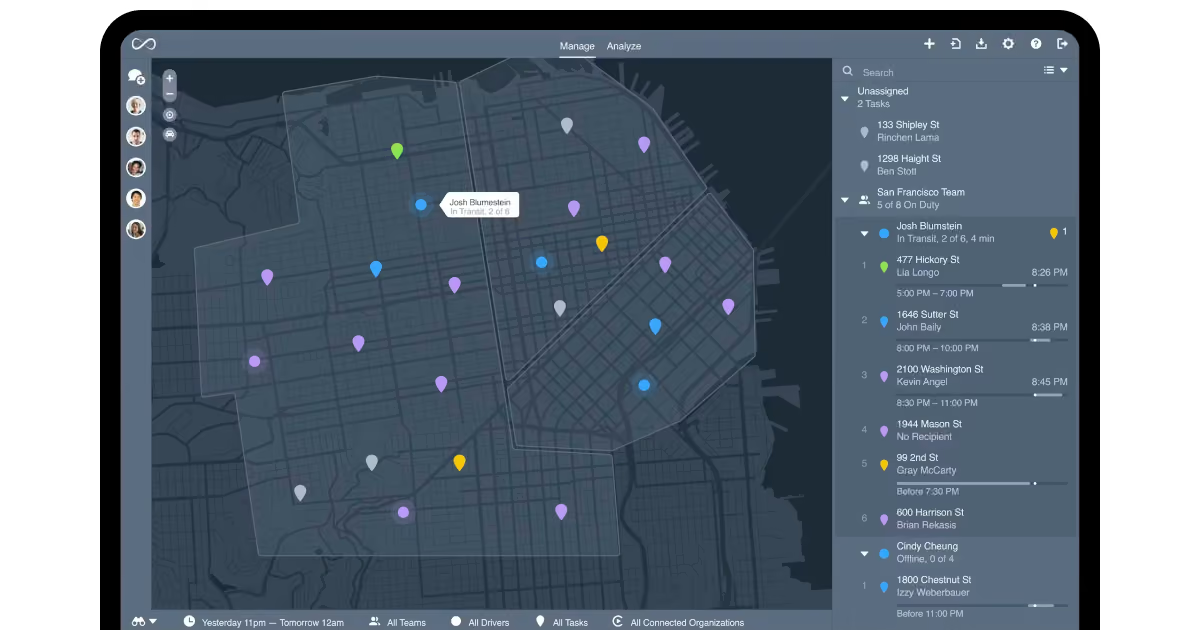
Drag-and-drop interface for managing shifts, routes, and tasks; intuitive map system for visualizing all key tasks on a map
Truckbase
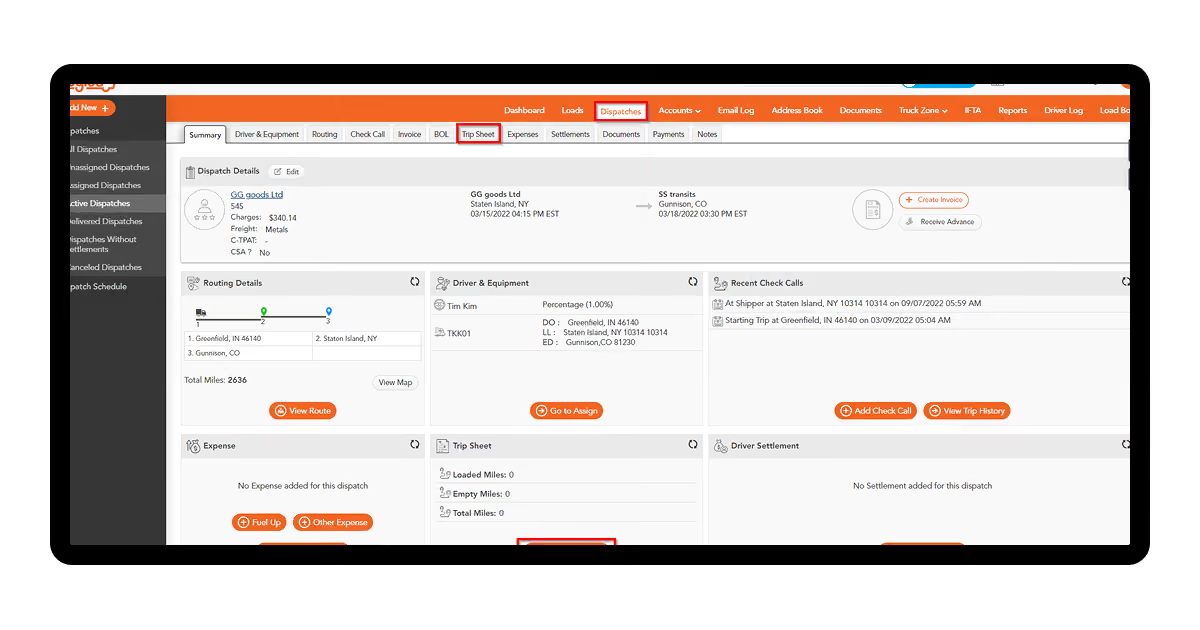
Centralized calendar for visualizing shifts with electronic logging device integration
TruckLogics
Tools for detecting idleness and excessive workloads and automatically assigning tasks to available drivers
Arrivy
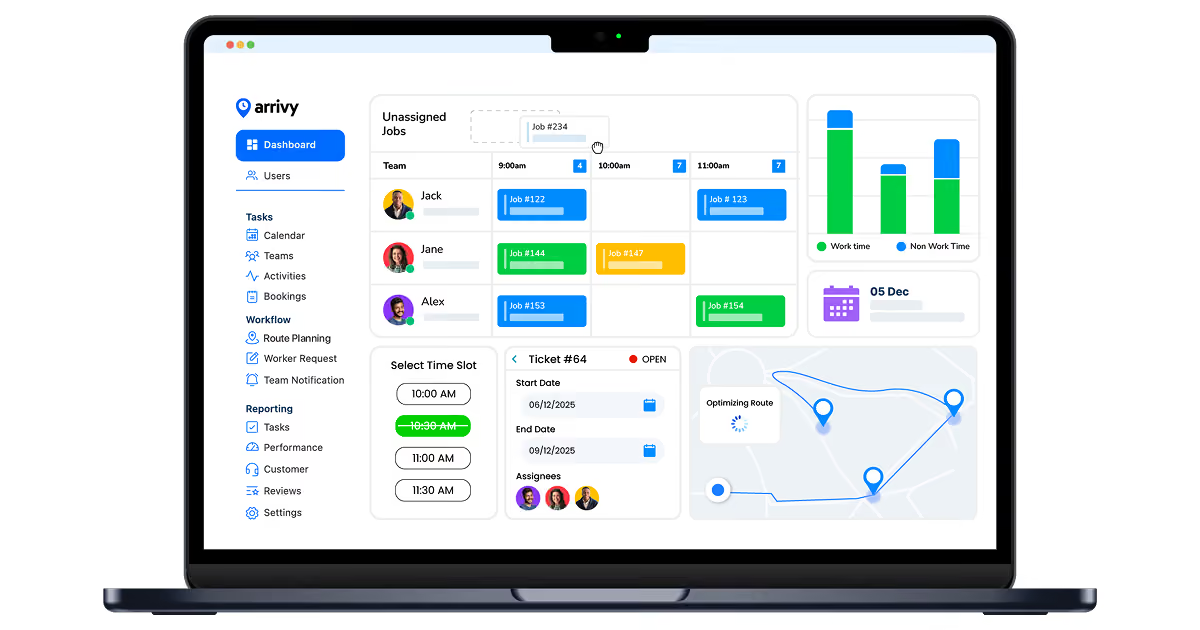
Advanced tools for configuring complex schedules, including automatic task assignment, work time definition, and operation zones
Samsara
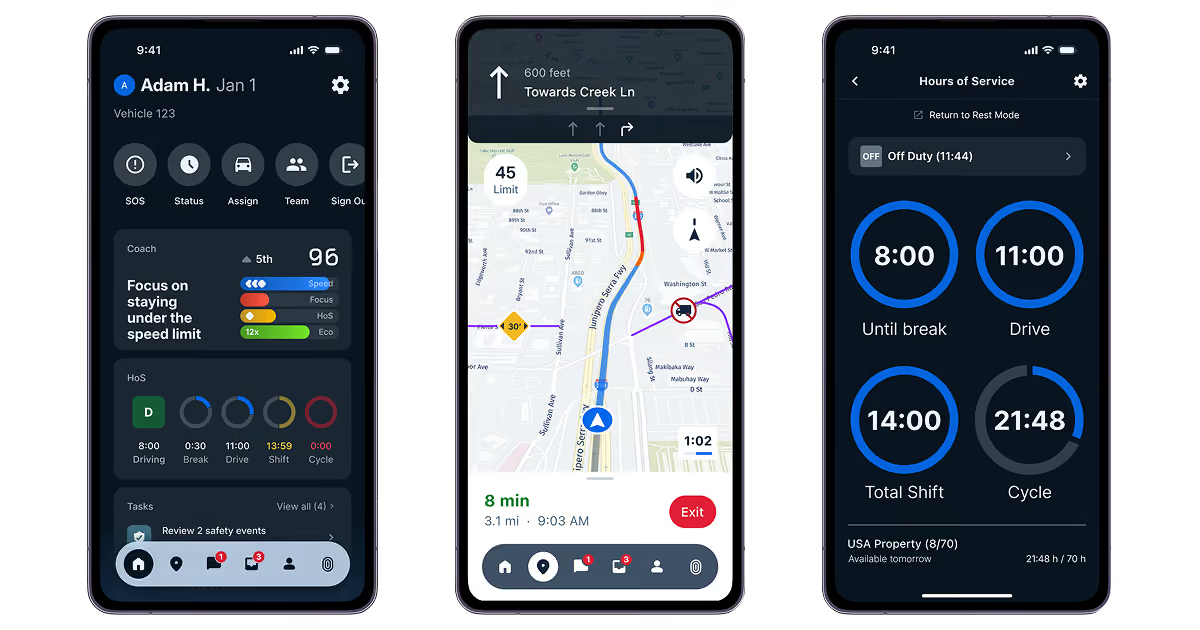
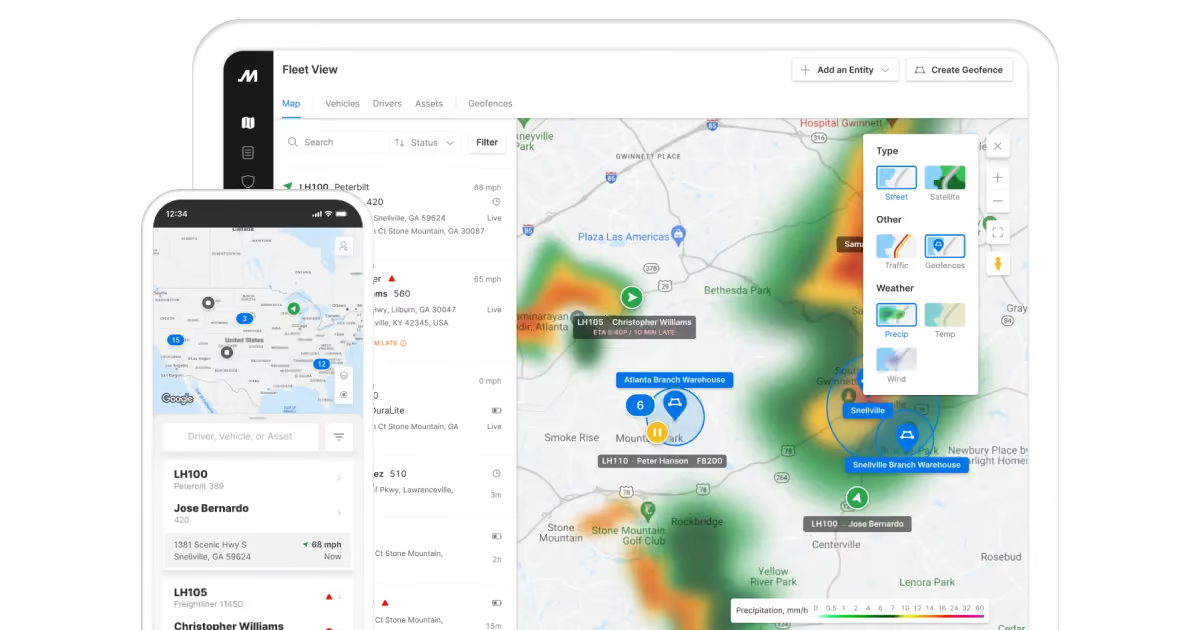
Real-time tracking for complex routes with predictive alerts for fatigue and bad weather; automated PDF/DOCX scanning
Motive
Advanced configuration of what-if scenarios, including alerts and automatic task assignment
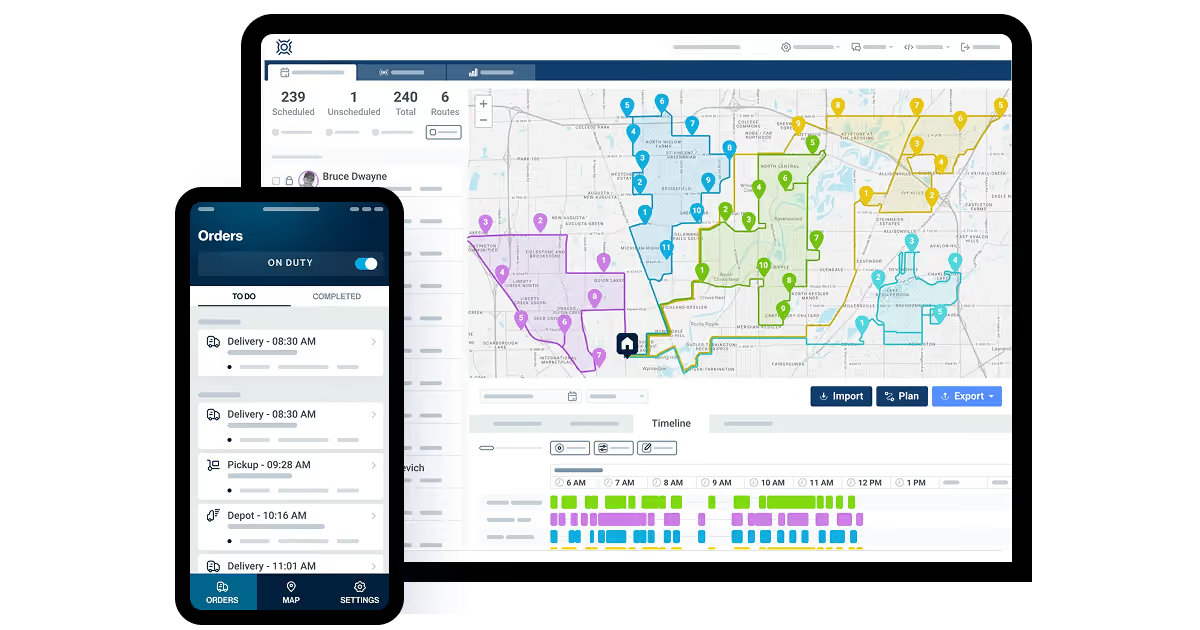
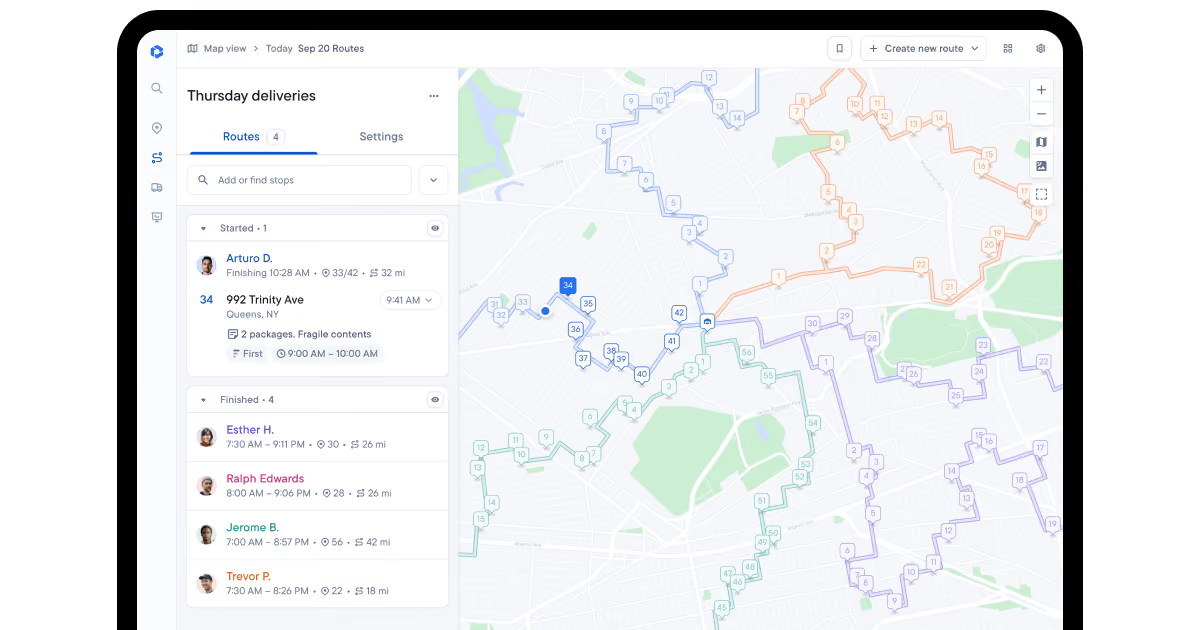
The main advantage of Onfleet is combining schedule management with other fleet management tools. Scheduling tools we've found are rather one-sided. Managers can set up default firm schedules and individual driver schedules. But the app doesn't have tools for matching driver requests with shifts or orders. When we simulated real work conditions, our team had to rely on external chats. Still, the app solves this problem via strong data collection and integration tools. It has leading predictive instruments and real-time tracking. Moreover, Onfleet offers integration with dedicated scheduling platforms like When I Work.
Strengths: strong data collection, integration with dedicated scheduling tools;
Weaknesses: lacks internal communication tools;
Best for: a) small companies that need predictive analytics and basic scheduling; b) companies that require strong data collection for scheduling.
OptimoRoute is the most integrated and well-rounded solution in our test. It automates scheduling based on driver work hours, competence, their fatigue levels, and even starting locations. These features helped our testers in both our freelance and big company tests. Freelancer managers could filter drivers based on competence and geographic location. This was great for last-mile urban deliveries. OptimoRoute helps choose drivers who work the closest to warehouses and delivery locations. For long-haul deliveries, fatigue management and automatic scheduling worked the best. The app is great at making good decisions without human intervention. With good supervision, it minimizes the possibility of bad assignments.
Strengths: scheduling automation, large number of filters and alerts;
Weaknesses: reliance on automation; manual choices aren't always intuitive;
Best for: companies that want to minimize human interventions in scheduling.
Route4Me shows the best results in integrating scheduling with route planning. In our long-haul test, the app automatically resolved timezone issues. It adjusted time based on browser settings, meaning that drivers didn't have to calculate manually. The app allows assigning starting and end times to specific routes in a truck driver schedule. It's also possible to set recurring start times and make them flexible. Our test included a lot of bad weather conditions. We liked that the app allowed us to set up both the best- and worst-case schedules. This feature prevents a lot of unnecessary communication for planned and expected delays. Dispatchers see whether delays are acceptable or not.
Strengths: direct integration with route planning tools, flexible time settings;
Weaknesses: lack of dedicated communication tools for scheduling;
Best for: companies that work with a large number of regular deliveries.
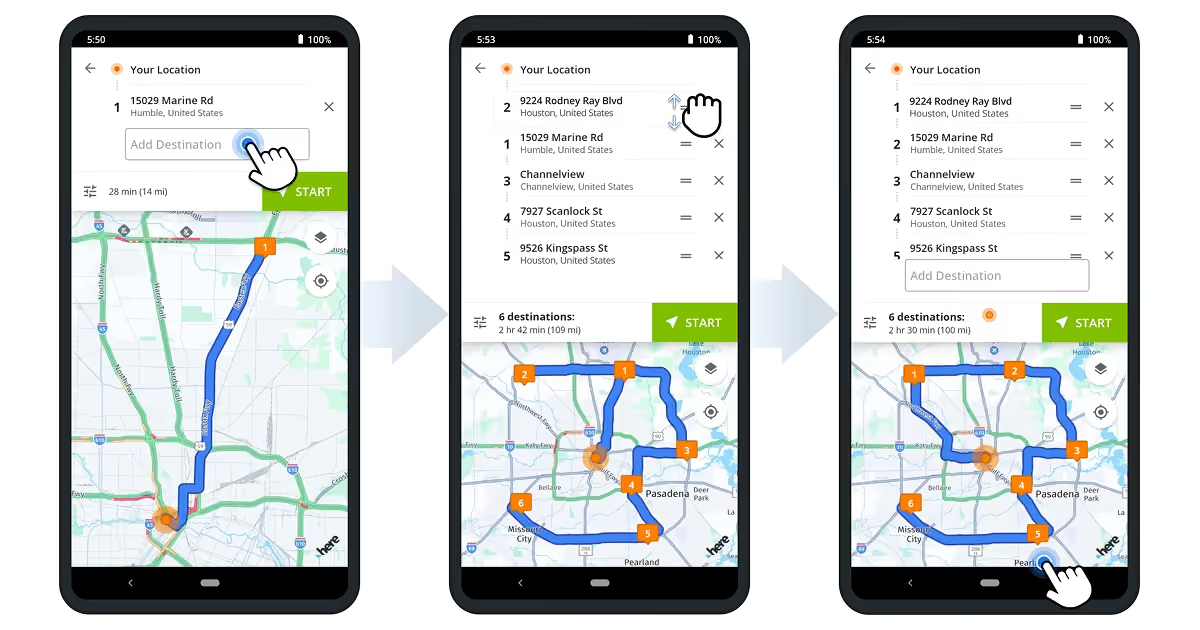
Spoke Dispatch specializes in last-mile planning. While its shift scheduling is basic, the app offers the best pause management. In our last-mile tests, the biggest obstacle was the need to stop at multiple locations. Drivers have to manage dozens of pauses and delays per shift. This is especially difficult for personal deliveries, where they must adjust to customer schedules. It's not enough to plan a shift; you need to also optimize rest and wait times. Spoke Dispatch automatically calculates routes based on stops and pauses. Last-mile delivery drivers often complain about hectic shifts. Conditions change on the fly. Prediction engines in Spoke Dispatch offer dispatchers and drivers realistic assessments of their workdays. This feature allowed us to plan fuel expenditures and reduce them in our tests.
Strengths: optimization of scheduling during the shift;
Weaknesses: basic tools for managing shifts themselves;
Best for: last-mile delivery companies that want to optimize fuel consumption and service speed.
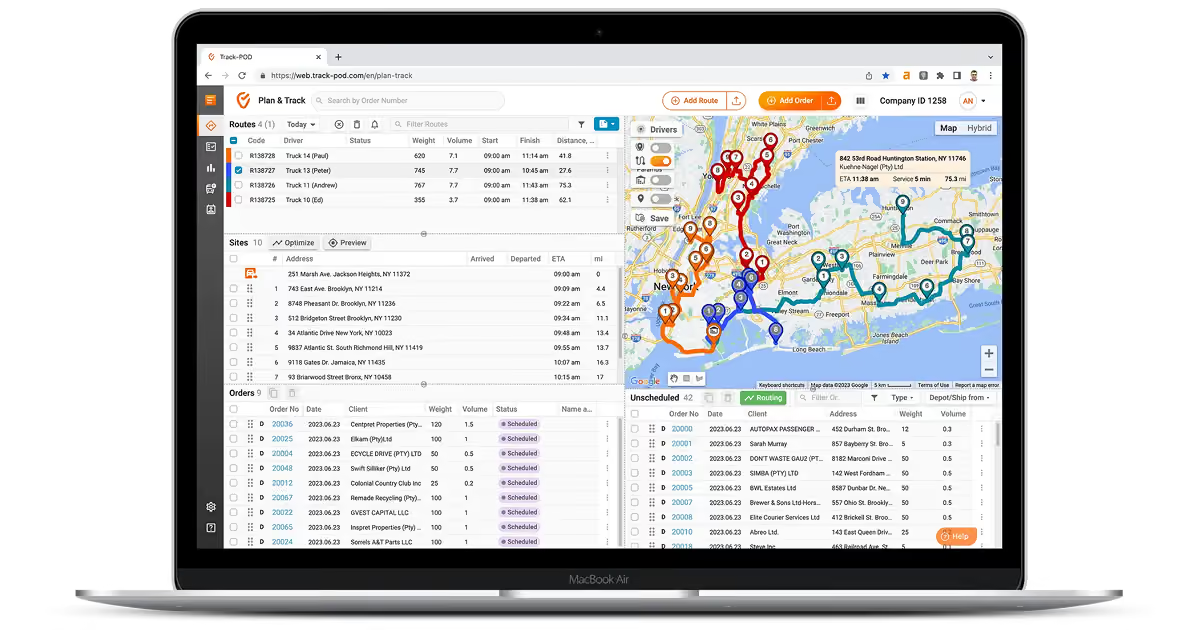
Track-POD focuses on ease of use. It integrates scheduling with maps and order lists. Users can lasso and drag orders from maps onto vehicle and driver lists. This helped us a lot during last-mile delivery tests. We had to deal with hundreds of orders per hour. In those conditions, the biggest problem was that other apps relied on drop-down menus. They're just slower and get confusing fast. Track-POD was very intuitive and didn't get in our way. As a result, we saw the best results during high workloads. The app visualized all information, making it very easy to understand. All we had to do then was just drag and drop orders onto available driver profiles.
Strengths: great visualization and usability;
Weaknesses: tools for shift management itself are quite limited;
Best for: last-mile delivery with a big number of orders that need fast processing.
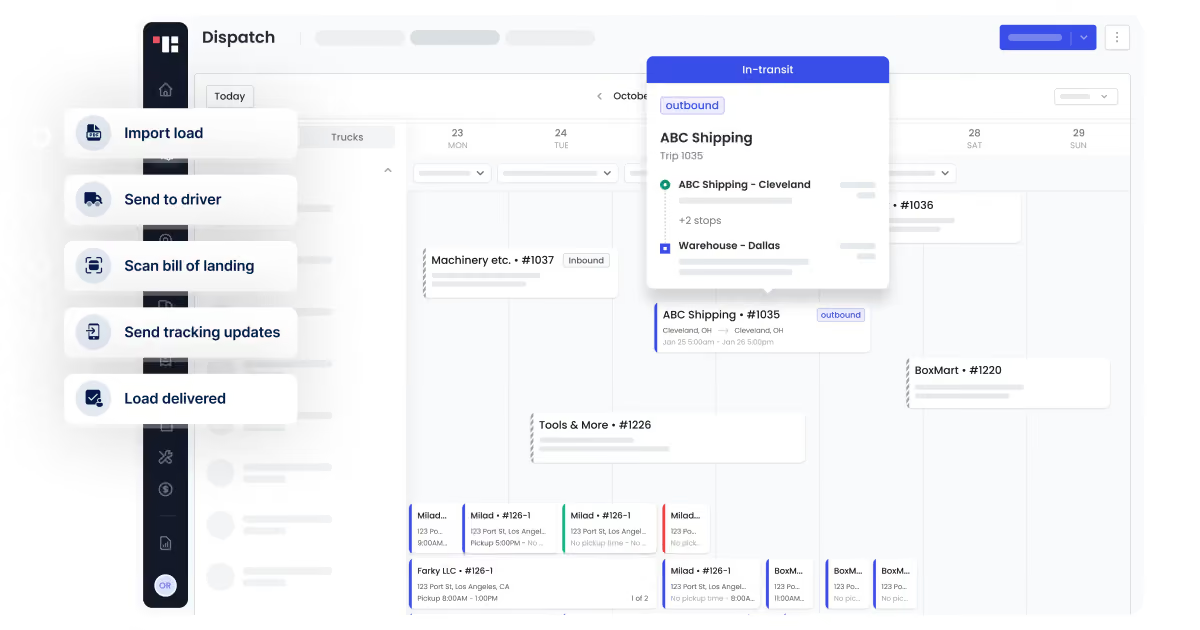
Truckbase is notable for offering a well-rounded solution and integration with tracking hardware. In our long-haul tests, the app easily integrated with electronic logging devices. We also liked a centralized calendar developed specifically for the app. It offers a complete overview of shifts and integrates with a driver app. This app visualizes schedules for them and has internal chat tools. At the same time, automation tools are limited. There are some auto-optimization instruments, but most decision-making is manual.
Strengths: strong data collection and communication tools, integration with electronic logging devices;
In our tests, TruckLogics was the best in managing large fleets with high workloads. Our test scenario had hundreds of vehicles, most of which were assigned to some tasks. The main problem for dispatchers in cases like this is to find available trucks for new orders. With pen-and-paper tools, firms accept some inefficiencies. Drivers often wait for orders several hours despite being available. TruckLogics automatically keeps track of available drivers. When we needed to assign orders, it immediately offered us options. Calendar and truck view offer a general overview of workload. In our tests, downtime became almost non-existent thanks to semi-automatic matching.
Strengths: automatic tracking of available drivers;
Weaknesses: scheduling tools lack flexibility for setting best- and worst-case delivery times;
Best for: companies that work with many orders and want to minimize downtime.
Arrivy has the most configurable driver scheduling instruments. We found tools for assigning tasks, defining work time, and delineating operation zones. They were great in our last-mile delivery test. We managed to not only assign schedules but also optimal zones for all driver teams. This helped us specialize teams on certain regions or responsibilities. In our tests, drivers had different equipment and competencies. These features helped us configure them all by combining scheduling with driver management software.
Strengths: depth of customization for schedules;
Weaknesses: can feel overwhelming for non-experts, limited automation;
Best for: companies that need scheduling tools for complex workflows.
Samsara integrates scheduling with real-time tracking tools. In our long-haul test, the app worked the best for managing difficult routes. Dispatchers have tools for planning stops for rest and can easily reschedule them. The app integrates with various trackers. This allowed us to predict driver fatigue and issue warnings based on route difficulty. What we also liked about the app is order integration. In many cases, stakeholders send order information in PDFs or DOCX files. Samsara scans those documents and integrates them into its interface for quick order assignment. This approach saved us a lot of time when creating routes.
Strengths: integration with real-time tracking tools, PDF and DOCX processing;
Weaknesses: lack of tools for auto-resolution, reliance on dispatcher decision-making;
Best for: long-haul companies that work with difficult routes that need manual interventions.
Motive offers the best tools for configuring what-if routines. During our tests, we managed to set up several triggers for automated scheduling. For example, Motive can immediately assign new tasks after job completion. This approach allowed us to minimize downtime for drivers. The app also has automatic alerts based on vehicle health or driver fatigue. For our simulation of a smaller firm, we managed to automate almost everything. Dispatchers had to intervene only 2 or 3 times per hour.
Strengths: best tools for automating;
Weaknesses: requires a lot of logistical expertise for configuration;
Best for: companies that work in complex but predictable conditions, enabling automation.
How to choose the right driver scheduling software?
When choosing the right driver scheduling app, it’s crucial to follow a logical framework. You need to understand your requirements and how unique they are:
What problem do you want to solve? Before using driver scheduling apps, you need to clearly outline the “why.” Do you want to decrease turnover? Or are you concerned about road accidents? It’s important to answer those questions because scheduling apps aren’t always the best solution. Maybe you need route optimization or predictive analytics. Once you know the answer, it should not be difficult to find an appropriate solution. Apps like Onfleet and Route4Me focus on combining scheduling with real-time tracking and alerts. These solutions make sense when problems with driver scheduling are only a part of other complex challenges. If you need schedule automation, then Arrivy or Motive make more sense. They have advanced configurations for firms that need to handle many events.
Is your problem unique? Apps like Onfleet or Route4Me target the mass market. Even their large teams can't consider every exception. So, they develop features around the most widespread use cases. Scheduling is often only a part of those solutions. But what if you want to optimize driver schedule for niche settings? In those cases, off-the-shelf apps aren't enough. The best option is to turn towards custom development. In our SyncMatix case, the customer had a unique data collection system with three separate logins. No amount of off-the-shelf solutions could simplify that system. We developed a unified frontend and a data analysis system around it. Using this unified system, the users of the platform found ways to decrease fuel waste by 18%.
The COAX Software team has experience and knowledge to tailor solutions for complex use cases. We have ISO 9001 and ISO 27001 certifications. These competencies enable us to deliver powerful and safe solutions through custom fleet management software development.
Best practice tips for effective driver scheduling
Three key problems lead to challenges with driver scheduling. These are limited stakeholder autonomy, chaotic data collection, and the complex nature of fatigue. Our DriveIQ, DrivenPeople, and SyncMatix cases point towards several best practices that help overcome those problems.
Limited stakeholder autonomy
Problem. Drivers, dispatchers, and clients: all these groups have some vital information for scheduling. Scheduling issues occur when one of those groups has a diminished impact on decision-making. In 45% of the cases, drivers report that their burnout is a result of communication challenges.
Best practice tips. You need to consciously integrate all stakeholders. The best way to do this is to offer easy-to-use communication channels. For example, DrivenPeople offers internal chats for separate projects. Dispatchers or managers have access to all work-related information in a dashboard. As a result, every stakeholder can quickly inform others about their concerns and requests.
Chaotic data collection
Problem. Managers have to collect data from multiple locations. Drivers send information via chats, phone calls, and surveys at the same time. Then, dispatchers manually add all this data to spreadsheets. Some data is inevitably lost, and drivers start feeling as if managers don’t hear them.
Best practice tips. The COAX Software team utilizes several solutions for this type of problem. Driver apps enable them to send reports with one click and provide warnings about weather risks or fatigue. In some cases, we also add internal chats. These apps remove the need to rely on outside solutions like WhatsApp. Ultimately, we add dashboards to centralize and visualize information for dispatchers. This feature enables them to make decisions fast and without missing important reports.
Complex nature of fatigue
Problem. Driver scheduling issues arise out of many factors. Not all of them are related to schedule management. Even good communication can’t solve problems with inefficient assignments. Drivers report that fatigue rises when they feel inefficient. Accidents and delays create destructive feedback loops. They increase the amount of work other drivers have to do.
Best practice tips. Driver scheduling solutions work best when they synergize with other features. In our DriveIQ case, scheduling tools were only a part of the software package. We added real-time predictions with notifications and automated optimization based on AI. In the end, opportunities for ROI growth appeared: fuel waste decreased by 18%.
The COAX software team has been developing logistics management software for more than 15 years. The best practice tips above arose out of our direct experience. If you’re unsure about the path forward, our team is here to help.
FAQ
In what cases does driver scheduling software become cost-efficient?
Driver scheduling software benefits companies with complex scheduling procedures the most. In our DriveIQ case, the customer was managing a fleet of 500 vehicles. Dispatchers had to assign shifts and tasks for all of them. Our solution optimized manual processes and enabled dispatchers to process 31% more daily routes.
What are the best use cases for custom driver scheduling software?
Custom software works best for unique and niche solutions. In our SyncMatix case, the customer had a complex data collection system with three logins. No off-the-shelf solution can integrate complex products like this one. We developed a centralized dashboard for the app. Thanks to it, support tickets fell by 45%. Drivers and managers who had questions about their tasks could quickly find answers there.
Which driver scheduling software features are the most important?
Data collection that integrates all stakeholders and strong communication tools. These features enabled DrivenPeople to attract 175 companies to its platform in 4 months. Operators like that they can quickly communicate with drivers and assign schedules based on competence.
Can driver scheduling software decrease turnover?
Yes, especially if it's used with other features aimed at drivers. DriveIQ's in-cab coaching, improved communication, and fatigue management decreased turnover by 22%. Before addressing us, the customer faced an annual turnover rate of 45%. Our system targeted overtime and optimized rest for drivers. As a result, drivers now have better work-life balance, which boosts company loyalty.






















































_.avif)





%2520explained.avif)

We are interested in your opinion