Your homepage loads in under a second. The hero shot's sharp, the copy's tight, the button sits exactly where a strategist would put it. None of that stops a visitor from hitting "back" nine seconds later.
Picture a traveler browsing hotel deals late at night. She lands on a package page, scans the headline, checks the price. Then she's gone, tab closed, no click, no scroll.
Nothing broke. No error fired. Your analytics dashboard won't flag it as a crisis. But that same silent exit repeats across thousands of visitors every week, and it quietly caps your growth.
That's a bounce. It's the internet's version of someone walking into a shop, glancing around, and walking straight back out.
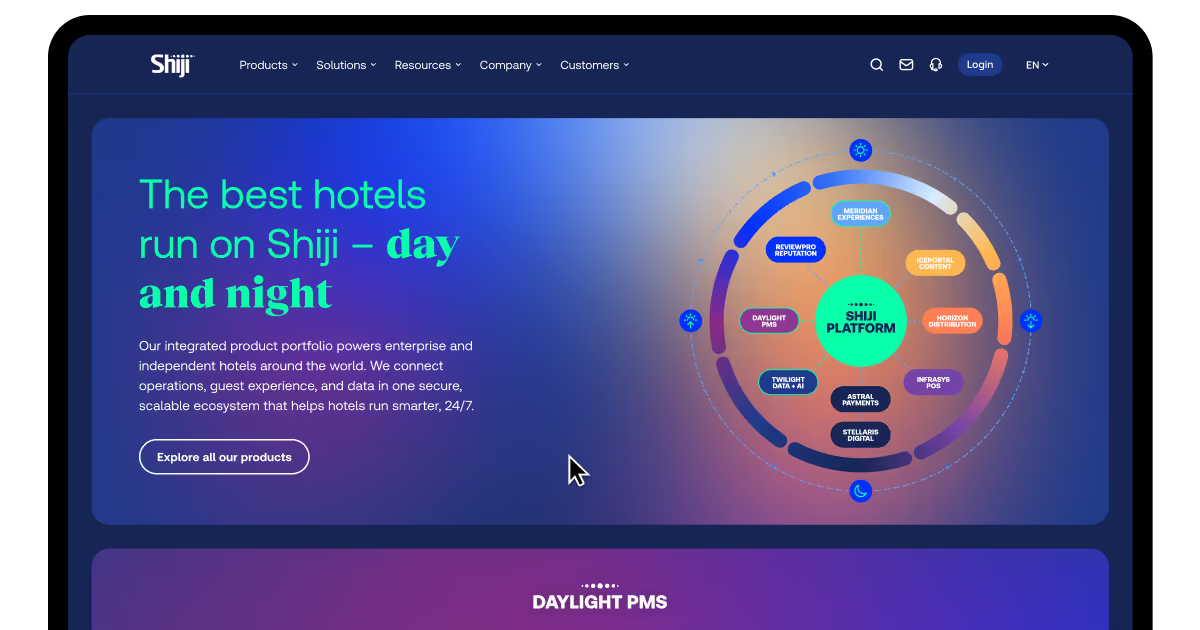
We've spent 16 years building and rebuilding travel, logistics, and hospitality platforms at COAX. When we rebuilt Shiji's hospitality tech website around a new brand concept, organic search traffic jumped 95%. This guide breaks down what bounce rate really measures, how to reduce bounce rate without gutting your design, and what counts as an ideal bounce rate for your specific industry.
What is bounce rate?
Bounce rate is the share of visits where someone lands on one page and leaves. No second click. No scroll past the fold. No second page view, ever.
Think of a shopper who opens a product page, checks the price, and closes the tab. That's a bounce. So is a reader who searches a question, finds the answer in your first paragraph, and leaves satisfied. Not every bounce means failure. Some mean your page did its job in ten seconds flat.
Google Analytics and most other tools count a session as a bounce under one condition. The visitor triggers no additional interaction after that first page loads. A ten-minute read with zero clicks still counts as a bounce, oddly enough. That's worth remembering before you panic over a single number.
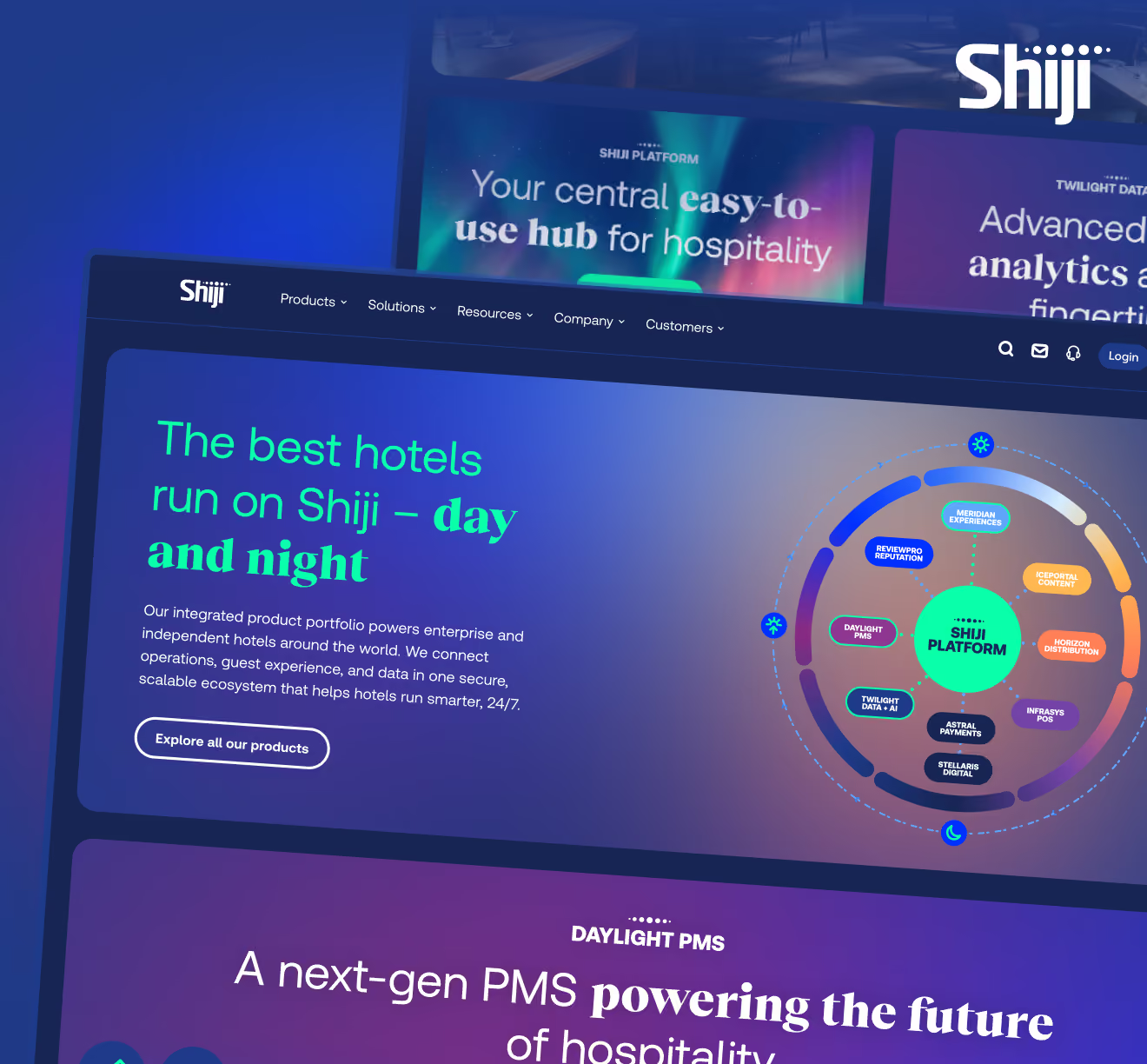
Shiji's old website shows what a bad first page costs. The hospitality tech company serves over 91,000 hotels worldwide, built around round-the-clock service, but its site felt outdated next to that story. COAX rebuilt it around a Day and Night concept, giving each product its own identity across the 24-hour hospitality cycle. Visitors understood the whole portfolio within seconds of landing, and engagement rose right alongside the traffic gains.
Market-wide, website bounce rate sits in a fairly wide band. The average site falls between 25% and 65%, with a cross-industry median near 44% to 47%. Where you land depends heavily on device, traffic source, and sector.
Why is bounce rate important?
High bounce rate numbers mean visitors leave without acting. That hurts sales, erodes trust with search engines, and flags a mismatch between what people expect and what they find. Track it closely, and the number becomes a warning system, not just a stat on a dashboard.
Lower sales. A visitor who bounces never reaches your booking form or checkout page. On a travel site, that's someone who never even saw your pricing. Every bounce is a lead your sales team will never get to work.
Poor user signals. Search engines read short visits as a sign your page didn't answer the query. Over time, that pattern can drag down your rankings even if the content itself is solid. A pattern of quick exits tells Google to trust your page less.
Bad traffic fit. A high website bounce rate often means the wrong audience is landing on the page. Ads or social posts can pull in clicks that were never going to convert. Fixing the targeting sometimes matters more than fixing the page itself.
Weak content match. Someone searches a question, clicks your link, and leaves in seconds. That's your page failing to answer what they actually asked. A quick bounce rate analysis against your top search queries usually exposes this fast.
Slow load times. A visitor backs out before your page even finishes rendering. Nobody waits around for a spinner on a hotel booking page. Speed problems bounce people before your content gets a fair shot.
Weak visual or copy quality. Dense text blocks and cluttered layouts push readers away fast. A page that's hard to scan loses visitors before they find the value. This is where content optimization tools earn their keep, flagging readability and layout issues automatically.
Confusing navigation. Visitors who can't find a next step often just leave instead of hunting. A missing or buried call-to-action quietly kills engagement. Clear paths forward are one of the cheapest ways to decrease bounce rate.
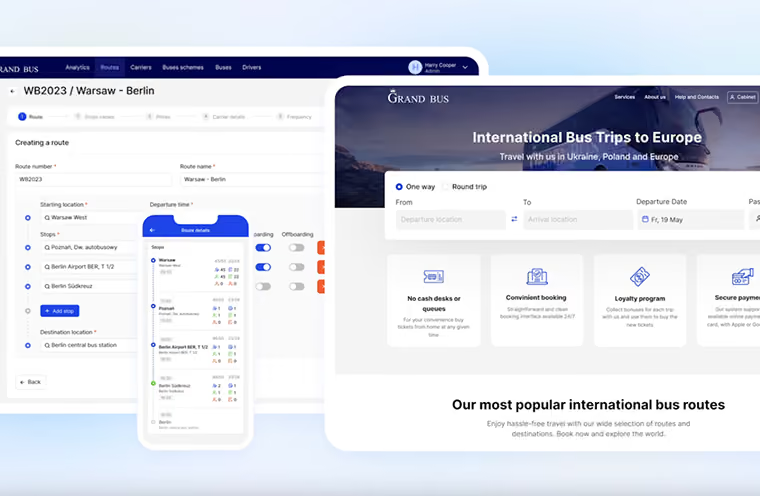
Our work on a bus-tour CRM system shows what fixing these frictions looks like in practice. The client managed bookings through a generic system that couldn't scale. COAX built a custom platform on React.js and Ruby, tied to Google Analytics and Hotjar for ongoing tracking.
The result wasn't a bounce-rate headline. It was a 40% profit increase, 60 new affiliates, and 20 new suppliers. Better engagement on the front end showed up as better numbers on the back end. The pattern holds for email too, even though it's a different metric. A bounced email damages sender reputation with inbox providers the same way a bounced session damages trust with Google. Too many bounces, and providers start blocking your messages outright.
What it affects
What happens
Quick fix direction
Sales and conversions
Visitors leave before reaching checkout or booking forms
Simplify the path to your primary CTA
Search rankings
Short visits signal weak relevance to search engines
Match content tightly to search intent
Traffic quality
Wrong audience arrives through mismatched ads or keywords
Refine targeting before touching the page
Search match
Visitors find the wrong answer, or none at all
Lead with the answer, not the backstory
Page speed
Visitors back out before the page finishes loading
Compress images, cut unnecessary scripts
Content and design quality
Dense or cluttered pages lose readers fast
Use content optimization tools to test readability
Navigation clarity
Visitors can't find a next step, so they leave
Make one clear action obvious on every page
Email deliverability
High email bounces damage sender reputation
Clean your list, verify addresses regularly
The average website bounce rate tells you where you stand against the market, but your own trend line matters more. Once you know what a bounce actually costs you, the next question gets sharper: how does this differ from a metric that looks almost identical, exit rate?
What is the difference between bounce rate and exit rate?
Bounce rate vs exit rate confuses most teams, and the confusion costs real insight. Both metrics track visitors leaving a page. Only one tracks visitors leaving after seeing just that page. Get the difference right, and your bounce rate analytics actually point to fixable problems.
Bounce rate counts sessions where a visitor views one page, then leaves. No click, no scroll, no second pageview at all.
Exit rate counts every session that ends on a specific page, regardless of how many pages came before it. A visitor can browse five pages and still count toward that last page's exit rate.
Aspect
Bounce rate
Exit rate
Measures
Single-page sessions only
Sessions ending on any page
Triggers on
Entry pages exclusively
Every page in the funnel
Signals
Weak first impression
Mid-journey friction
Typical fix
Headline, speed, relevance
Navigation, next steps, CTAs
Key differences are in the following aspects:
Session position. Bounce rate only fires on entry pages, the first page a visitor lands on. Exit rate fires on any page where a session ends. A high bounce rate flags a weak landing page specifically, not your whole funnel.
What each signals. Bounce rate usually points to a mismatch between expectation and content. Exit rate usually points to friction somewhere inside your conversion path. One metric flags a first impression problem; the other flags a mid-journey one.
Scope of the problem. A bounce means the visitor engaged with nothing on your site. An exit can follow real engagement: clicks, scrolls, even a form started. Losing someone after real interest often hurts more than losing a cold click.
Where they overlap. Every bounce technically counts as an exit too. Not every exit counts as a bounce, though. A low bounce rate can still hide a high exit rate elsewhere on the funnel.
What "good" looks like. A website bounce rate near the industry benchmark is often fine on its own. Some pages, like contact forms, expect high exit rates naturally. Context always matters more than the raw percentage alone.
How you fix each one. You reduce bounce rate by fixing headlines, speed, and first-page relevance. You lower exit rate by fixing navigation, next steps, and mid-funnel friction. Different symptoms need genuinely different treatments.
Our DriveIQ solution shows this pattern from the driver side, not the visitor side. Early scorecards showed raw safety numbers, and drivers ignored them. That's a bounce-like reaction: one look, then disengagement, no return visit. Fleet managers essentially had a "landing page" nobody stayed on.
Switching to peer benchmarking changed that instantly. "Here's where you rank" outperformed a bare score every time. Scorecard open rates rose, and voluntary coaching engagement followed right behind it. That's the fix: better first impression, not a longer funnel.
Both metrics matter, just for different stages of the visit. Once you separate them cleanly, the next question gets easier: what actually counts as good?
What is a good bounce rate?
A good bounce rate depends entirely on what the page is for. There's no universal number, no magic ceiling everyone should chase. Bounce rate Google Analytics reports show wildly different baselines across industries. Judge your number against your category, not against someone else's homepage.
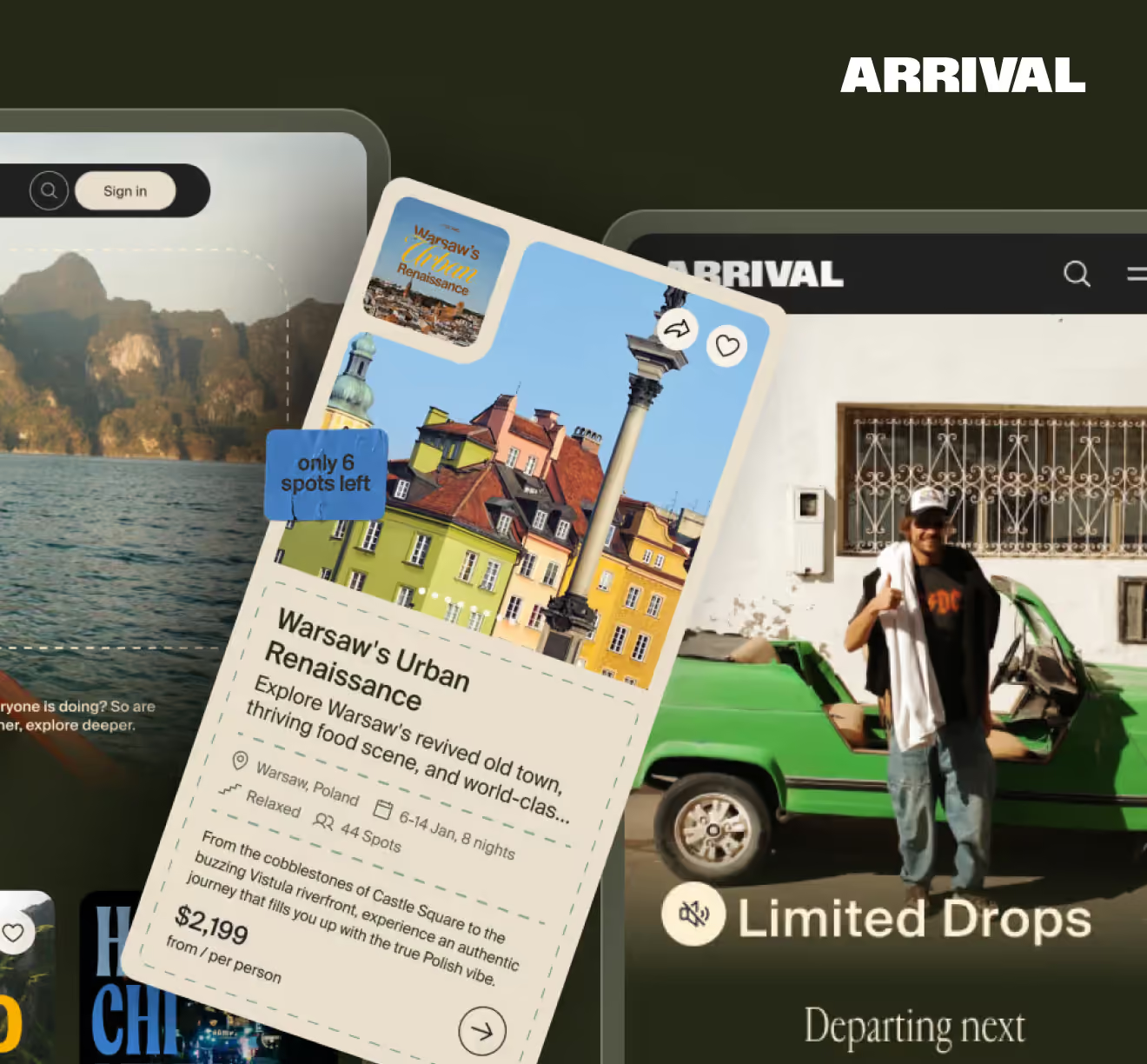
Picture our client platform, Arrival's launch day. Two million Instagram followers, a code-gated early access page, over 120,000 sessions before the site even went public. A generic landing page would've bled visitors fast. Arrival's persona quiz kept people clicking instead, sorting travelers into categories before they ever saw a trip. That's the difference a well-matched page makes against its own benchmark, not against some flat industry average.
Content pages carry the highest website bounce rate range of any category. A reader clicks in from social media, finds their answer, and leaves. That's the page doing exactly its job. Gating content behind forms can pull this number down to around 30%, but chasing a lower score for its own sake usually backfires. Forcing signups on a blog post annoys readers who just wanted an answer. One risk worth flagging here: leaning on AI copywriting to pump out volume can actually push this number higher. Generic, templated posts read as thin, and thin content invites a faster exit than something written with real expertise behind it.
Landing pages exist to convert, yet they often bounce the hardest of any page type. That gap feels counterintuitive until you consider the traffic mix. A single-page freelancer site will always run high by design. A paid campaign landing page bouncing at 85% likely has a real problem worth fixing. Arrival's early-access page avoided this trap through urgency and clear stakes. Code-gated entry gave visitors one obvious next step: register now or miss the drop. That single decision point kept the page from becoming a dead end nobody clicked past.
Legal, automotive, and similar service sites sit in a moderate band. Visitors often want one fact: a phone number, an hour, a price. They find it, then leave to call or visit in person. That's a high bounce rate but a satisfied one. A high number here only signals trouble if visitors leave without finding that one fact they came for. Test your top service pages against real search intent before assuming the number itself is bad.
B2B buyers research heavily before committing to anything. That behavior naturally pulls this bounce rate lower than most other categories. A B2B site under 30% usually means buyers are genuinely working through multiple pages. Multi-tenant platforms like SyncMatix reflect this pattern well, where partners explore dashboards, pricing tiers, and integration docs before any commitment. Long consideration cycles reward sites built for exploration.
Travel visitors compare constantly: destinations, dates, prices, room types. That comparison habit keeps bounce rates in a moderate, fairly stable range. Arrival's platform leaned directly into this behavior instead of fighting it. The persona quiz surfaced relevant trips immediately, based on what a visitor actually wanted. Since launch, the platform has logged 500,000 total visitors and 20,000 weekly active users. That's a travel audience that keeps exploring instead of bouncing after one glance.
Property searches naturally involve browsing multiple listings and filters. Visitors rarely commit to the first house or apartment they see. That habit keeps bounce rates lower than most content-heavy categories. Search filters, saved listings, and map views all extend a typical session. A real estate page bouncing above 55% often has a filtering or search problem worth investigating first.
Retail carries some of the most improved bounce rates across any industry. Shoppers browse, compare, add to wishlists, even without buying immediately. That browsing habit alone counts as engagement, not a bounce. A site creeping toward 55% often has a product page or navigation issue, not a traffic quality one.
As a rough rule, aim for 50% or lower site-wide. That's not a hard ceiling, just a useful gut check. Compare your own trend over time and against your specific category before reacting to any single number. Once you know where you stand, it's time to calculate the number itself.
How to calculate bounce rate?
The bounce rate formula is simple: single-page sessions divided by total sessions, times 100.
Bounce rate = (Single-page sessions ÷ Total sessions) × 100
Here's how to calculate bounce rate in practice, using a booking website. Say a travel platform gets 10,000 sessions in a week. Of those, 4,200 sessions involve just one page view, no clicks, no scroll past the fold. Divide 4,200 by 10,000, multiply by 100, and you get a 42% bounce rate.
Break that number down by page, though, and the story changes fast. A destination search page might sit near 30%, since visitors naturally click through listings. A single confirmation page might hit 80%, and that's fine, since guests landed there after booking, with nowhere else to go. Aggregate numbers hide these differences, so segment before you react to anything.
What factors influence your bounce rate?
Several concrete factors drive whether a visitor stays or leaves within seconds. Speed, relevance, mobile design, and navigation all play a direct role. Fix the wrong one first, and your bounce rate barely moves.
Page load speed frustrates visitors before they even see your content. A slow booking page loses guests before the first photo renders.
Content relevance determines whether the page matches what a visitor expected. A misleading title or ad copy sends the wrong crowd straight back out.
Mobile optimization decides whether smartphone visitors stick around at all. A broken mobile layout drives away a huge share of travel traffic specifically.
User experience and design shape how long someone's willing to explore. Cluttered layouts and intrusive pop-ups push visitors toward the back button fast.
Navigation and structure give visitors somewhere to go next. Without clear menus or internal links, even interested visitors hit a dead end.
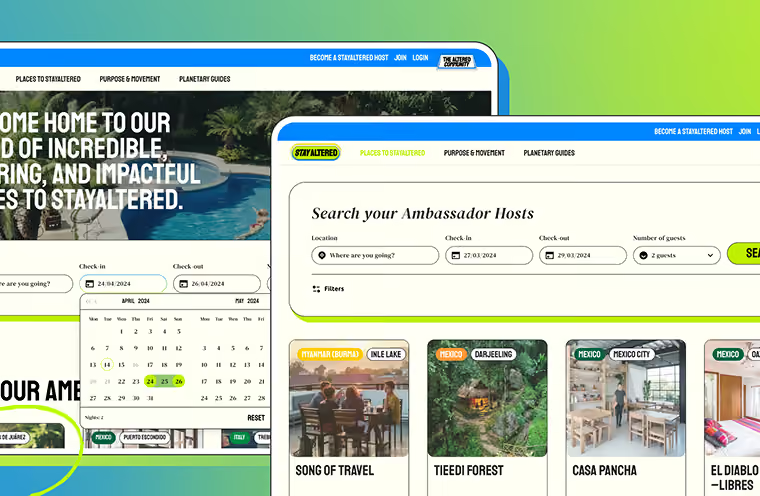
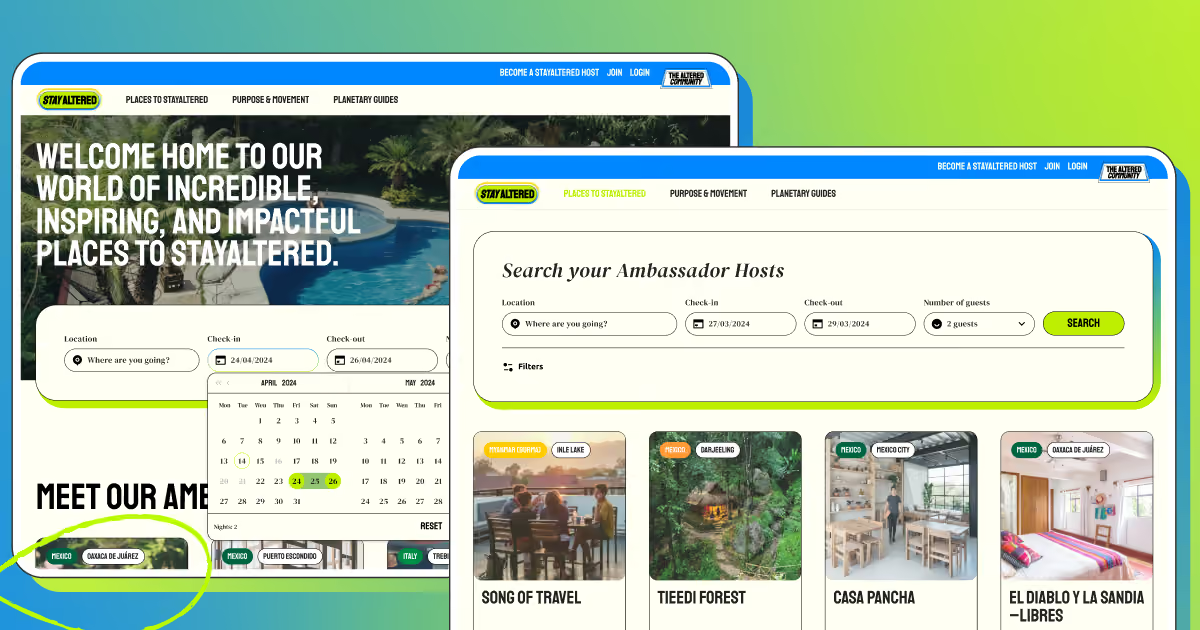
Stay Altered's platform shows the navigation factor clearly. Guests search by destination, dates, property type, and sustainability tags all at once. Clear filtering keeps visitors moving through listings instead of bouncing off the first search result. That structure alone turns a single search into a multi-page session.
Personalization and authenticity matter just as much as CRO mistakes like slow load times or confusing menus. A generic listing page reads the same to every visitor, and generic rarely holds attention. Stay Altered's host profiles lean hard into storytelling: philosophy, local history, sustainability tags unique to each property. Guests browsing for a specific experience, like slow travel or eco-conscious stays, find something built for them, not a templated hotel listing. That authenticity is part of why the platform grew to 170-plus verified properties across 45-plus countries, with guests exploring multiple listings instead of bouncing after one glance.
Ignore these factors, and bounce rate in SEO terms starts working against you too. Search engines read short visits as a weak content-to-query match. Over time, that pattern can quietly erode rankings you've already earned. Fix the visible problems: speed, relevance, mobile layout, navigation. The rest follows once visitors have a real reason to stay.
How to check the website's bounce rate?
Knowing your website bounce rate matters less than knowing where to find it. Most teams guess at their numbers instead of pulling them straight from the source. A five-minute setup in the right tool beats months of assumptions.
Where to find bounce rate in GA4
GA4 doesn't show bounce rate by default. The platform leans on engagement metrics instead, so bounce rate calculation has to be added manually before it shows up anywhere. Here's the fastest path to it:
Sign in to GA4, then head to Reports > Engagement > Pages and screens.
Click the pencil icon in the top right corner to customize the report. You'll need edit permissions for this step.
In the sidebar, select "Metrics," then "Add metric," then pick "Bounce rate" from the list.
Drag it up into one of the first columns using the six dots beside it, then hit Apply and save.
From that point on, bounce rate in Google Analytics shows as a normal column, right beside sessions and engagement rate, no extra digging required.
That five-click setup solves the biggest complaint teams have about GA4. The number exists. It’s just somehow hidden by design.
Google's never confirmed bounce rate as a direct ranking factor. But bounce rate almost certainly shapes what surfaces in AI Overviews and AI Mode, and similar signals likely affect visibility in tools like Perplexity too.
Ranking factor or not, bounce rate stays useful as a diagnostic. A spike on one page usually means something specific broke: intent mismatch, slow load, confusing layout. Treat it as an early-warning system, not a vanity metric.
Alternative tools and methods
GA4 isn't the only option on how to check website bounce rate, and it's not even the fastest one either.
Alternative analytics. Tools like Plausible Analytics or Statcounter show single-page session data out of the box. No pencil icon, no manual metric-adding, no permissions chase. A lightweight website bounce rate checker can save real setup time for smaller teams.
By-page analysis. A sitewide average hides more than it reveals. Break bounce rate down by individual landing page instead, since one broken URL can drag the whole number down while the rest of the site performs fine.
Tracking integrity checks. A bounce rate under 20% almost always means broken tracking, not brilliant content. Duplicate tags, misfired scripts, or a stray GA snippet can quietly fake a great-looking number. Any bounce rate checker reading suspiciously low deserves a tag audit before anyone celebrates.
Run these checks together instead of picking one. GA4 gives you the full picture, a lightweight checker gives you speed, and a tracking audit keeps both honest. Skip the audit step, and every other number downstream stays unreliable no matter which tool produced it.
Is high bounce rate a problem?
The factual answer to this question is the following: it depends on the page. Still, “is a high bounce rate good or bad?” is rarely a yes-or-no question. Bounce rate on its own is just a signal, not a verdict. Read it against the page's job, and it turns from a scary number into a useful diagnostic.
What frequently causes a high bounce rate, and how it went on our client project, an antique marketplace:
Slow page loading. Anything past three seconds starts bleeding visitors at once. antique marketplace's own numbers made this obvious. Pages were taking 6 to 8 seconds to load against Google's recommended 2.5, and rankings dropped as a direct result. Speed alone won't fix every page, but it removes the most common excuse for leaving.
Mobile layouts that don't hold up. A page that renders fine on desktop can be unreadable on a phone, and mobile now carries most organic traffic for many sites. Tiny text, overlapping buttons, and slow mobile rendering all push visitors straight back to search results. Our client antique marketplace’s post-overhaul mobile sessions rose from an average of 2.1 to 3.8 seconds, a sign that visitors were actually sticking around instead of bailing within the first screen. That kind of shift usually means the mobile experience stopped fighting the visitor.
Broken links and dead ends. A 404 or a page that goes nowhere kills momentum instantly. Visitors just close the tab and try a competitor instead. This kind of friction compounds on large catalog sites, where thousands of product or listing pages create thousands of chances for a broken link and higher website bounce rates.
Content that doesn't match the promise. A seller listing that says "Victorian Chair" but shows something else entirely will bounce a buyer instantly, and search intent mismatches work the same way at scale. Accuracy here isn't cosmetic. A mismatched or vague listing title is a mismatched expectation the moment someone clicks.
Weak readability and cluttered layout. Dense text blocks, tiny fonts, and busy page design all make visitors work harder than they're willing to. Most people scan before they read, and a page that resists scanning loses them in seconds. This matters even more on listing-heavy sites, where a buyer is comparing dozens of pages in one session.
Intrusive ads and pop-ups. Nothing sends a visitor back to search results faster than a pop-up blocking the content they came for. Auto-playing videos and aggressive interstitials create the same effect. The irritation is a direct signal to the visitor that this page isn't worth the friction, and they leave before ever seeing what you actually offer.
Missing or unclear calls to action. A visitor can read an entire page, agree with everything on it, and still leave if there's no obvious next step. The antique marketplace's product pages solve this =, pairing every listing with an obvious action (buy now, add to favourites, contact the dealer) so interest has somewhere to go immediately.
Sometimes the high bounce rate isn't real at all. Duplicate analytics tags or misconfigured tracking scripts can inflate the number without any change in visitor behavior. Before diagnosing a content or design problem, it's worth ruling out a tracking problem first; a suspiciously extreme number, high or low, is often a tag issue rather than a user-experience one.
When does a high bounce rate signal a problem, and when doesn’t it?
Not every high number needs fixing. And when you’re worried about a question, “Is a low bounce rate good?”, well, it isn't automatically true either. Context decides that, not the percentage itself.
Signal
When it's OK
When it's a problem
Contact page
Visitor grabs the phone number and leaves
Visitor leaves without finding contact info at all
Blog post
Reader gets their answer in seconds
Reader bounces because the content doesn't match the search query
Product listing
—
Shopper leaves without viewing details or adding to cart
Checkout / signup flow
—
Visitor exits mid-step before completing the process
FAQ page
One quick answer satisfies the visit
Visitor can't find the answer and leaves frustrated
One-page site
The whole point is a single screen
Rare, usually not a meaningful concern here
Landing page (paid traffic)
—
Visitor never engages with the offer or CTA
A high rate is a real problem on pages built to move someone forward. Here’s where you should make real efforts to reduce bounce rate.
Lead generation pages where nobody fills out the form.
Product pages where shoppers leave without adding anything to a cart.
Checkout or registration steps where visitors exit mid-flow.
Any of these means the page failed at the one job it had.
A high bounce rate is often completely normal on pages built to answer one thing and stop. A contact page where someone just wants a phone number. A blog post that answers a question in the first paragraph. An FAQ entry. A one-page site with a single, self-contained purpose. Visitors leaving satisfied looks identical, in the data, to visitors leaving frustrated. Ironic, but true.
Our work on the antique marketplace is a good illustration of reading this correctly instead of chasing a single metric. The team didn't treat bounce rate as the goal. Our team treated it as one symptom among several, alongside load time, Core Web Vitals, and database performance, then rebuilt the underlying experience end to end.
That's the kind of groundwork COAX’s customer journey optimization services are meant to fix. Not gaming one number, but making sure each page does its intended job well enough that visitors move exactly as far as they should, no further and no less.
The takeaway for anyone trying to reduce bounce rate on website performance: fix the number where it actually costs you something, and leave it alone where it's just visitors getting what they came for.
How to reduce bounce rate?
Knowing how to improve bounce rate starts with fixing what's actually driving visitors away, not chasing a lower number for its own sake.
Speed comes first, every time.
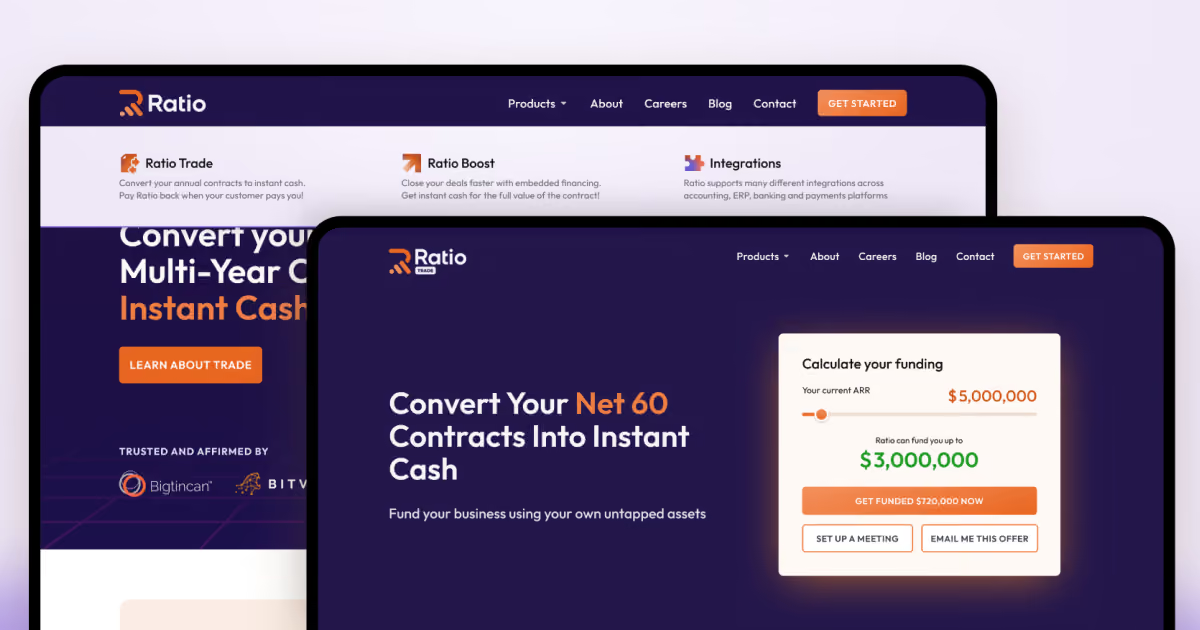
A slow page loses visitors before they see anything, and no amount of good copy fixes that. Our client Ratio's site work we did tells this story, too. Swapping heavy media for lightweight Lottie animations dropped load time from 4.2 seconds to under half a second. A bounce rate checker is only as useful as the habit of checking it regularly, with the goal of constant improvement.
Speed and performance software can be helpful here. WP Rocket caches pages and trims load time, cutting off the most common reason for an early exit. Cloudflare puts your files on servers closer to the visitor, so a slow global connection stops being the reason someone bounces.
Match the page to what the visitor actually wants.
A generic landing page bounces hard because it asks visitors to do the sorting work themselves. Arrival's persona quiz flipped that: instead of one flat homepage, visitors got sorted into travel categories before ever seeing a trip listing, and the platform pulled in over 120,000 sessions before public launch without bleeding traffic on a mismatched first impression.
Google Analytics is the baseline for any bounce rate analytics setup to track here. It tracks sessions, engagement, and page-by-page drop-off so you know exactly where visitors give up. MonsterInsights makes that data usable for non-technical teams, surfacing bounce trends inside WordPress without a raw GA4 report to decode.
Untangle navigation before anything else gets blamed.
Confusing menus quietly push visitors toward the back button, even when the content underneath is solid. Shiji faced this with a fragmented product portfolio that needed one coherent way through it. The custom circular navigation system gave visitors a single, intuitive path across the entire ecosystem. Organic search traffic rose 95% after launch, a sign that visitors were finally finding their way instead of leaving confused.
User behavior and UX tools can make a difference here. Hotjar shows heatmaps and session recordings, so you can watch exactly where attention drops instead of guessing. OptinMonster catches visitors right as they're about to leave.
Make content management fast enough to actually use.
A website bounce rate problem sometimes traces back to stale content nobody updates, because updating it is too slow. Ratio's CMS rebuild cut blog publishing time from 120 minutes to 15, which meant marketing could actually respond to what was working instead of letting pages go stale.
Give every page a clear next step.
Visitors who read to the end and hit a dead end leave the same way as visitors who bounced in the first five seconds, as the data can't tell them apart. Ratio's custom forms simplified how visitors reached the team, lifting form conversion rates by 45%. Optimizely runs A/B tests on layout and CTAs, so decisions about what keeps people engaged rest on data, not opinion.
Our final note is that a bounce rate checker is only as useful as the habit of checking it regularly. None of these tools fix anything on their own. They just tell you where to look next.
Tools solve problems individually. Reducing bounce rate work that actually moves the needle usually means fixing speed, content, UX, and infrastructure together. This is where most in-house teams hit a ceiling. That's the kind of work conversion rate optimization partners exist for, and it's specifically what COAX has built around for the travel and transportation space.
We spent 16 years building booking platforms, reservation systems, marketplaces, concierge platforms, payments infrastructure, and supplier connectivity tools. Repeated exposure to similar challenges means COAX teams rarely start from zero. Domain expertise, proven architecture patterns, integration experience, and reusable accelerators typically deliver projects 50-60% faster than generalist firms.
Beyond CRO and technical engineering, sustained low bounce rates rely on what happens before and after the click: SEO services and content strategy.
Bringing traffic to a site isn't enough if it's the wrong traffic. Our SEO strategies focus on intent-driven visibility, ensuring search engines send users who are actively looking for what you offer, rather than accidental clicks destined to bounce. Paired with end-to-end content strategy, we map every article, landing page, and product section to clear user journeys. We shape content that answers search intent immediately, establishes authority, and guides visitors naturally toward conversion.
FAQ
What is bounce rate actually costing me if my SaaS trial page sits at 75%?
A 75% bounce rate on a trial page usually means visitors aren't convinced signup is worth the click. If most traffic is cold search or paid ads, that's a targeting problem, not a design flaw. Segment by traffic source before rewriting anything. COAX has seen conversion-focused pages built for B2B products cut bounce meaningfully once forms and CTAs were simplified, not redesigned from scratch.
How to decrease bounce rate if my traffic is mostly mobile and conversions still lag behind desktop?
Mobile bounce usually points to layout, not content. Buttons too small to tap, forms requiring zoom, or slow mobile load times all push visitors back to search results. Test your own site on a phone before assuming the content is the problem. Ratio's team saw form completion jump once fields were simplified for smaller screens, not just resized.
What is a normal bounce rate for a website that sells a single high-ticket B2B service with no self-serve checkout?
High-ticket B2B sites without self-serve checkout often sit between 40% and 65%, since buyers research heavily before committing. Bounce here often means a visitor gathered enough information in one visit, not that they left dissatisfied. Compare your number against your own trend over months, not a flat industry average. Context always matters more than the raw percentage.
What is bounce rate in SEO terms, and can fixing it actually recover lost rankings after a Google update?
Google has never confirmed bounce rate as a direct ranking factor, but user interaction signals do influence what surfaces in search and AI results. Fixing site speed, mobile design, and content relevance rarely reverses a ranking drop overnight. It works alongside other signals, gradually rebuilding trust. Treat it as one input among many, not a single-lever fix.
How to reduce bounce rate on a booking platform when guests abandon right after seeing prices?
Price-page bounces usually mean sticker shock or unclear value, not a broken page. Show what's included before the number, and add context like reviews or comparison points nearby. Stayaltered's listings pair pricing with host storytelling and sustainability details, giving guests a reason beyond cost to stay engaged. Transparency paired with context keeps visitors reading instead of leaving immediately.


































































.avif)
.avif)

We are interested in your opinion