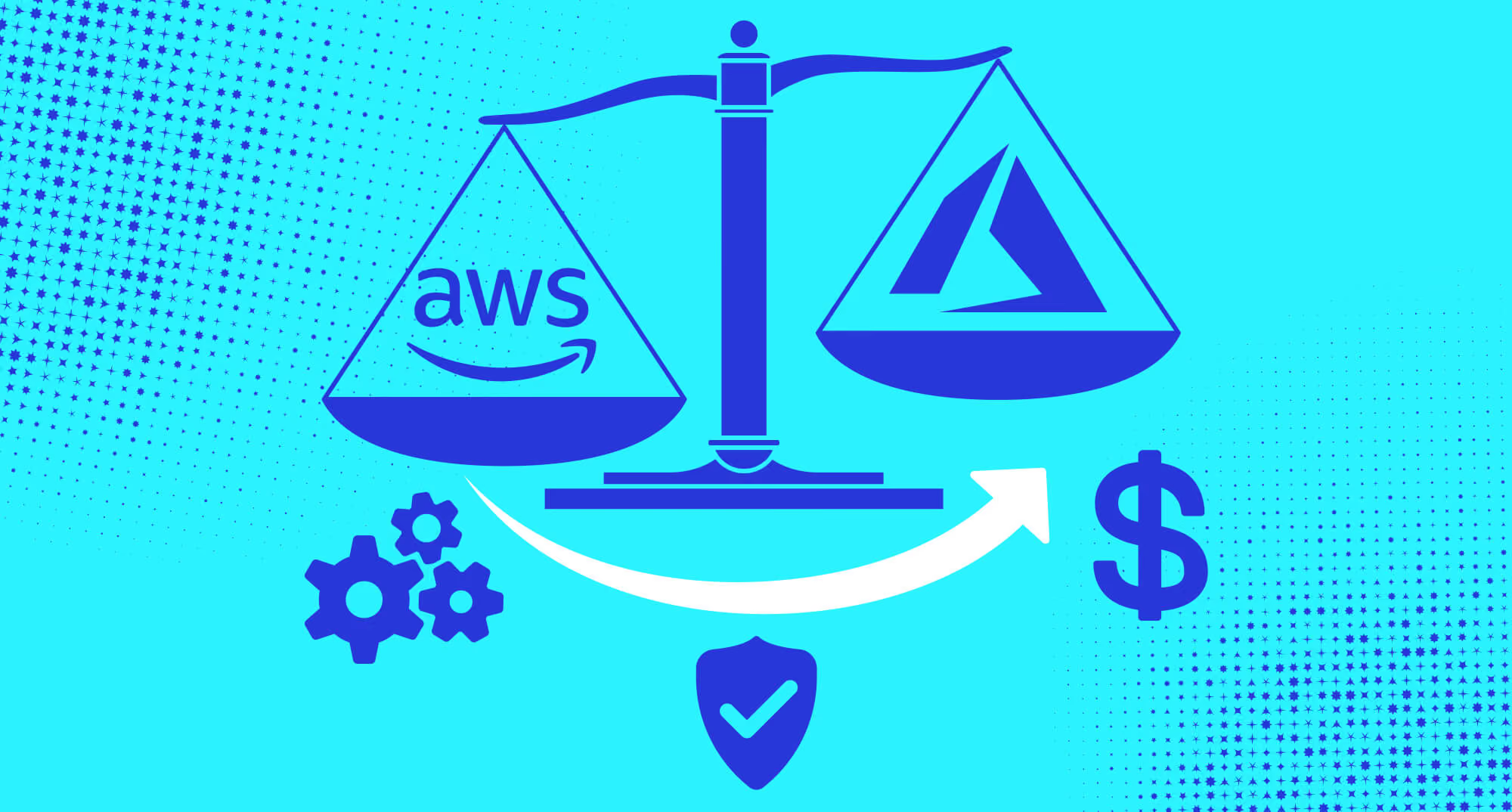
You are probably wondering why you need to leave your well-settled infrastructure. However, we have a message for you: if you are using Azure, maybe it’s time to think about migrating to AWS. Here are the key reasons why you should consider it:
Studies show that migrating to AWS gives from 20 to 47% cost savings.
Allows you to handle high-traffic events with DynamoDB with on-demand throughput price lowered by 50% and global tables by up to 67%.
Makes your processes more energy efficient with AWS Graviton instances, offering a 60% resource cut.
Read on, as we will give more details on the key reasons why AWS is your best choice, and break down the clear steps, nuances, and challenges on your way to successful migration.
Why is AWS better than Azure?
As pointed out by Gupta et al., the two platforms provide elastic scaling and enterprise security features; however, the platforms differ in architecture and enterprise integration capabilities.
With the essentials pointed out, let’s note some aspects that help you shape your choice between AWS or Azure. This is a very complex question, so let’s approach it comprehensively, breaking down each aspect of distinction separately.
Excellent security standards
Aspect
AWS
Azure
Identity management
IAM — granular user roles
Active Directory — centralized control
Threat detection
CloudWatch + CloudTrail
Security Center ML-based
Data encryption
KMS + customer master keys
Key Vault multi-algorithm
DDoS protection
Shield + WAF
DDoS Protection + VNet
Incident response
Incident Manager + EventBridge
Defender automated response
Compliance
143+ standards
90+ certifications
Network security
VPC + security groups
Virtual Network + NSGs
The first reason for migrating to AWS is its high security standards. This service comes with extensive security frameworks and a track record of success. These security benefits were described by Mali and A. & Bendale, S.P.:
The service boasts strong security components — Identity and Access Management (IAM), Detective Controls, Infrastructure Protection, and Data Protection.
It uses advanced threat detection using AWS CloudWatch for full system visibility and CloudTrail for API monitoring.
AWS offers strong data encryption using customer master keys and AWS Key Management Service (KMS) to safeguard data.
AWS Shield and WAF provide DDoS mitigation to guard against malicious web traffic and distributed attacks.
Rapid handling of security events is made possible by incident response tools such as AWS Incident Manager and Event Bridge.
Selecting AWS gives you access to enterprise-grade security that grows with your company's requirements.
High velocity of innovation
Aspect
AWS
Azure
Service portfolio
240+ full-featured services
200 full-featured services
Innovation focus
Agentic AI, Amazon Q platform
Hybrid cloud, Microsoft integration
Open source support
Jenkins, GitHub, Linux CI/CD
Linux operating system
Global infrastructure
105 zones, 33 regions
140 zones, fragmented coverage
Customer base
1M+ active users, 190 countries
347,924 customers globally
Enterprise adoption
90% Fortune 100 companies
38% of businesses
Based on the Miryala recommendations, AWS has the highest innovation speed and market maturity. AWS launched in 2006, compared to the 2010 launch of the Azure platform, which resulted in years of refinement of function and technological leadership.
There are several aspects to point out regarding AWS’s service offerings and flexibility:
AWS offers 240 full-featured services compared to a more focused and enterprise-approved structure for Azure.
AWS offers a better open-source capability, with a versatile and reliable environment for Jenkins, GitHub, and Linux-based CI/CD workflows through the deployment of Jenkins to EC2 instances or container services like ECS/EKS, providing advanced integration through dedicated plugins for the dynamic provision of agents and artifact storage, enabling GitHub integration through webhooks and native services like CodeBuild/CodePipeline.
AWS provides a greater worldwide coverage with its 33 regions of availability, with the historical capability of scaling in place.
Apart from the AWS vs Azure market share difference — 30 and 20%, respectively, according to Statista, AWS has millions of active customers and more than 130,000 partners in 200 countries. AWS remains the leader in technology, with corporations like Netflix, NASA, NFL, and 90% of Fortune 100 companies choosing to use AWS solutions.
Here’s where AWS wins in the Azure vs AWS price comparison:
You can utilize unused EC2 capacity in the AWS cloud with Amazon EC2 Spot Instances, which are up to 90% less expensive than On-Demand.
Reserved instances allow you to gain an improved pricing predictability (and up to 72% savings) over the long run with flexible commitment options.
The efficiency of infrastructure is also higher than comparable ones from competitors, especially with the recent 45% price reduction for Amazon Elastic Compute Cloud (Amazon EC2) NVIDIA GPU-accelerated instances.
AWS gives you better economic scalability, as you can match latency, IOPS, and bandwidth to particular needs and cost requirements with Amazon EBS's tiered structure of volume types (General Purpose (gp3, gp2) and Provisioned IOPS (io2, io1) SSDs for high IOPS and Throughput Optimized (st1) and Cold (sc1) HDDs for high throughput).
There is also a great benefit when comparing Azure vs AWS for smaller teams — AWS offers over a million free computing hours per month through AWS Free Tier. The company’s economic model allows for a constant improvement, supported by last year’s revenue of $90.8 billion, showing both ongoing investment in innovation and financial stability that you can count on for years.
Performance and reliability are superior
Aspect
AWS
Azure
Overall compute benchmarks
Leads in 7 out of 10 CPU and memory tests
Superior raw processing power for demanding workloads
Multi-core performance
Stronger multi-threading capabilities
Better for compute-intensive tasks like AI training
Big data ecosystem
More established processing tools and services
Faster large dataset analysis and processing
Virtual machine control
Direct VM access and management
Good performance tuning options
Long-term storage solutions
Amazon Glacier archival services
Decent cold storage performance
Database diversity
More robust offerings, including DynamoDB NoSQL
Stable database performance with lower flexibility
Sequential write speeds
46.25 MB/s vs Azure's lower performance
Better for large file operations and backups
While cost savings are important, the key question is, AWS or Azure, in terms of performance?
While Azure indicates lower latency, the study by Parihar indicates that AWS retains overall performance leadership in critical areas.
Some factors easily show the reasons for this superiority:
In terms of Big Data, AWS has a more established ecosystem for processing and analyzing large data sets effectively.
It gives you independent access to the machine by enabling control of VMs directly, versus Azure’s architecture, which is based on grouping resources in the cloud.
AWS also offers long-term archiving solutions (like Amazon Glacier) that Azure hasn’t matched yet.
Database offerings are also more diverse — AWS offers a more robust database service, including proven performance and greater flexibility using DynamoDB NoSQL.
Real-world impact is evidence of AWS's capability to provide great efficiency. For instance, Formula 1 optimizes race simulations at 70% faster with AWS, and MLB’s Statcast system processes 17 petabytes of data 25% faster with this cloud service.
Sustainability and future-readiness for your business
Aspect
AWS
Azure
Renewable energy
310+ projects, 10,000+ MW capacity; 100% renewables by 2025
100% renewables by 2025; fewer projects
Energy efficiency
Graviton chips: 60% less energy use
No equivalent silicon efficiency
Carbon footprint
Emissions still rising but chip innovation cuts workload emissions up to 99%
Total emissions up 29% since 2020
Water
Goal: water positive by 2030 (53% progress)
Water withdrawal rising (from 7.6B to 7.7B liters in 1 year)
AWS is the go-to provider to adopt next-generation technologies and be environmentally conscious. With the help of cutting-edge liquid cooling and circular economy principles, more than 70,000 customers use AWS Graviton to handle workloads efficiently.
Some green innovations make AWS a more sustainable service compared to Azure:
A great power efficiency with 12% more compute power per data center with a global PUE of 1.15.
By choosing AWS over competitors, you step into a greener future of cloud computing. By 2030, AWS has made 53% progress toward water positivity, and AWS Graviton instances consume 60% less energy than equivalent alternatives.
All these benefits caused an 85% enterprise market adoption for Amazon’s services. Summing up, AWS is the most strategically sound choice for cloud migration solutions if you are interested in leadership, breadth of service, and being able to scale cloud-centric solutions for the next decade.
What to consider when migrating from Azure to AWS
The success of your AWS migration from Azure depends on several important factors. Don’t overlook them; otherwise, you won’t get the benefits we described before, and might even face risks and missed opportunities. So take into account the following considerations.
Think about costs. First, look closely at the pricing models for Azure vs. AWS — especially, consider aspects such as Reserved Instances and Savings Plans that offer flexible usage for lower prices. According to Putta and Khan, these plans allows companies to save costs in the range of 40-70% through the use of on-demand and auto-scaling instances — so you can transition from capital to operational expenses.
Consider your security needs. Evaluate security frameworks of AWS to current security configurations on Azure. Evaluate IAM, encryption options, compliance of systems, and if you are in the regulated industries — check their GDPR, and HIPAA compliance (as you see, AWS conveniently has separate centers for these). This gives you a benefit — Putta and Khan have found businesses have seen a 75% reduction in unauthorized access incidents post-migration to AWS.
Pay attention to the network design. For convenience, it’s better to design the new Virtual Private Clouds (VPCs) on AWS to mirror your existing Azure network topology. Consider applying AWS Direct Connect and VPN solutions to improve connectivity, and design them to ensure a secure integration into the current on-premises infrastructure and scalable network performance.
Plan your migration approach beforehand. Decide how you want to migrate: rehost for a simple lift and shift, use replatforming to take a fuller advantage of AWS capabilities, or refactor completely for native cloud capabilities. The research shows that a rehost approach can achieve 95% success with often only 4 hours of downtime.
Consider adaptability and compatibility. Evaluate the dependencies you have in your applications, as well as their compatibility with AWS services, and determine what code changes and configuration changes you need to complete. Refactoring the application brings significant improvements; however, there’s a downside — a refactor may have a larger upfront investment than migration options.
Take time to improve performance. During the migration to AWS, right-size AWS resources using CloudWatch monitoring and following Trusted Advisor recommendations. Putta and Khan show that using AWS auto-scaling features will improve response time performance and peak load capacity.
Plan disaster recovery. Leverage AWS backup and disaster recovery solutions for business continuity planning. Also, define failover plans and conduct tests. Research shows AWS disaster recovery measures often lower downtime during configurations.
Make efforts for migration testing. Conduct test migrations and remember to test new applications before full production deployments. When evaluating, verify application functionality, performance index, and security configurations. The pilot test phase is invaluable and often reduces risk, also showing you where to optimize.
Predict a possible vendor lock-in. As great as it is, AWS limits you to its ecosystem. To avoid future issues, assess dependencies on AWS services specific to the application. Plan for future flexibility in cloud usage — think of the strategies for multi-cloud and hybrid environments.
Careful considerations pay off — for instance, an article by Sanjana details how his team successfully migrated a client's website from malfunctioning local servers to AWS, which led to a 25% cost reduction and 40% faster performance. During the client's holiday sale, the migration required meticulous planning over four stages, overcoming technical obstacles with custom middleware, and eventually managing three times the usual traffic.
AWS migration challenges
As you may have noticed, we mentioned the technical challenges when describing considerations for the cloud migrations. Surely, there are some substantial challenges you may face, so take into account the following possibilities.
New and different service and ecosystem. Azure and AWS have specific and distinct services and tools, which means that it takes thorough mapping and assessment for a proper type of equivalency to be accomplished. Iqbal and Colomo-Palacios state that part of selecting the right vendor will rest with the assessment tools that help to migrate and avoid vendor lock-in.
Compatibility issues are real. Applications built for Azure often contain multiple dependencies, likely causing a number of redundancy levels for functions for redeployment on products in AWS. As Iqbal and Colomo-Palacios state, successful migration will need to include a significant process redesign.
Migrating to the cloud is complicated by data adjustment. Transferring files from one cloud provider to a different one inevitably demands that data formats are translated and that limitations are addressed. Data migration is never as simple as you might think, and will need ample planning to develop a transfer that ensures integrity through standardization and validation processes.
Expense control. To understand AWS pricing models and prevent unexpected expenses, careful analysis is required. Cost-benefit analysis continues to be a significant risk factor, according to research, and businesses are frequently unprepared for variable pay-as-you-go billing arrangements.
Security is always an ongoing challenge. When moving sensitive data to cloud environments, companies and teams worry about security. AWS is no exception: 2024’s major breaches, including the Pegasus Airlines incident that exposed 6.5 terabytes of sensitive data, could have been avoided by a properly configured Amazon S3 bucket and firewall settings.
With such significant challenges presenting a great risk, our message to you is to adopt adaptability and security practices into your cloud migration strategies for AWS. The following guide will help you do it comprehensively.
Step-by-step guide for successful migration
There’s a good reason to make an effort and investment into this process. By moving your company to AWS, you can cut your total cost of ownership (TCO) by up to 40%. However, among even greater advantages are enhanced data analytics, access to the latest technologies that AWS unlocks regularly, and operational efficiencies that keep getting better over time.
We have compiled an end-to-end cloud migration plan that helps you use these benefits fully.
The assessment stage
At the first stage, conduct a full assessment of your current environment in Azure. Your goal is to conduct an AWS Migration Readiness Assessment (MRA). This framework includes six perspectives (business, people, governance, platform, security, and operations) that help you evaluate your current cloud journey position, define strengths and weaknesses in terms of cloud-readiness capabilities, and create a workable gap remediation plan.
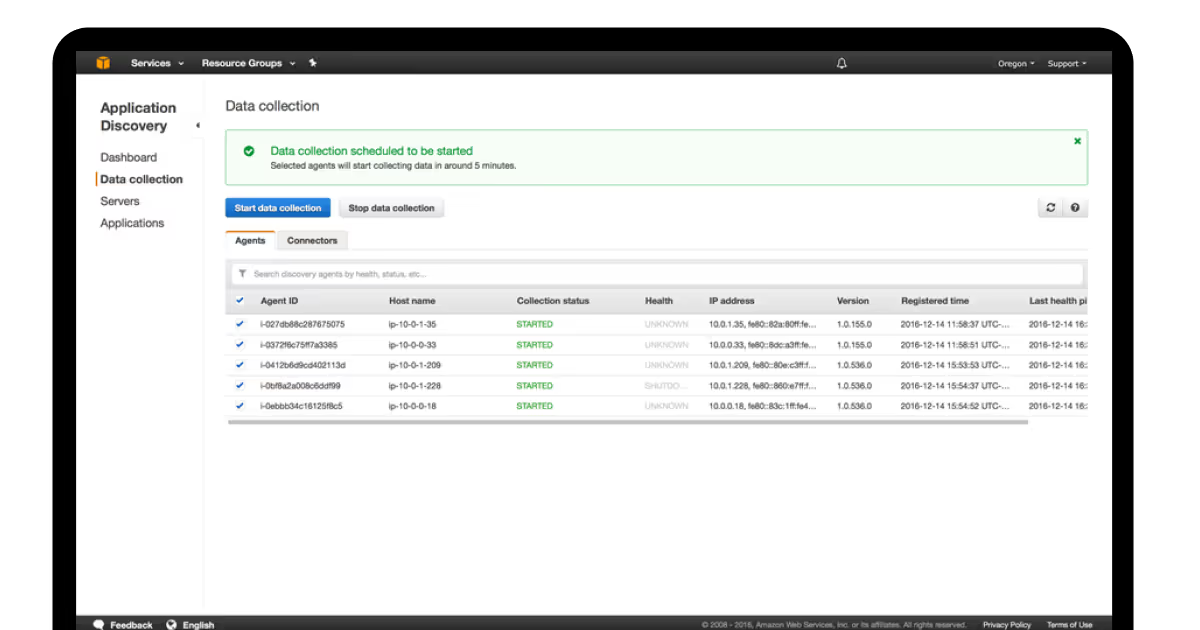
Assess your applications using AWS's "7 R's" approach (retire, retain, relocate, rehost, repurchase, replatform, or refactor) to ascertain the best migration approaches. You may also want to use AWS discovery tools — Application Discovery Service, to get an inventory of your infrastructure. According to Chung’s research for IDC, GenAI-powered assessment tools can increase the velocity of discovery by 20% and accelerate workshop outputs by as much as 75%.
AWS Application Discovery Service
At this crucial point, COAX offers professional consulting and assessment services to cloud migrate correctly, based on 15 years of experience of providing cloud development services to help your company with thorough readiness assessments and strategic migration planning.
The mobilization stage
Create a solid AWS foundation — start with thorough IAM policies, security groups, and Virtual Private Clouds (VPCs). Make a thorough migration plan that includes precise deadlines and resource allocation. Then, Use AWS CloudFormation or Terraform to implement infrastructure-as-code practices in accordance with the recommendations of the AWS Well-Architected Framework. To guarantee yourself a dependable data transfer, set up network connectivity using VPN connections.
Also, consider installing logging and monitoring tools (AWS CloudTrail and CloudWatch that we mentioned). This might be a challenging process, but through our cloud migration consulting and implementation, application of best-practice IAM configurations, VPC architectures, and infrastructure-as-code deployments, COAX makes making scalable foundations easy as a breeze. Our staff takes care of the full configuration of network connectivity, logging, and monitoring systems, guaranteeing a fast and production-ready AWS environment.
Deciding on your migration strategy
An AWS migration strategy is a step that defines your whole infrastructure and the future efforts you will be pulling to establish a secure and flexible move to the new provider. Based on technical limitations and business requirements, select your migration strategy:
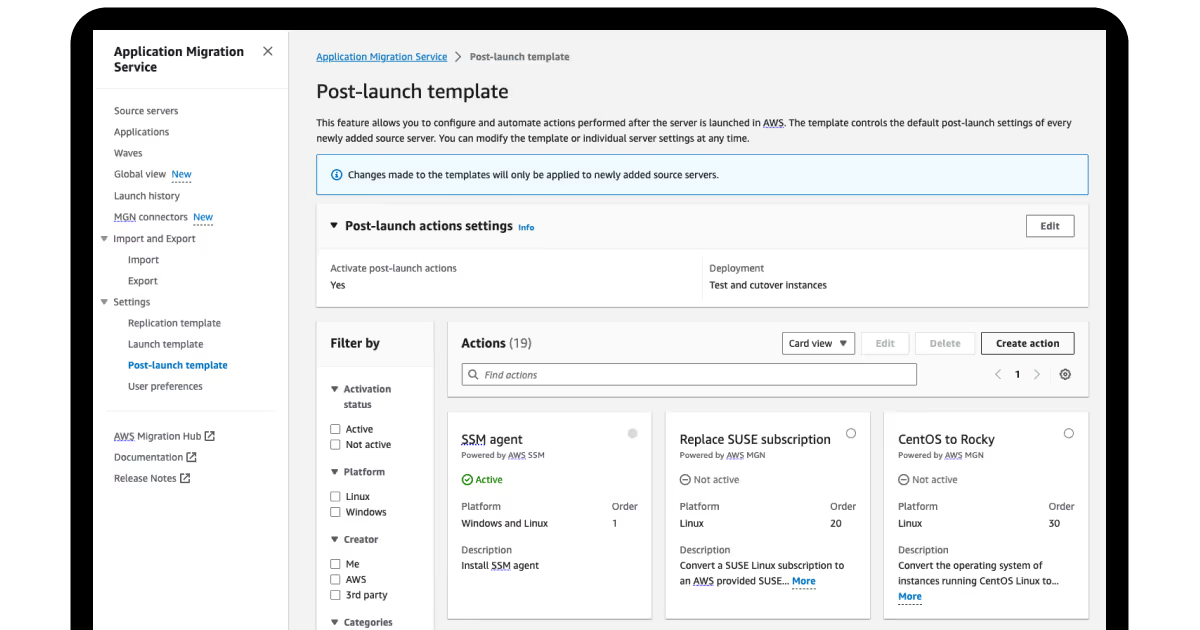
Re-hosting, or a well-known Lift-and-Shift option, when you use AWS Application Migration Service (AWS MGN) to move apps with very little modification.
Re-platforming is a hybrid strategy when you convert to managed services on AWS while, at the same time, preserving the fundamental architecture.
Refactoring, as AWS Prescriptive Guidance describes, means updating applications (usually monoliths) to microservices on AWS by changing their architecture to take advantage of cloud-native features.
Repurchasing, according to the Guidance, is a "Drop and Shop" AWS cloud migration strategy that involves swapping out an existing on-premises application for a fresh, third-party, cloud-native solution, typically a SaaS product from the AWS Marketplace.
Retiring means that to cut expenses, you need to decommission unnecessary applications. There are nuances here, too. According to AWS documentation, the launch of replacement instances is crucial because AWS instance retirement happens when an underlying hardware failure is identified. EBS-backed instances can be stopped and restarted (preserving data), while instance-store-backed instances are terminated permanently (losing data). So, choosing this option, be careful to secure these aspects.
AWS Application Migration Service
The strategy you choose is important, and its gradual implementation is even more crucial. According to Thatikonda's research, phased migration strategies have a higher success rate (up to 85% on average). By working with businesses to assess their particular needs and choose the best migration plan, COAX develops thorough strategic plans for growth and scaling that match cloud transformation with long-term goals for corporate expansion.
Data migration planning
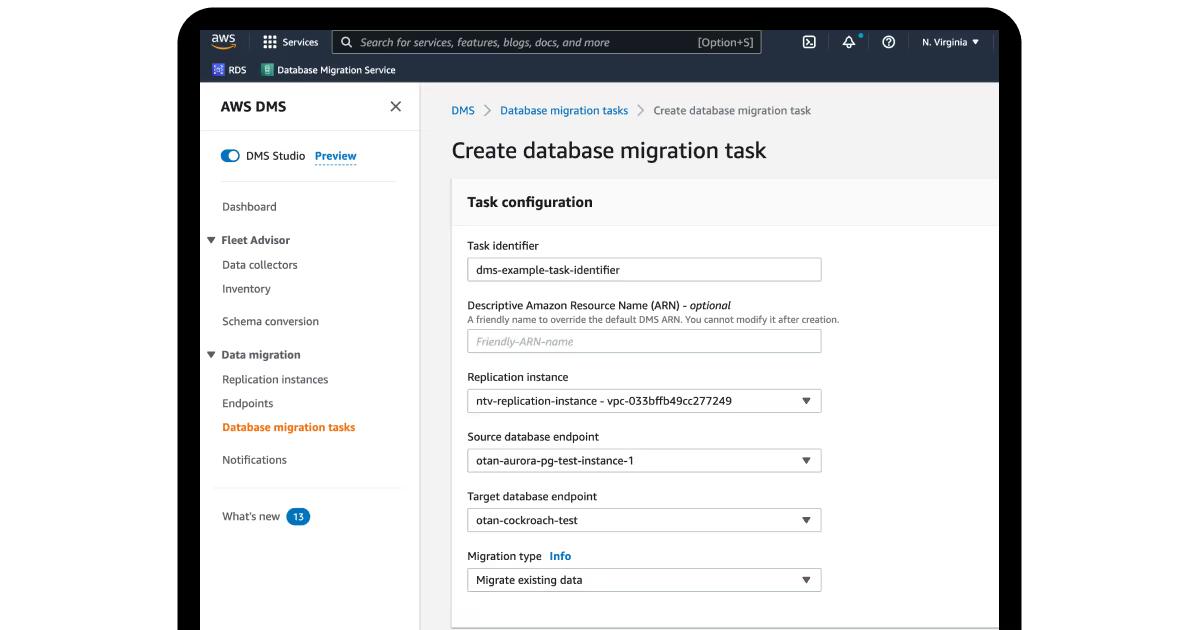
When developing a strategy for transferring your data, have a think about volume, transfer window, and network bandwidth. AWS has a number of data migration tools available to you:
AWS Database Migration Service (DMS) for databases.
You will have to make a decision about online or offline migration, depending on the size of data and connectivity. If the data size exceeds your network capacity, you may want to use AWS Snowball services. Do not forget to allow for data validation and data integrity throughout the migration process. AWS documentation mentions that proper bandwidth provision should exceed source change rates to ensure data protection during the cloud migration process.
Our company will support you at this stage. The cloud migration services offered by COAX include thorough planning and execution of data transfers, assistance in choosing the best AWS tools and migration strategy, and optimization of bandwidth management and validation protocols to guarantee a true integrity of your data.
Execution of the migration
To test your migration strategy, start with non-essential apps. Make use of AWS migration tools, such as Server Migration Service for virtual machines. Reduce operational overhead by implementing managed services from cloud migration service providers at every step that you find feasible:
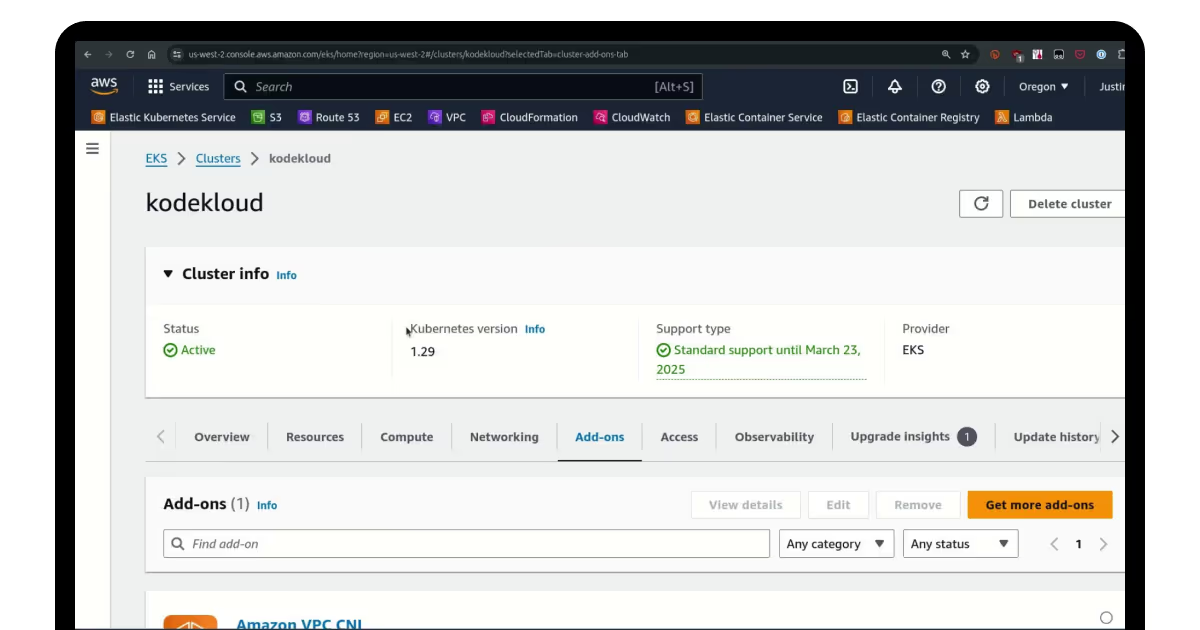
Use Amazon EKS in place of Azure Kubernetes Service.
Before transferring production traffic, test applications in the AWS environment. We can help you take the load of complexity of this. Phased migration testing, blue-green deployments, and the smooth transfer of Azure services to their AWS counterparts with a production cutover of zero downtime are all the areas of expertise for COAX's cloud migration service.
Networking and DNS setup
Set up the networking components on the AWS side; this includes VPCs, subnets, and security groups to mirror your Azure topology. You will also set up DNS management in either Amazon Route 53 or existing DNS infrastructure depending on whether you want a pure hybrid connection or will still utilize some on-premises infrastructure. Besides, your on-premises environment must be considered to avoid duplicate access to your AWS environment.
As a best practice, guidance from the AWS Well-Architected framework states that using elastic IP addresses for resources that require a static public IP and following best practice planning. Route tables should also be updated to direct AWS traffic to the interfaces once migrations have been cutover.
Security and compliance transfer
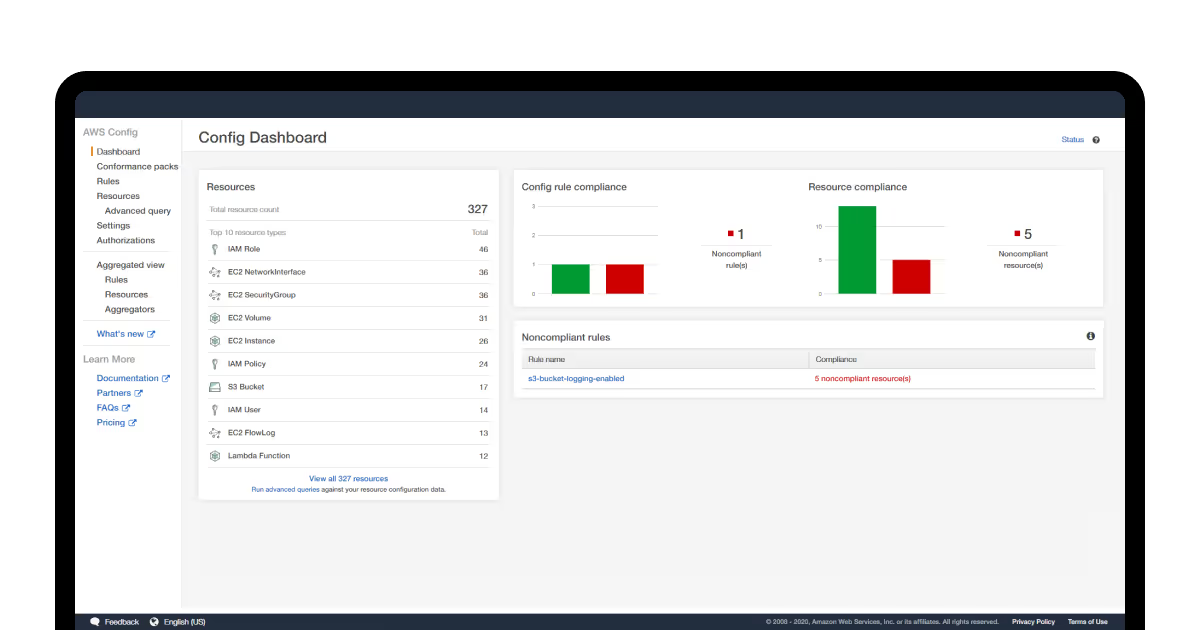
The golden rule to remember here is to move to AWS security services that meet or exceed your current Azure security footprint. Manual configurations of AWS identity and access management (IAM) policies, AWS CloudTrail for audit logging, and AWS Config for compliance an ongoing monitoring should be configured.
AWS Config
Existing firewall rules should be updated to accommodate the new AWS IP ranges for a timely upgrade. Additionally, obtain compliance information from the compliance certificates you used previously.
At COAX, we know the high price of security in cloud environments. Throughout the AWS migration services, our teams employ extensive security measures (multi-layered security architectures and compliance frameworks). For instance, when creating cloud solutions for travel agencies, we use end-to-end encryption for sensitive passenger data, ensure PCI DSS compliance for payment processing, and set up role-based access controls.
Performance optimization and after-migration
Post-launch, use cloud migration tools for monitoring like AWS CloudWatch to assess performance and AWS Trusted Advisor to recommend optimization strategies. Also, set AWS auto-scaling policies and load balancing to optimize the capacity of your application and to manage fluctuations in traffic. AWS documentation recommendsmonitoring your storage performance by verifying your EBS volume type and using a caching schema where permitted. Test your disaster recovery procedures and confirm your backup solutions before finalizing the migration activity.
To reduce business interruption, carry out the last cutover during scheduled maintenance windows. During the initial phase, closely monitor application performance and update DNS records to point to AWS resources. All configuration modifications should be documented, and operational teams should receive training.
To ensure that your operational transitions go uninterrupted and allow you to maintain system reliability, COAX manages the entire Azure cloud migration to AWS, including post-migration optimization, performance monitoring setup, team training, and documentation.
FAQ
What is cloud migration?
Cloud migration is the process of relocating data, applications, and IT resources from on-premises environments to cloud-based platforms. Thumala explains that this is an intentional business transformation process that permits organizations to modernize infrastructure, improve workflows and scalability, while lowering operational costs and increasing flexibility.
What are the main reasons to migrate to cloud?
Organizations migrate to the cloud for cost optimization by taking advantage of pay-as-you-go models, scalability, enhanced business continuity through automated backup and disaster recovery, mobility permitting remote access, and operational efficiency. Xuan et al. note further benefits like inter-organizational data sharing across regions and lower physical infrastructure needs.
What are the greatest risks of cloud migration?
Key migration risks include:
Less control of resources and data
Vendor lock-in risks
Security risks with off-site data locations,
Difficult timelines
Cost and complexity to manage,
Integration challenges with the existing ICT infrastructure.
Xuan et al. caution that businesses must reason through these risks before any migration is attempted.
How is the security of your solutions guaranteed by your cloud migration company?
Throughout the migration process, our migration specialists use multi-layered security protocols, such as end-to-end encryption and OAuth 2.0/JWT authentication. We continue to uphold ISO 9001 certification, which guarantees quality procedures, and ISO/IEC 27001:2022 certification for thorough security risk management. During migration phases, these frameworks ensure application integrity, safe data transfer, and compliance protection.





































































We are interested in your opinion