Your hotel desk is a busy place where guests check in, staff gets work done, and paperwork gets filled out. But very often it’s also a chaotic place where you lost revenue because of double bookings, lost opportunities because of the lack of visibility, annoy guests with long waits, and keep staff leaving you over and over because of all the stress.
There’s a solution, though - hotel front desk software. These solutions solve the issues we described above and help you spot revenue leaks and chances to upsell, make your service personalized and fast, and save your team from burnout and growing turnover.
In this article, we compiled the 10 best hotel front desk operations software:
Oracle OPERA Cloud is the right fit for large chains.
Cloudbeds is ideal for properties that rely heavily on OTAs.
Mews is best for mid-size to large hotels that want deep automation.
roommaster works well for small independent hotels looking for an all-in-one system.
eZee FrontDesk suits properties that need flexible, AI-driven rate management.
Little Hotelier is a choice for small independent properties that want simplicity.
InnRoad is a good option when real-time inventory sync across multiple channels is the priority.
ALICE by Actabl fits luxury hotels where VIP service coordination are central.
RoomKeyPMS works for integration-heavy setups.
SafetyCulture is the right add-on for hotels that want to layer quality assurance and compliance auditing on top of an existing PMS.
Custom development absolutely wins for unique features, support, and complete integration into your total business model.
Sure, okay, that’s eleven. But by the end of this article, you will know not only the features, integrations, and the best options of hotel front office systems but will also easily make a choice between a ready-made and a custom one.
What is hotel front desk software?
Hotel front desk software is the digital system that hotel management and staff use to manage reservations, stays, check-ins, check-outs, and billing from one centralized view.
At its core, you usually have the property management system (PMS). It stores guest profiles, room inventory, and folios while connecting to payment terminals, housekeeping tools, door locks, and channel managers.
This way, the front desk in hotel operations that once ran on paper logs and phone calls between departments now happens in seconds, with every department sharing the same data.
Why is the market for hotel front office systems growing?
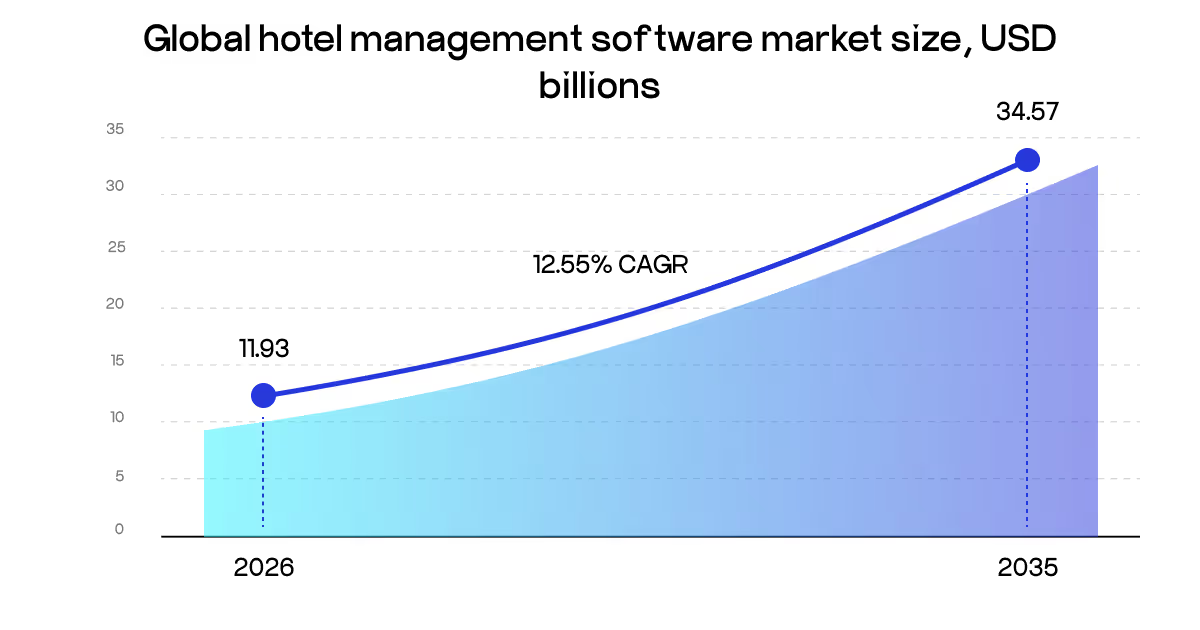
The growth shows a widening gap between your guests’ expectations of the fast, contactless check-in and services, and what you have without the right solution. The hotel management software market is estimated to grow to be USD 34.57 billion by 2035, growing at a compound annual rate of 12.55%.
A few trends are driving that growth.
Guest expectations are changing fast. Travelers now expect contactless check-in, mobile room keys, real-time messaging, and personalized service informed by their previous stays. Software is what makes all of that possible at scale.
Cloud deployment now holds more than 60% of the market. Hotels are moving away from on-premise servers toward cloud-based systems that can be updated remotely, accessed from any device, and scaled without major IT investment. North America leads regional adoption, accounting for 31.64% of global hotel software spend in 2024. Within software categories, property management systems alone represent nearly 25% of total software spending.
The push toward technology investment is not just about efficiency. Industry analysts at McKinsey note that hotels facing post-pandemic staffing shortages are turning to front desk management software to compensate, using automation, self-service kiosks, and mobile check-in to reduce dependence on headcount while maintaining service levels. A Forbes analysis of the hospitality sector reinforces this, pointing out that nearly 80% of travelers would be willing to stay at a property with a fully automated hotel front office system or self-service option.
Rising operational costs add more pressure. Energy expenses, labor costs, and supply chain disruptions are forcing hotels to find savings without cutting the guest experience. Built-in analytics and dynamic pricing help find those efficiencies faster.
Finally, you just get a simpler, faster, and more effortless way to conduct your daily processes, find opportunities, and make your guests happier. So, how does it happen, exactly?
How does it work?
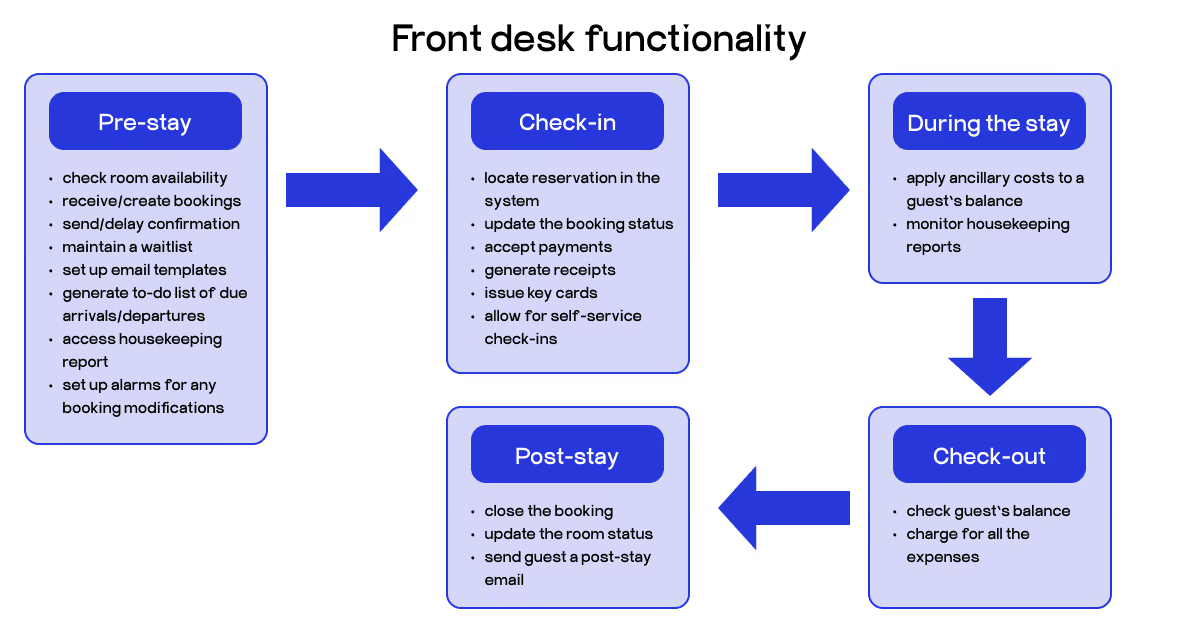
Front desk management does not happen in one system. It happens across several connected tools that pass information to each other in real time. Here is how the full cycle works, from the moment a guest books to the moment they leave.
Every guest journey starts with a booking. That booking might come through the hotel's own website, an OTA like Booking.com, a phone call, or a walk-in. Regardless of the source, the front desk management system pulls it into the PMS automatically.
The system creates or updates a guest profile. That profile holds contact details, stay dates, room type, payment method, special requests, and any history from previous visits. By the time the guest arrives, the front desk team already knows who they are and what they need.
The software prepares for guests to show up. In the days before arrival, it triggers pre-arrival emails or SMS messages, opens online check-in flows, confirms payment authorization, and begins room assignment based on preferences. Some properties use a hotel chatbot at this stage to handle common questions automatically without pulling a staff member.
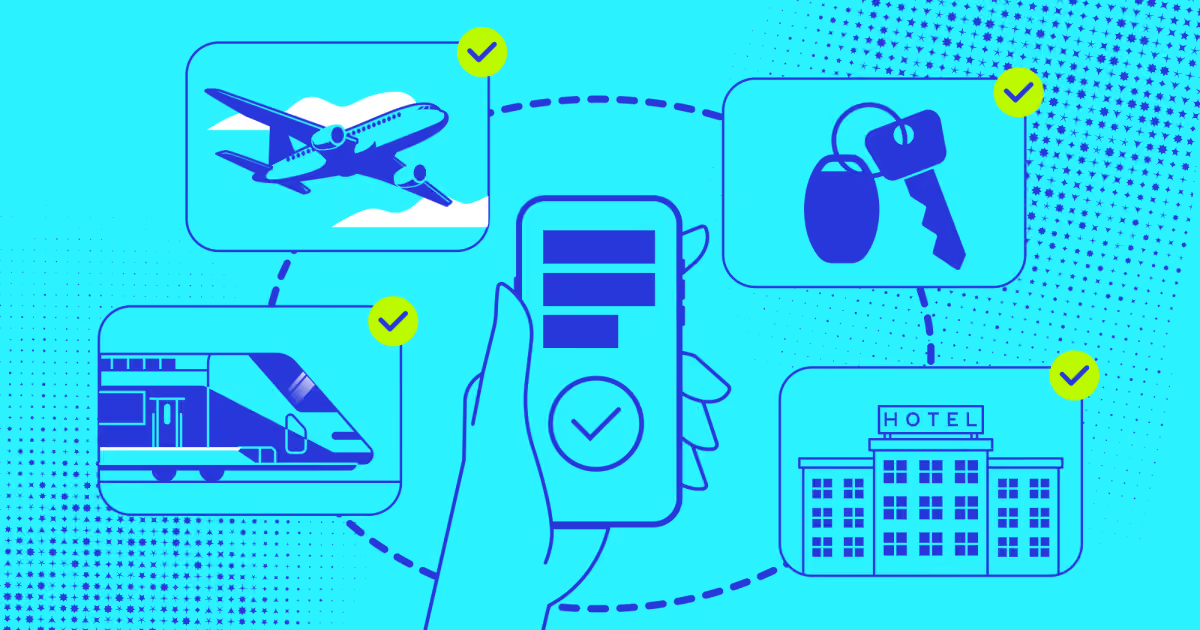
When the guest walks in, the front desk agent pulls up the reservation. The system shows the room assignment, confirms payment details, and issues a key card or sends a mobile key directly to the guest's phone. Because the platform connects to door lock systems, payment terminals, and messaging tools, check-in can be completed in a few clicks. At properties with self-service kiosks, guests can handle the entire process without speaking to anyone.
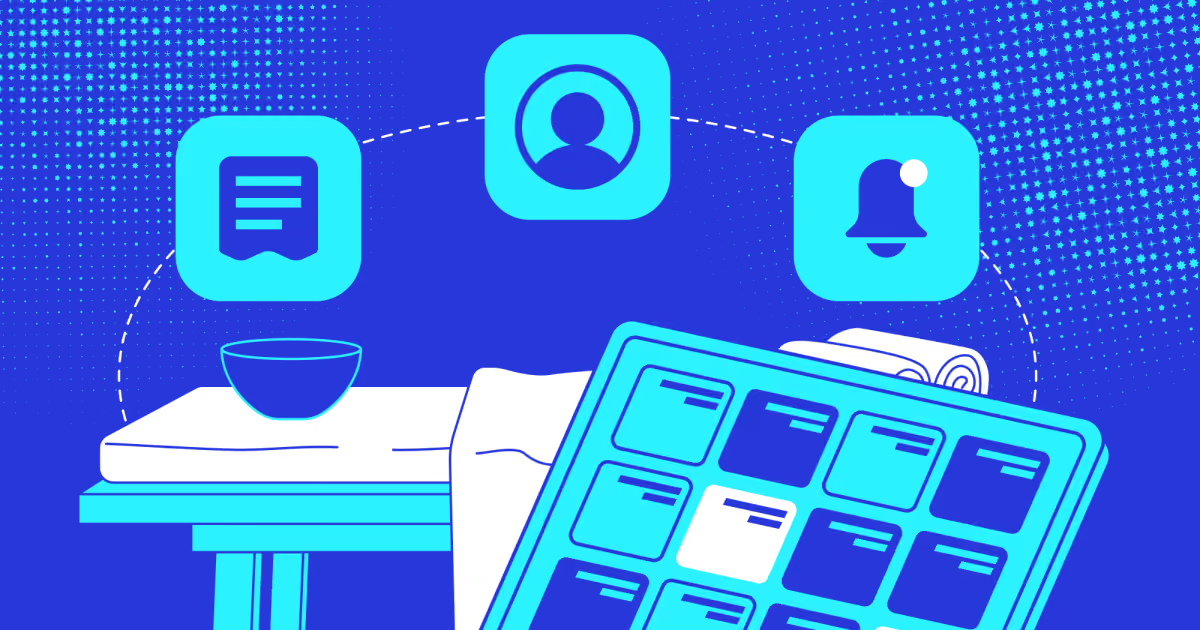
During the stay, the front desk at the hotel becomes a live dashboard. Restaurant charges post to the guest folio through the POS system. Housekeeping updates the room status after each clean. Maintenance flags issues the moment they come up. Guests send requests through messaging apps, and staff see them instantly. The team can manage room upgrades, stay extensions, or room changes without any back-and-forth between departments.
When a guest is ready to leave, the PMS has already compiled every charge on their folio (room rate, restaurant tabs, minibar, parking, spa, etc.). The agent reviews the bill, processes payment, and sends a digital receipt. Guests who prefer express checkout can settle the bill through their phone and walk out without stopping at the desk.
After the stay closes, the system routes data into reporting dashboards. Managers can track occupancy rates, revenue per available room, average daily rates, guest satisfaction scores, and departmental performance.
That data informs what happens before the next guest arrives. It feeds into pricing adjustments, staffing schedules, housekeeping priorities, and marketing targeting. Front desk management turns daily operations into institutional knowledge.
So, what does this connected workflow give you? Let’s break down the specific benefits and improvements you can expect.
Why hotel front desk software matters
Most hotels in 2026 can't run without some form of front desk management software. But not every system you can install actually helps your property perform better. Here's what a well-chosen system delivers.
You get more done in less time.
Manual check-in takes staff through multiple steps: pull up the reservation, verify ID, enter card details, assign a room, and print the key. With the right hotel front desk software, that whole sequence collapses into a few taps. Guests can also skip the desk entirely through mobile check-in or a kiosk. Data from the research that analyzed over 2,500 overflow calls from hotels shows that the front desk is under the most pressure between 3 PM and 6 PM on weekdays and on Monday mornings between 9 AM and 11 AM. Those are exactly the windows where slow manual processes cost you the most. Software absorbs that pressure.
Billing errors disappear.
Typing a payment amount manually into a terminal is where mistakes happen. A misplaced zero, a 6 read as a 9, and suddenly you're issuing a correction or chasing a chargeback. With a connected hotel front desk computer system, payment is initiated directly from the guest folio for the exact amount. The terminal confirms it and posts it back automatically.
Guests definitely notice the difference.
The one-click tasks free up the people-focused work. Cornell's Center for Hospitality Research found that even a five-minute wait at check-in can cut satisfaction scores for American guests by half, while European guests tend to hit their limit around 15 minutes. When staff aren't buried in paperwork, they have time to talk to guests. That's when hospitality happens: a room upgrade offered proactively or a problem caught before the guest has to report it.
You don't need to own expensive hardware.
Cloud-based systems run on a subscription model. You're not buying servers, paying for on-site IT maintenance, or worrying about software going obsolete. The costs are shared across a much larger base of users, which keeps prices manageable even for smaller properties.
Managers can see what's happening throughout the hotel.
The advantages of property management system in hotels become clearest in reporting. Real-time dashboards show occupancy, RevPAR, average daily rate, and departmental revenue without anyone having to pull a spreadsheet together. When something shifts, managers catch it early instead of two weeks later.
Revenue doesn't slip through the gaps.
Software helps you catch the moments where you might be losing an opportunity to earn more. Automated upsell prompts at check-in, integrated dynamic pricing, and add-on packages built into the booking flow all add up. Front desk agents can offer upgrades or extended stays in a few clicks rather than an awkward verbal pitch.
Your team stays longer.
Hospitality has a well-known turnover problem. A big part of it is the administrative grind. When your staff isn't manually reconciling folios or chasing down room status by phone, they're doing work they actually find worthwhile. Training time drops, frustration drops, and experienced people stick around.
Now, let’s define how exactly you can get all these benefits of front desk hotel solutions based on how they work in particular daily operations.
Examples of daily operations it supports
The big picture is clear - one data, automation, and proactiveness are the basis of how you win with tools like this. Here's where front desk software for hotels earns its keep in practical, everyday terms.
Guest management. Before a guest arrives, the hotel front office software is already at work. Pre-arrival emails go out automatically. If a returning guest who always requests a quiet room books again, their profile already holds that preference. The system can flag it and assign accordingly. In practice, this matters more than it sounds. Staff on Reddit's r/TalesFromTheFrontDesk regularly describe situations where a guest's reservation details were misaligned across systems, leading to double-assigned rooms, wrong room types, or guests being walked in on mid-stay.
Front office tasks. This is the core of what front desk software does every day. Check-in gets processed in seconds. Room assignments update in real time. If a room isn't ready, the system shows it and offers alternatives. Checkout compiles every charge automatically and sends a digital receipt.
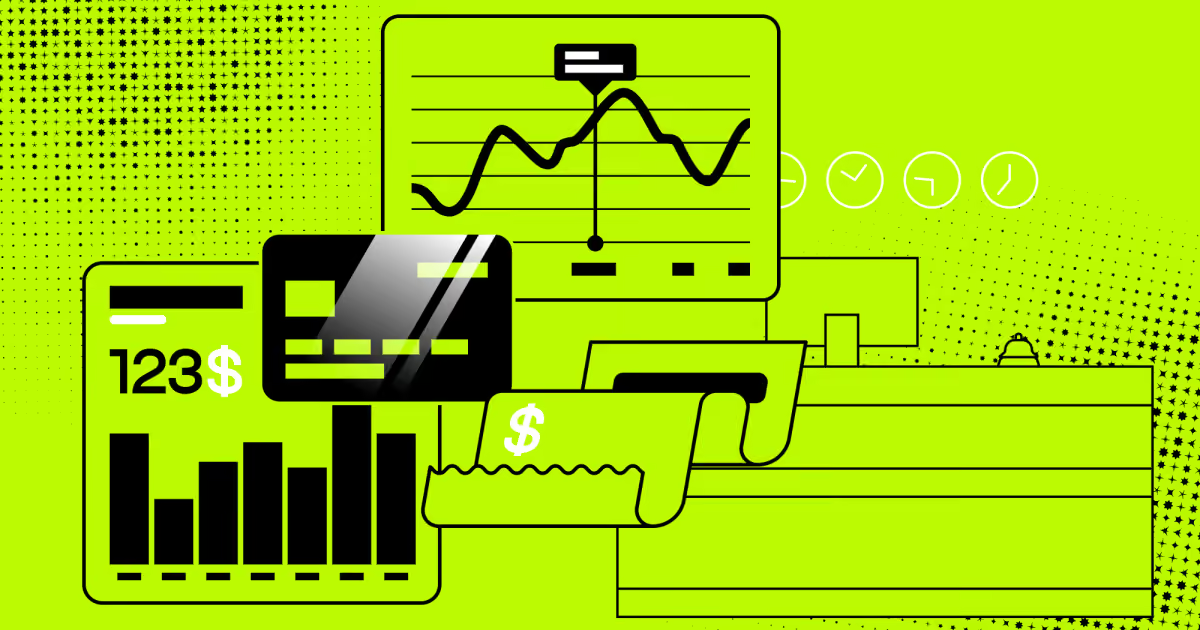
Payments and billing. The hotel front desk computer system connects directly to the payment terminal. Incidental holds get authorized at check-in. Charges from the restaurant, spa, or minibar post to the folio automatically through POS integrations. At checkout, the bill is already compiled. There's no manual calculation and no risk of an item getting missed. For properties handling large groups or corporate accounts, invoicing gets generated and sent without extra steps.
Housekeeping coordination. Front desk and housekeeping need to be in sync, and without software, that coordination happens by phone or radio, which is slow and brings gaps. With a connected system, housekeepers update room status from a mobile device. When a room turns to "clean and inspected," the desk can assign it to an arriving guest immediately. A post from r/TalesFromTheFrontDesk describes a hotel that had lost track of which guests were in which rooms during a sold-out weekend, with staff going door to door just to verify occupancy. That's what happens when housekeeping and front desk systems aren't connected.
Security and access control. Key cards get issued, deactivated, or re-encoded from the front desk in seconds. Some systems flag when a key card is used in a way that doesn't match the reservation, like a checkout date that has already passed. For properties with high turnover or security concerns, that kind of automated alert is worth more than it sounds.
What functionality should your system have to allow for such improvements in your business? Let’s outline it, feature by feature.
Essential features of hotel front desk software
When you're evaluating a front desk management system, these are the features that actually matter in day-to-day operations.
Reservation and guest profile management. The foundation of any front desk computer system is the ability to store and manage reservations from every source in one place. That means direct bookings, OTA bookings, phone reservations, and walk-ins all land in the same system without manual data entry. Each booking should create or update a guest profile that holds contact details, stay history, preferences, and any notes from previous visits. When a returning guest books again, your team should already know them before they walk in.
Real-time room inventory and assignment. The system needs to show exactly which rooms are available, occupied, being cleaned, or taken out of order at any given moment. Assignments should update automatically when housekeeping marks a room clean, and the front desk should be able to reassign rooms on the fly when plans change. Without this, you get the scenario that played out at one hotel on Reddit's r/TalesFromTheFrontDesk: a sold-out Friday where two different guests had been checked into the same room, with staff spending the night going door to door trying to figure out who was actually where.
Integrated payment processing. A proper front office software setup connects the PMS directly to the payment terminal. Incidental holds get placed at check-in, charges from every department post to the folio automatically, and checkout triggers payment for the exact compiled amount. No manual entry, no calculation, no opportunity for a billing dispute based on a typo.
Housekeeping and maintenance coordination. Good front office software used in hotels keeps the front desk and housekeeping working from the same live data. Housekeepers update room status from a mobile device; the desk sees it immediately. Maintenance requests get logged in the system and tracked to resolution. This isn't just an operational convenience. It's what prevents a guest from being handed a key to a room that hasn't been cleaned yet, or one with a broken air conditioning unit that nobody flagged.
Self-service and contactless check-in. This has moved from optional feature to a baseline expectation. Research from Ariane Systems shows that 82% of Gen Z travelers want to skip the front desk entirely, which means self-check-in via mobile or kiosk isn't optional anymore for properties targeting younger guests. The best systems let guests complete ID verification, payment authorization, and room assignment before they arrive, so walking in means going straight to the room.
Guest communication tools. Pre-arrival emails, SMS confirmations, in-stay messaging, and post-checkout review requests should all run through the system automatically. Some platforms include a built-in messaging layer; others connect to third-party tools. Either way, staff shouldn't be manually sending emails at each stage of the guest journey. The system handles the routine communication so your team can focus on the conversations that actually need a human.
Reporting and analytics. Your front desk software for hotels should give managers real-time visibility into occupancy, revenue per available room, average daily rate, channel performance, and departmental costs. That data needs to be accessible without exporting spreadsheets or waiting for a nightly report. When you can see what's happening right now, you can make decisions today instead of reacting to last week's numbers.
Multi-user access and role permissions. Different staff members need different access levels. A receptionist handles check-ins and billing. A housekeeping supervisor manages room status. A manager sees everything, including financial reporting. A secure front desk hotel tool setup makes sure each employee only accesses what they need, with an audit trail of who changed what and when.
Channel manager and OTA integration. The system needs to sync availability and rates across every booking channel in real time. When a room gets booked on Booking.com, it should immediately disappear from Expedia, your direct booking engine, and every other channel. Manual updates create the conditions for overbooking, which is one of the fastest ways to damage guest trust and generate complaints.
Cloud-based deployment means your team can access the system from any device, your data is automatically backed up, and updates happen without scheduled downtime. One of the most common failure points in older systems was unreliable data backup, with the only recovery method being manual copying of files to a secure location. Cloud systems solve this by default.
Top 10 hotel front desk software systems
Picking the right front desk hotel reservation software depends on your property size, budget, and the operational problems you actually need to solve. Here's a clear look at the leading options.
Software
Best for
Pricing
Mobile app
Oracle OPERA Cloud
Large hotel chains, personalization
$9 to $16 per user per month, or $6-$8 per room per month for foundation tiers
Yes
Cloudbeds
OTA management, scalability
$9 to $16 per room/month
Yes
Mews
Automation, mid-size to large
$8 to $15 per room/month
Yes
roommaster
All-in-one small hotel management
starts at $150 per month for its starter package
Yes
eZee FrontDesk
Automated rate management
$14–$15 USD for basic, custom quotes available
Yes
Little Hotelier
Small independent properties
Starts around $29–$109/month, with options including a 30-day free trial
Yes
InnRoad
Inventory management
Around $150 per month
Yes
ALICE by Actabl
Luxury and high-end hotels
Custom quotes
Yes
RoomKeyPMS
Integration-heavy operations
Custom quotes
Yes
Cloudbeds + SafetyCulture
Audits and guest experience QA
Starts around $24 per user per month
Yes
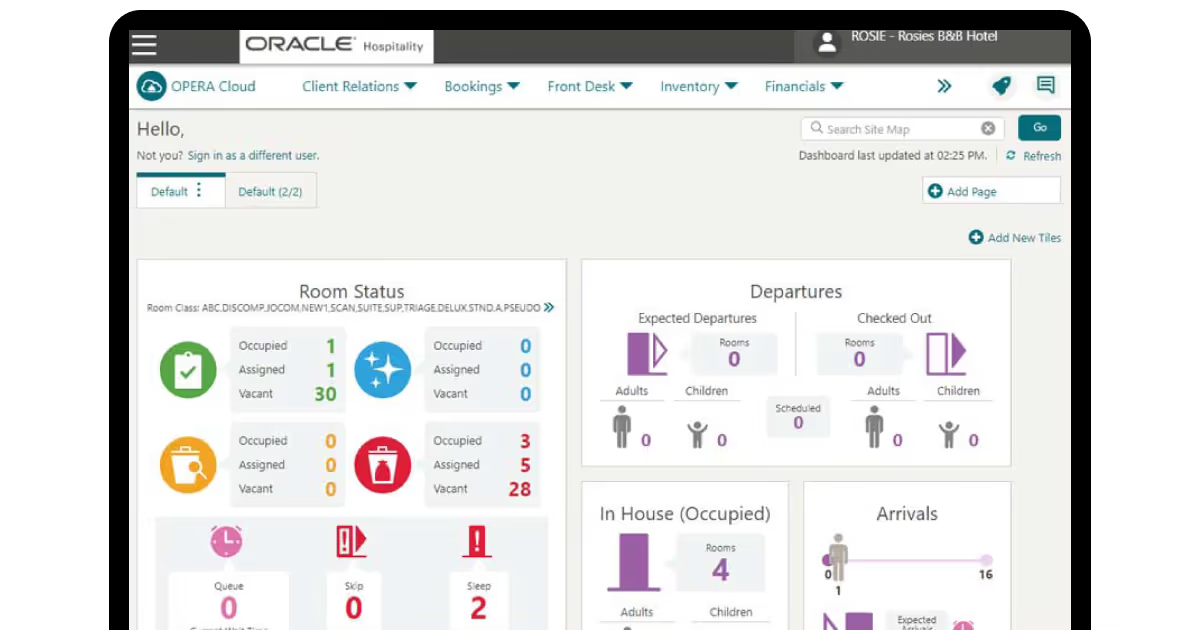
Oracle OPERA Cloud: Best for large hotel chains
Oracle OPERA Cloud is the best hotel front desk software for enterprise-level properties and global chains. It's built to manage high guest volume across multiple properties while keeping every service interaction personal.
Key features:
Detailed guest profiles storing preferences
Past stays and loyalty memberships
Centralized reservation
Rate management across single or multiple properties
Loyalty program integration
Preference tracking for room type, dietary needs, and special requests.
Integrations: Connects with Oracle's full hospitality suite, including POS, spa, and sales systems, plus third-party tools through open APIs.
Who it's for: Large branded hotels and chains that need consistent guest data across dozens of properties. If 81% of guests prefer personalized experiences and you're running hundreds of rooms across multiple sites, OPERA is built for exactly that scale.
Cloudbeds: Best for OTA-heavy operations
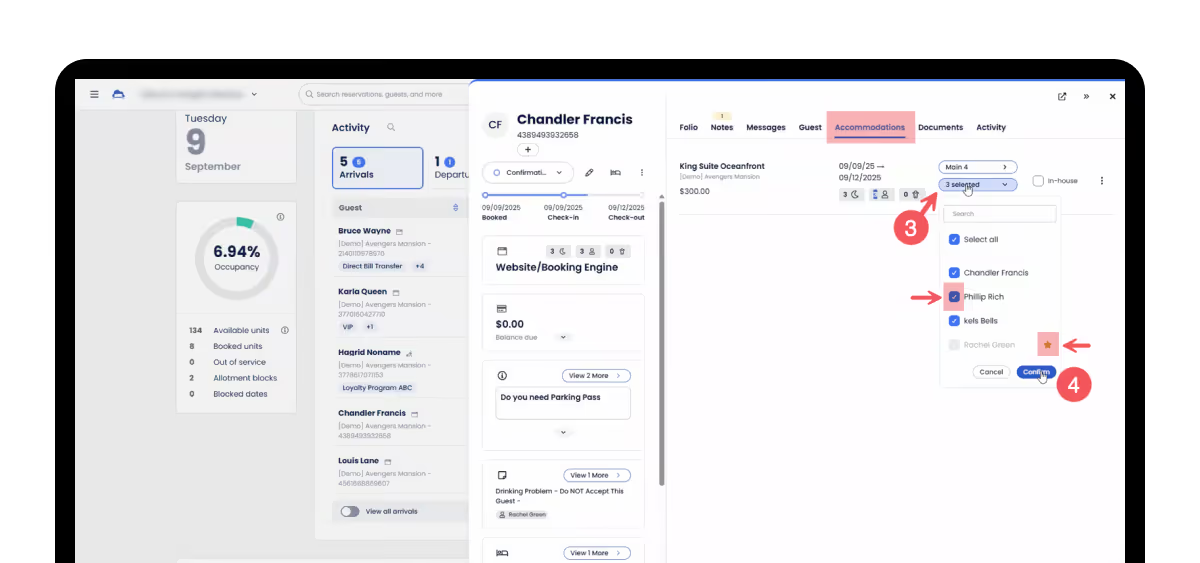
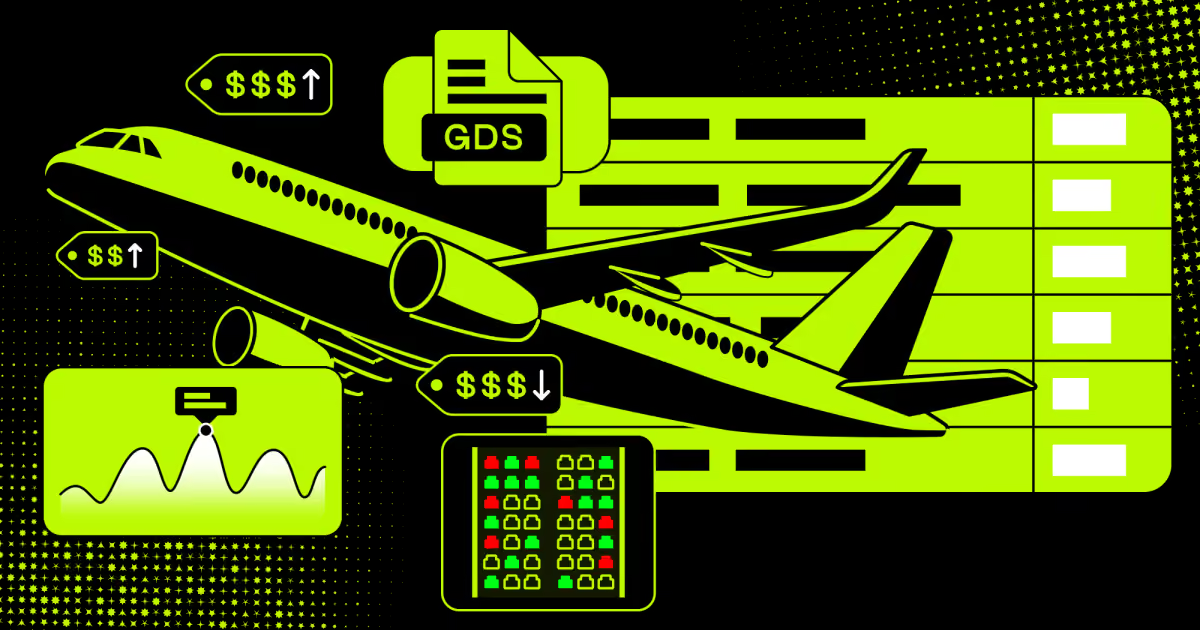
Cloudbeds is among the most recommended hotel front desk software options for properties that rely heavily on third-party booking channels. It connects directly to 300-plus OTAs and GDS platforms and keeps availability in sync across all of them in real time.
Key features:
Interactive dashboard covering arrivals, departures, and room status
Centralized inbox that merges all messaging channels
Digital guestbook with shareable property details and digital key codes
Drag-and-drop room assignments at check-in
Integrations: 300+ OTA and GDS connections, plus an open marketplace for POS, payment, and guest communication tools.
Who it's for: Mid-size and larger hotels with complex distribution across multiple booking channels. Also works well for hostels and vacation rental properties.
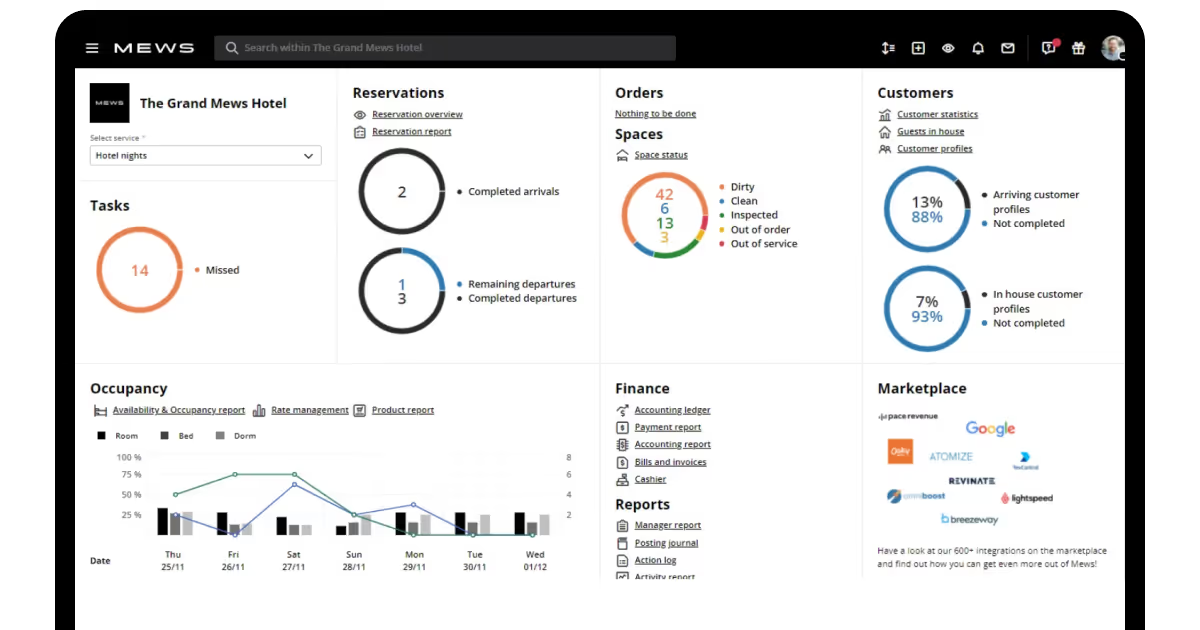
Mews: Best for automation-driven front desk management
Mews is the best hotel front desk operations software for teams that want to eliminate manual work at scale. Its automation layer is genuinely deep: from check-in to housekeeping handoffs to billing, a lot of what used to require staff input just happens.
Key features:
Smart timeline with drag-and-drop room
Task management
Automated workflows for repetitive front desk tasks
Self-service kiosks
Mobile apps for contactless check-in and checkout
Conference room and group booking management are built into the PMS.
Integrations: 1,000+ integrations via its marketplace, including POS, payment gateways, and keycard systems.
Who it's for: Mid-size to large hotels and hotel groups that want a modern, automation-first system. Also a strong choice for properties doing significant conference and events business.
Roommaster: Best all-in-one for small hotels
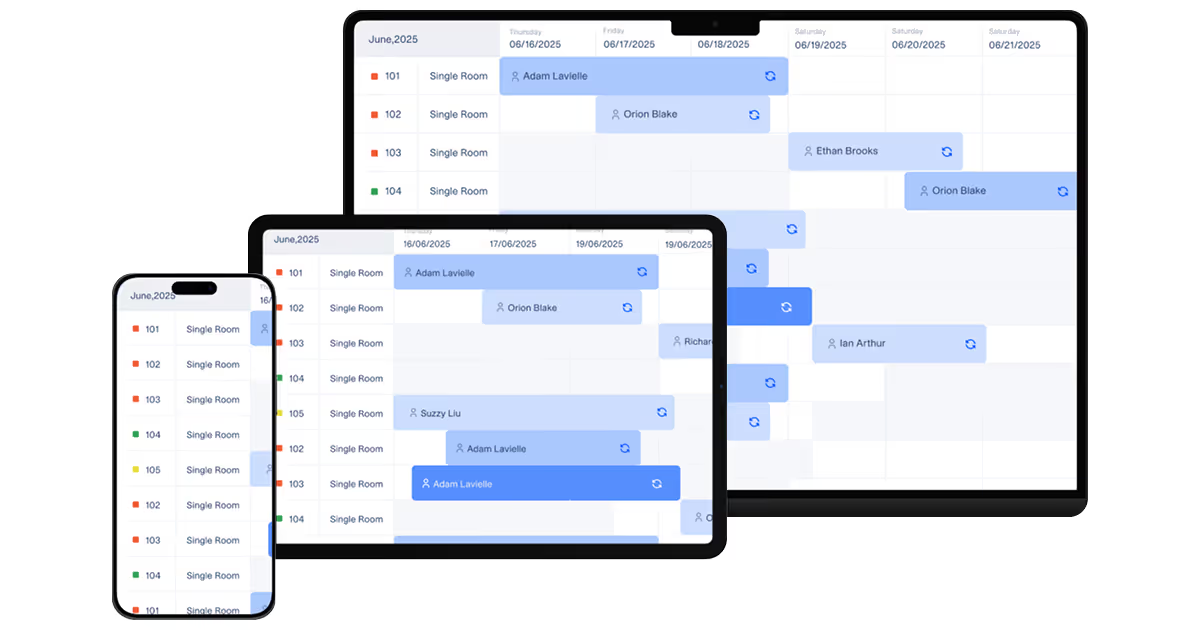
Roommaster gives small hotels a single hotel desk platform that covers reservations, housekeeping, guest communication, and payments without needing to manage multiple tools. Its interface is built for speed, and the AI voice concierge handles guest FAQs and bookings around the clock.
Key features:
Commission-free booking engine with rate calendar
Calendar view for managing the entire front desk from one screen
Automated task assignments and room status tracking
AI voice and chat concierge
Guest app for mobile check-in, digital keys, and in-stay requests.
Integrations: PMS, booking engine, channel manager, and payment gateways all on one platform.
Who it's for: Small to mid-size independent hotels that want an all-in-one system and don't want to manage separate tools for each function.
eZee FrontDesk: Best for rate management
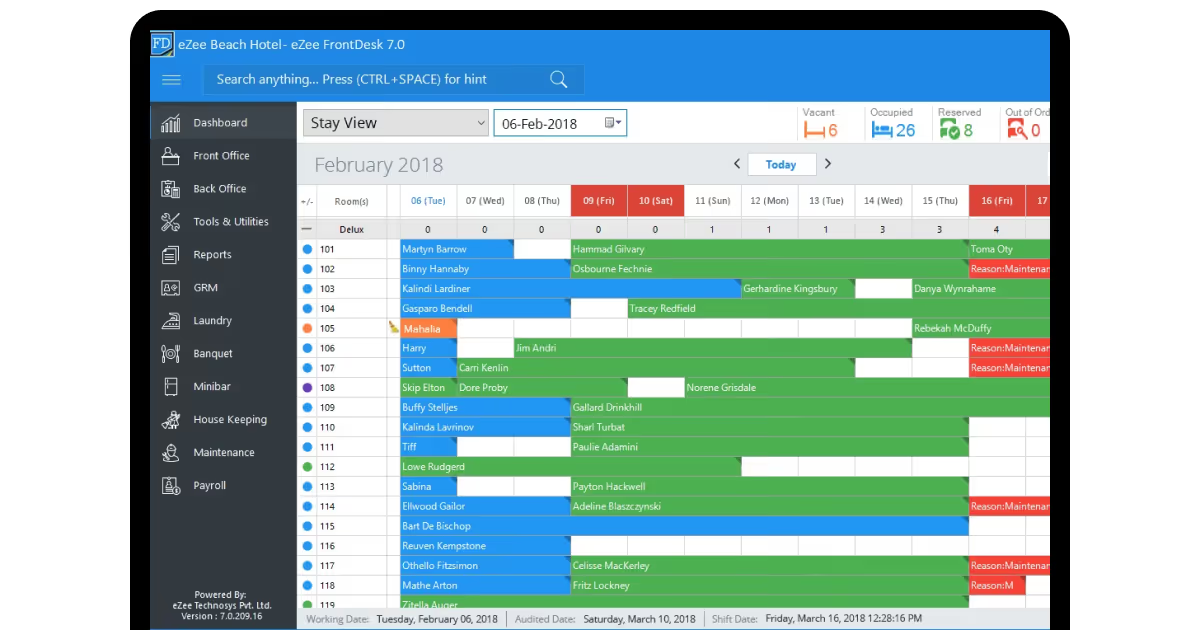
eZee FrontDesk is the strongest front office system for properties where pricing strategy is a priority. It handles unlimited seasonal and weekday packages and adjusts rates automatically as occupancy shifts.
Key features:
AI-driven pricing updates across OTAs and direct channels
One-click cancellation
No-show handling with automatic inventory updates across all channels.
Flexible multiple booking setup with room types and add-ons.
Integrations: Connects to major OTAs and the eZee Centrix channel manager, plus third-party POS and payment tools.
Who it's for: Hotels and resorts of most sizes where dynamic pricing is a daily priority and the front desk team doesn't have time to manually adjust rates across channels.
Little Hotelier: Best for small independent properties
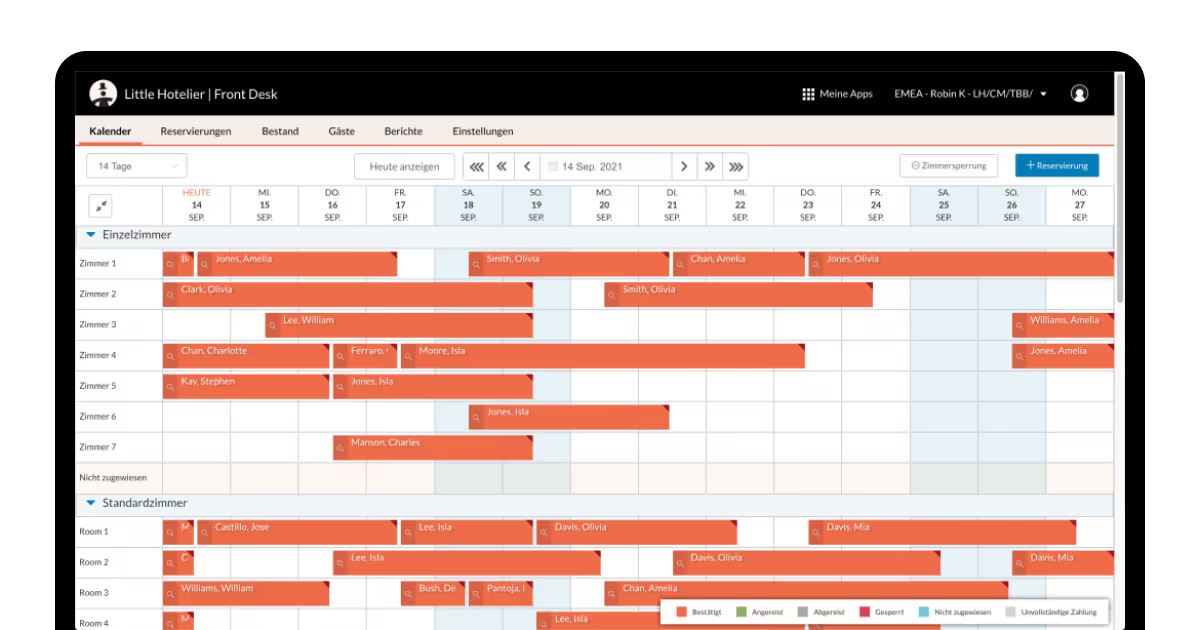
Little Hotelier is purpose-built for small independent properties: B&Bs, guesthouses, boutique hotels, and inns that need full front desk functionality without enterprise complexity.
Key features:
Single interface for reservations, check-ins, payments, and guest communication
Hotel housekeeping software with cleaning schedule coordination
Room status tracking
Property maintenance tracking from the front desk.
Integrations: This front desk management system connects to a direct booking engine, channel manager, and payment processing built in. Third-party integrations available via the marketplace.
Who it's for: Independent operators with small teams who need something easy to use from day one without a long setup process.
InnRoad: Best for automated inventory management
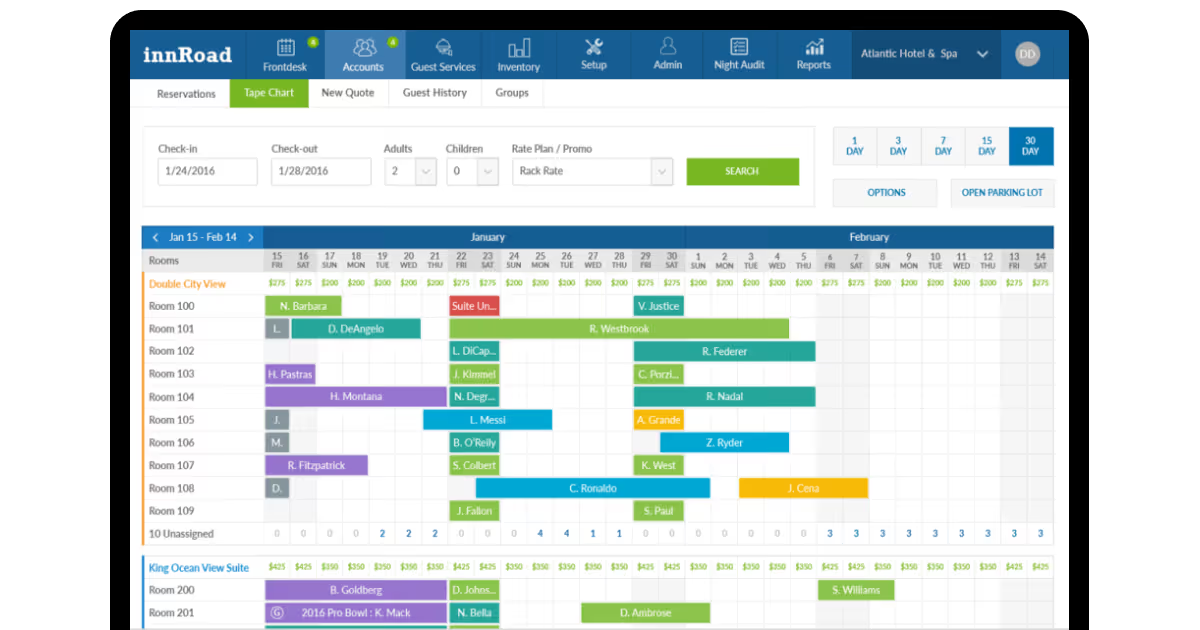
InnRoad's front desk hotel suite’s main strength is keeping room availability accurate in real time across every channel. It also ties in Google booking links so guests can book directly from search results, which reduces commission costs.
Key features:
Real-time availability
Rate syncing across all channels
Hotel task management for housekeeping, maintenance, and front desk
Google Booking Links integration for direct bookings from search.
Integrations: Google, OTAs, and a range of third-party PMS and payment tools.
Who it's for: Independent hotels and small chains that want to cut down on OTA commissions while keeping inventory accurate without manual effort.
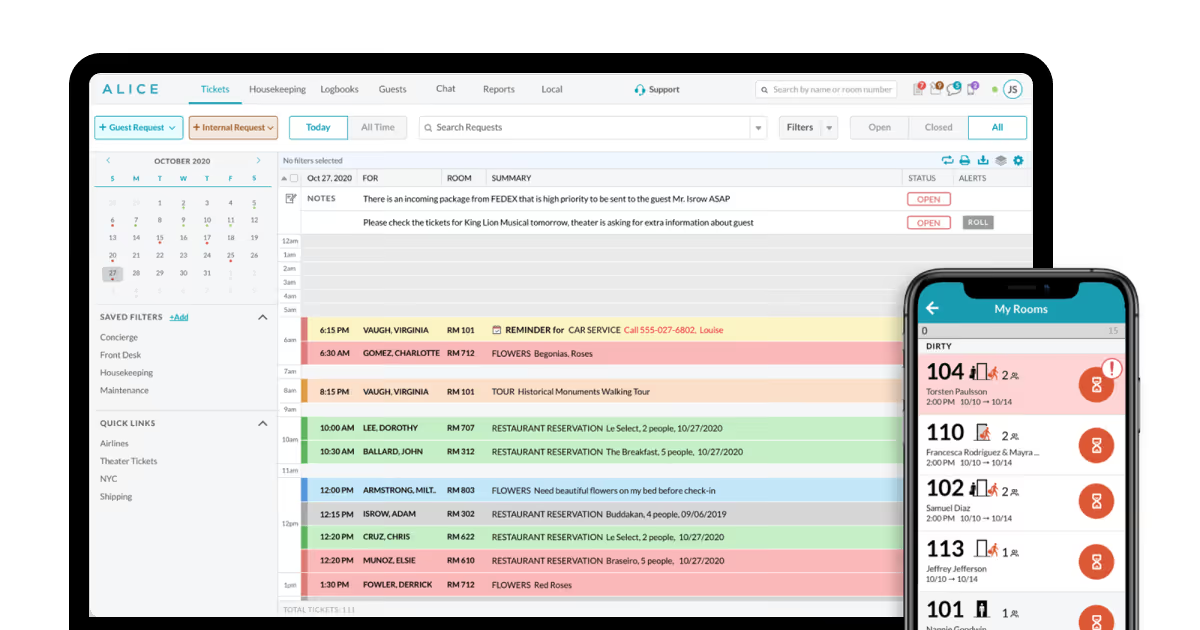
ALICE by Actabl: Best for luxury hotels
ALICE is built for properties where the quality of service delivery is non-negotiable. It focuses on staff coordination, guest request management, and the kind of personalized service that high-end properties can't afford to get wrong.
Key features:
Real-time omnichannel guest messaging
Task management connecting the front desk and housekeeping.
Guest package and lost-and-found tracking
Automated service alerts and personalized guest profiles.
Integrations: This hotel front desk software connects to major PMS platforms and third-party tools via APIs.
Who it's for: Upscale and luxury hotels where VIP service delivery and staff coordination across departments are the main operational priorities.
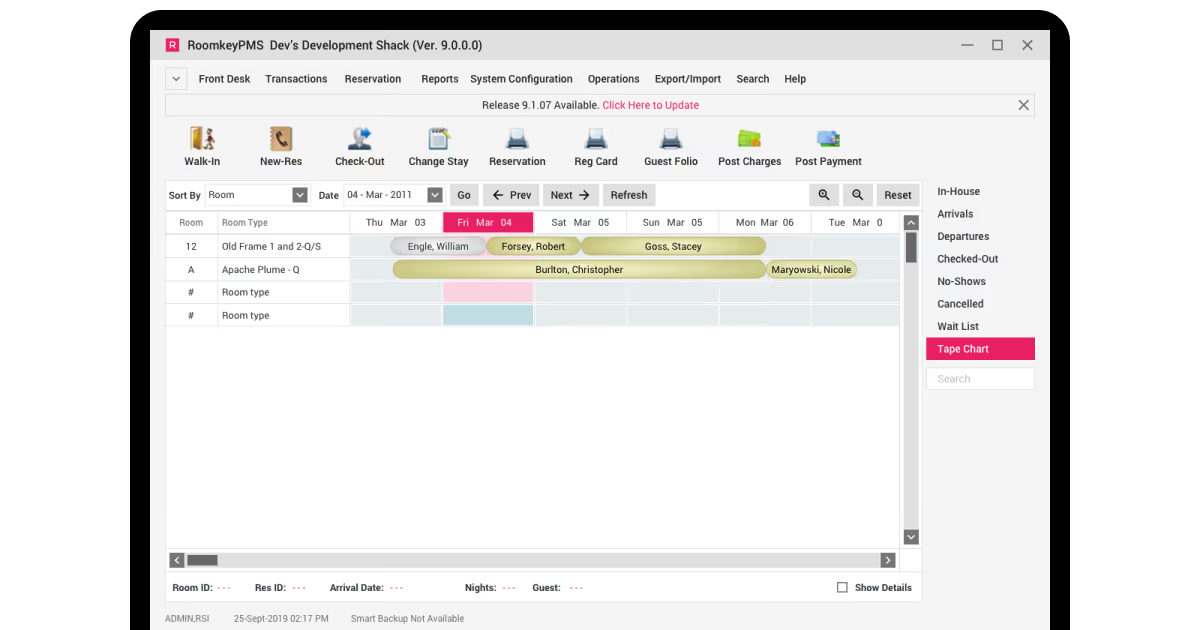
RoomKeyPMS: Best for integration-heavy operations
RoomKeyPMS is the right choice when your tech stack is already built out, and you need a PMS with a front desk system that connects cleanly to everything else. Its REST API and integration marketplace give you flexibility that most systems can't match.
Key features:
Integration marketplace covering POS, accounting, booking engines, and more
REST API for custom data exchange between RoomKeyPMS and other tools
Mobile keys, contactless payments, and digital signatures
Incremental upselling configuration by room type.
Integrations: Wide third-party marketplace plus REST API for custom builds.
Who it's for: Independent hotels and small groups with existing tech setups that need a PMS to sit at the center and communicate cleanly with every other tool.
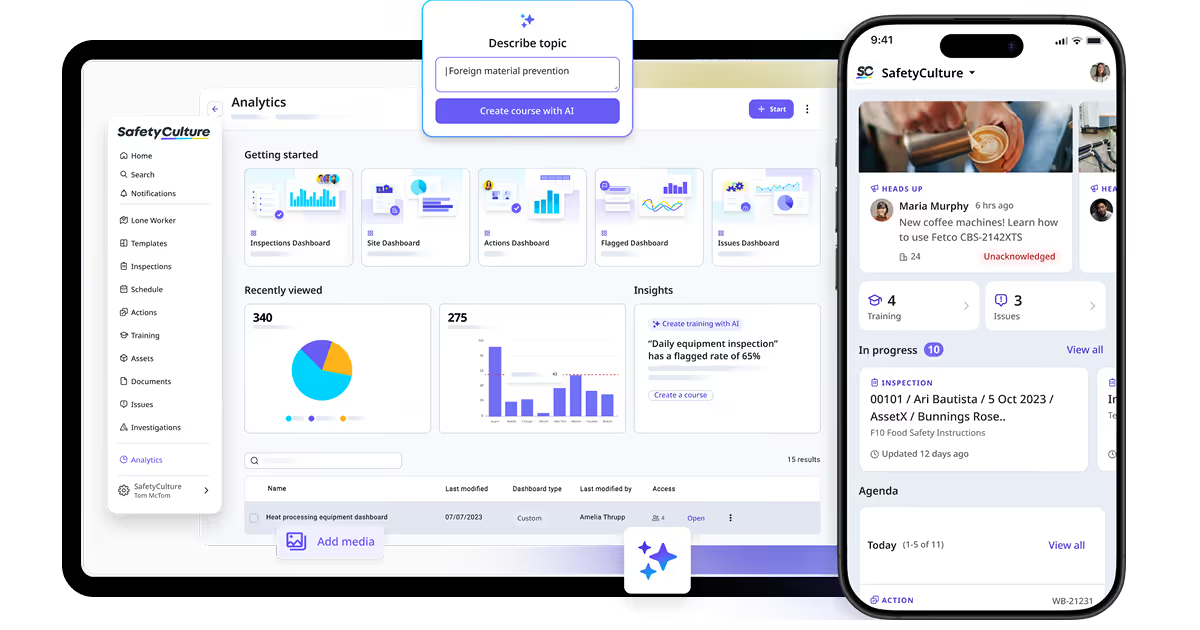
SafetyCulture: Best for guest experience quality assurance
SafetyCulture takes a different angle from the other hotel front desk systems on this list. Rather than being a PMS, it's an operations platform that overlaps with front desk work through auditing, task management, and staff communication. Hotels already running a PMS use it to maintain service standards.
Key features:
Digital checklists for check-in, housekeeping, room inspections, and maintenance
Environmental sensors for temperature, humidity, and room access
Guest satisfaction surveys with built-in reporting
Shift scheduling and task delegation with real-time staff communication.
Integrations: Integrates with existing PMS platforms and a range of hotel operations tools.
Who it's for: Hotels that want to layer quality control and audit capability on top of their existing front desk setup. Particularly useful for larger properties, maintaining brand or franchise standards.
Key considerations when choosing front desk software
As you can see, you have a wide range of options on your plate. However, not each of them might be suitable for your hotel.
Scalability
The front desk program you choose today needs to handle what your property looks like in three years, not just now. Ask vendors specifically: how does pricing change as you add rooms? Can the system handle multiple locations under one login? Does reporting hold up at higher volume?
Cloud-based systems scale better than on-premise because capacity adjusts without hardware changes. But scalability isn't only technical. It's also whether the vendor's support team keeps pace with you as you grow - a 50-room property can easily become low-priority if the vendor focuses on upmarket.
Integrations
The front desk system a hotel uses rarely works alone. It needs to connect to your payment terminal, door lock system, OTA channels, POS, accounting software, and hotel concierge app for mobile guest services. When evaluating integrations, check:
Which OTAs and GDS platforms connect natively vs. through a third-party aggregator
Whether POS, spa, parking, and ancillary revenue systems post charges to the folio automatically
How the system connects to the keycard and door lock hardware
Whether there's an open API for custom integrations
Ask for a list of certified integrations and confirm whether they're two-way. A one-way sync that pushes reservations in but doesn't pull availability updates back is what creates overbookings. Also, check whether integrations cost extra, as some systems charge per connection.
Cloud vs on-premise
Most hotels are moving to the cloud. A cloud-based front desk management software requires no on-site servers, updates automatically, and works from any device. On-premise gives you more data control and doesn't depend on a vendor's uptime, but you're responsible for backups, patches, and hardware.
Most on-premise users don't back up consistently: a hardware failure means permanent data loss. For most properties, cloud is the practical choice. On-premise still makes sense if you have data residency requirements, operate somewhere with unreliable connectivity, or have an existing infrastructure investment not yet ready to migrate.
Pricing
Almost every major front desk software for hotels uses custom pricing based on property size, modules needed, and negotiation. When getting quotes, ask specifically what's included vs. what costs extra.
Some vendors charge separately for the channel manager, booking engine, payment processing, and guest messaging. A system that looks affordable at base price can cost significantly more once you've added the modules you actually need. Also, ask about onboarding fees, contract length, and data export terms. Some vendors make leaving difficult by design, which is effectively lock-in.
Security
A front desk system in a hotel holds credit card details, passport numbers, home addresses, and stay history for every guest. A breach doesn't just cost money — it ends trust and carries regulatory consequences under GDPR, PCI DSS, and similar frameworks. When evaluating security, check for:
PCI DSS compliance for payment processing
GDPR compliance if you operate in or accept guests from Europe
Role-based access controls so staff only see what they need
Audit logs that record every system action
Data encryption in transit and at rest
Two-factor authentication for staff logins
Cloud vendors handle much of the security burden, but you own responsibility for how data is used internally. As IoT sensors, smart room controls, and AI-driven tools become more common in hotel operations, the research makes clear that data privacy and consent management only grow more complex. Make sure any vendor connecting to guest-facing or biometric systems has documented data handling practices you can explain to guests if asked.
How to implement hotel front desk software
Implementation isn't just a technical project. It's a change management exercise that touches every person who works at the front desk of the hotel, from the night auditor to the GM. The technology is only one part of it. Based on 15+ years of working with hospitality operators, here's what actually matters at each stage.
Trace in written form how your property operates.
How do reservations come in? Where do billing errors happen? What do staff have to do manually that slows them down? What do guests complain about at check-in or checkout? The answers tell you what the software needs to do, which is usually a shorter list than vendors will pitch you.
Your requirements should reflect your size and complexity.
A 30-room guesthouse needs a clean reservation calendar, fast check-in, and basic reporting. A 200-room property with a restaurant, spa, and conference facilities needs multi-department folio posting, dynamic pricing, event management, and a lot more integration. Buy for the one you're running now, with room to scale.
Design for the people using it daily.
The best front office management software is the one staff actually use correctly under pressure. That means the interface needs to be fast, logical, and learnable without a week of training. When you're evaluating systems, don't just watch vendor demos. Put your front desk manager in front of it and ask them to complete a check-in, modify a reservation, and process a checkout. Why do it? UI quality matters more than feature lists. A system with 200 features that takes 12 clicks to check someone in is worse than one with 80 features that does it in 3.
Choose your roadmap.
Most hotels buy an existing system and configure it. Some larger or more complex operations build custom software or extend an existing platform via APIs. Research states that for most, an integrated system from a single vendor is a safer starting point than piecing together multiple tools connected by APIs. API-reliant stacks create security risks, maintenance, and integration failures that compound over time.
Decide on going custom or not.
If you're going the custom-build route, your tech stack typically involves a backend in Java, Python, .NET, or Node.js, a frontend in React or similar, and secure payment gateway integration via providers like Stripe. The core modules to build are a real-time room calendar, guest profile management, folio and payment processing, and housekeeping status updates.
How to pick the core features to implement first for your front desk software? Roll out in phases, not all at once. McKinsey research notes that less than 30% of large-scale tech implementations succeed, and the ones that fail usually try to change everything simultaneously. Start with:
Real-time room grid: check-ins, check-outs, availability, room status
Guest profiles: booking history, preferences, communication log
Channel manager connection: OTA sync to prevent overbooking
Add housekeeping coordination, reporting dashboards, and guest messaging tools in a second phase once the core is stable and staff are comfortable.
And what about the necessary integrations? First, should go channel manager connections, POS links, keycard systems, and door lock integrations. Connect them one at a time, test each thoroughly before adding the next, and make sure every integration is two-way.
Train your staff properly.
Take vendor training when it's offered. Vendors know their own software better than anyone. If they offer a webinar, an onboarding session, or written materials, use all of them. Train on data sensitivity separately. Front desk staff handle passport numbers, home addresses, and credit card data every shift. They need to understand GDPR obligations, what they can and can't do with guest data, and why it matters. A data breach caused by a staff error is still a breach with full regulatory consequences. Make this part of onboarding, not a footnote.
Even with a properly implemented front office system, most vendors sell you a product and then move on. We don't work that way. When you choose hotel management software development with our team, you get a reliable partner for years.
COAX builds front desk system software from scratch and adapts existing platforms for operators who have specific requirements that off-the-shelf products don't fully address. That includes full-cycle development from architecture and UI design through to deployment, integrations, and ongoing support.
On the technical side, we handle the genuinely complex integrations:
Two-way OTA channel manager connections
Real-time POS folio posting
Keycard and door lock system links
Payment gateway setup with PCI DSS compliance
API connections to whatever tools are already in your stack.
We also build the security layer properly from the start, providing role-based access, audit logging, data encryption, and GDPR-compliant data handling. We've been doing this long enough to know which requirements matter for which types of properties, where the common failure points are in implementation, and how to build something your staff will use with ease.
If you already have a system and need it extended, integrated, or rebuilt, we can work with what's there. If you're starting from zero, we can scope and build the whole thing. Either way, you're not getting a product off a shelf.
FAQ
Do hospitality SMEs need hotel front desk systems?
Yes. Even small properties face the same operational pressure as large ones. Cornell research shows a five-minute check-in wait cuts guest satisfaction by half. Meanwhile, 87% of US hotels report staff shortages. A front desk system lets a lean team handle reservations, billing, housekeeping coordination, and guest communication without adding headcount.
What are the challenges of implementing front desk software?
You might face the following challenges:
Staff resistance and slow adoption
Data migration from legacy systems
Integration failures with existing POS, keycard, or OTA tools
Underestimating training time
Choosing a system that doesn't fit actual workflows
Hidden costs for integrations and modules
Downtime during switchover
Inconsistent data quality from old records
How to know what integrations I need for my hotel front desk system?
Map every touchpoint where data moves:
Bookings coming in (OTAs, direct)
Charges posting to folios (POS, spa, parking)
Room access (keycard systems)
Payments out (terminal, gateway)
Guest communication (messaging tools).
Anything on that list that currently requires manual entry is an integration you need.
How does COAX develop secure and efficient tools for the hotel desk?
We apply role-based access, end-to-end encryption, audit logging, and GDPR-compliant data handling from day one, not as an afterthought. COAX holds ISO/IEC 27001:2022 certification covering security management, risk assessment, and ongoing monitoring, and ISO 9001 certification ensuring consistent, quality-controlled delivery processes across every project.











































.avif)

%20for%20hotels.avif)

.avif)
.avif)


.avif)




.avif)
.avif)


.avif)
.avif)

We are interested in your opinion