A music festival, a soccer tournament, and a business trade show have one thing in common: people who buy tickets for them and want to do it fast, trouble-free, and without fraud or payment conflicts. And as a business, you probably want to keep your attendee data in your CRM for marketing, keep track of all the purchases, and not to spend sleepless nights before your events over spreadsheets. Right?
If so, then event ticketing software is for you.
Platforms take care of making tickets, selling them, and scanning them, from stadiums to small clubs.
Mobile devices are responsible for 58% of transactions that take 90 seconds.
Core functions automate things like keeping track of attendees, showing real-time dashboards, and processing payments.
Sports venues handle reserved seats, turnstiles, and resales without a hitch.
Festivals do a good job of selling multi-day passes, VIP upgrades, and camping add-ons.
Conferences keep track of delegate registration, sessions, and CRM integrations very well.
Cloud systems can handle traffic spikes without needing servers or IT teams.
Self-hosted options give you full control over your data and the ability to customize your API.
All-in-one suites bring together marketing, check-ins, and post-event analysis.
Custom platforms let you book hotels and shuttles all at once when you check out.
In this article, we guide you through the main functions and types of event ticketing booking software. We also explain how it differs from event management tools, and list the best ticketing systems to get from the market. And if you need something better, we break down the nuances of when you need a tailored option.
What is event ticketing software?
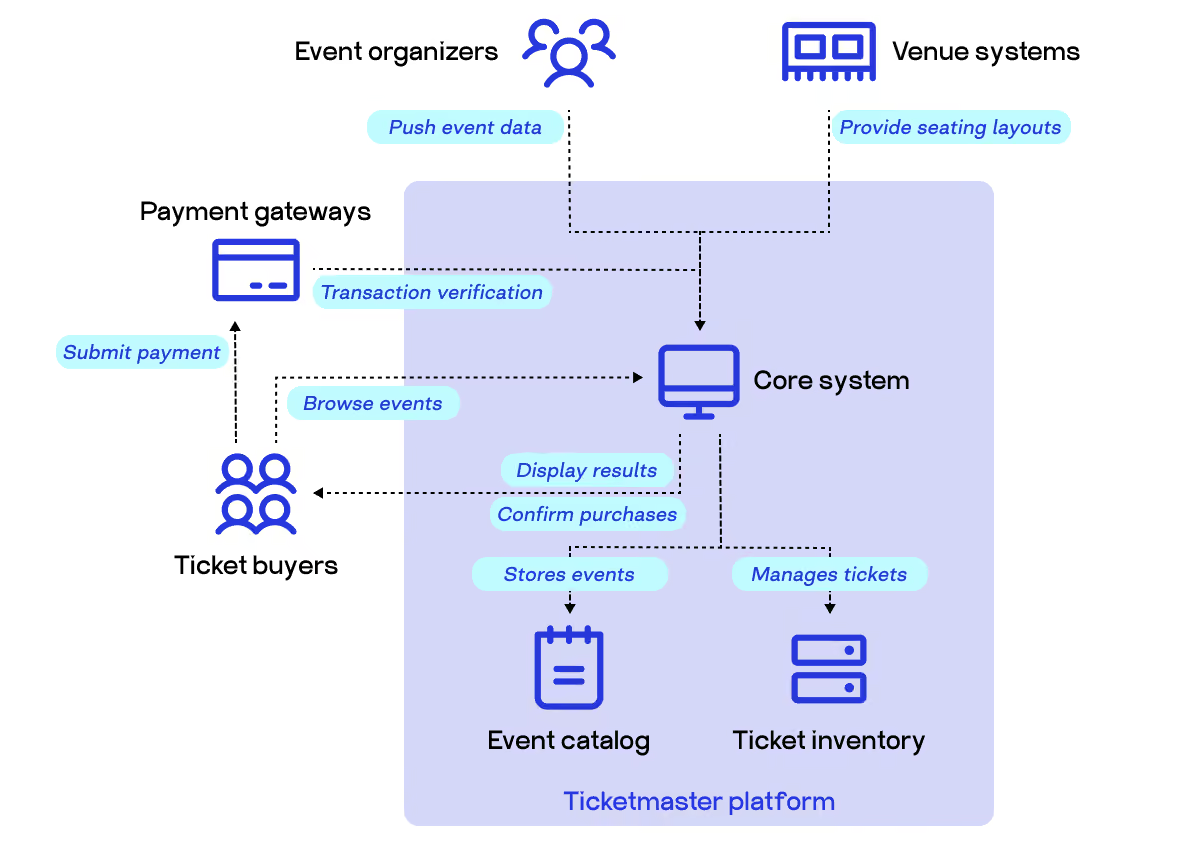
Event ticketing software is a platform that handles the entire lifecycle of a ticket, from creation and sale through to entry at the door. It lets organizers build event pages, set ticket types and pricing, collect payments, and manage attendee data, all in one place. Buyers get a smooth purchase experience with instant confirmation. Organizers get real-time visibility into who's coming and how sales are tracking.
For any paid event, it’s the background that keeps operations running. A stadium selling 50,000 seats, a local jazz club with 80 spots, or a corporate conference requiring delegate registration all run on some version of this same idea. The old way meant paper tickets, manual spreadsheets, and a cash box at the door. Software for event ticketing replaced all of that with automated workflows that run before, during, and after the event.
What’s on the ticketing software market?
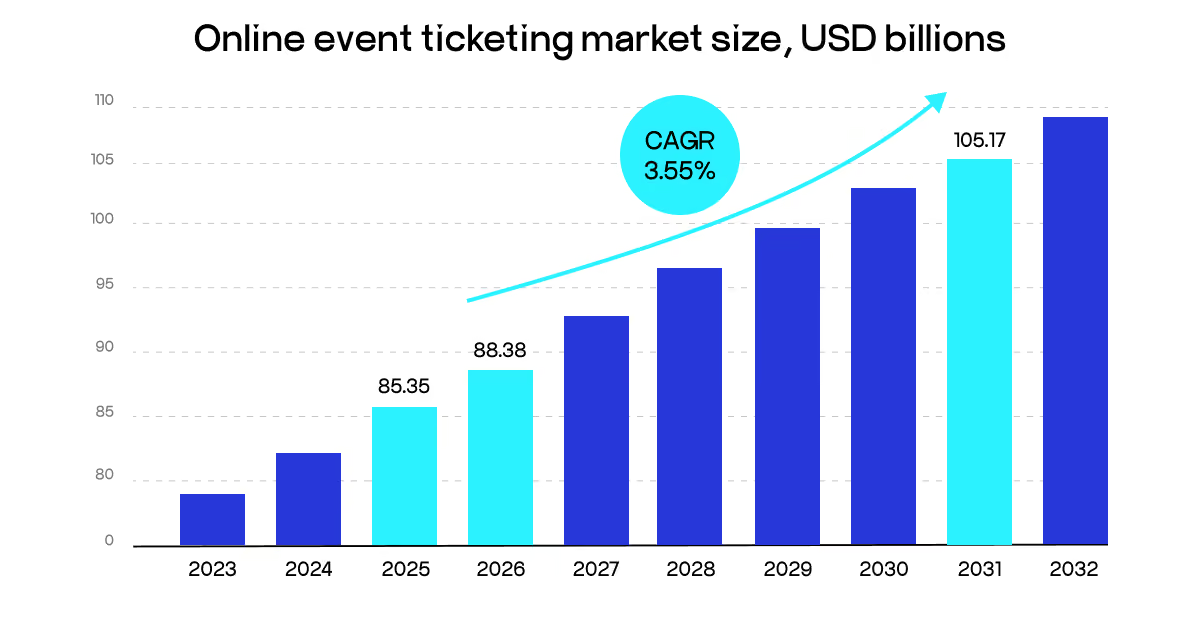
The domain is growing extremely fast. The online event ticketing market is now estimated at an $88 billion and is projected to reach $105 billion by 2031. That's a market bigger than the GDP of many countries, built almost entirely on people wanting to show up somewhere and experience something together.
What’s causing this rising wave of popularity?
Mobile devices now account for more than 58% of all ticket transactions, and keep increasing. People simply see a post, then tap, and they pay, taking about 90 seconds. Ticketing system software that can't deliver that experience on a phone is already behind.
Live events came roaring back after years of the pandemic era.McKinsey estimates the global live events market could reach $150 billion by 2030. That appetite shows no signs of fading. Consumer surveys found that 81% of respondents attended in-person fitness and live events in the past year, as opposed to those who used online alternatives. People want to be in the room. And it always starts with buying a ticket.
Amusement parks and sporting events generate 18% of market revenuewhile accounting for less than 1% of the hours of content people consume each year. In other words, live experiences grab a big portion of what people pay for, without a year-round effort. Attention and spending don't move together, but when someone commits to being physically present somewhere, they open their wallet.
Music concerts and festivals are the roar of this spending, capturing over 36% of online ticketing revenue, while Asia Pacific is the fastest-growing region, fueled by smartphone adoption and digital payment infrastructure that lets hundreds of millions of people buy tickets with a single tap.
This said, the race for event ticket software is consolidating fast. And if you’re still wondering if you need one for whatever you’re organizing, let’s break down what types of events typically need such solutions.
Types of events that commonly use ticketing platforms
Every event type has its own version of the same core problem: too many people trying to get in, not enough time to manage it manually. For example, concert ticketing software exists precisely because a single show can move thousands of tickets in an hour, with dynamic pricing, multiple seating tiers, and fan queues all happening simultaneously. The technology isn't optional at that scale. So, what types of events need to be equipped with such digital tools?
Sports and live entertainment. Stadiums and arenas were early adopters. Reserved seating, season passes, hospitality packages, and last-minute resales all demand infrastructure that paper could never support. Venue ticketing software typically handles the full stack here: access control at turnstiles, real-time capacity dashboards, and integration with on-site point-of-sale systems.
Festivals and multi-day experiences. A music festival selling weekend passes, day tickets, VIP upgrades, and camping add-ons is essentially running several parallel ticket products at once. The sales window is long, and the buyer journey involves a lot of decisions. Platforms that handle tiered pricing and early-bird phases fit this category.
Community, charity, and niche events. Theatre productions, fundraising galas, food festivals, and local sporting leagues. These events often have smaller budgets but the same need for clean attendee management. Customer service ticketing software thinking applies here too: when something goes wrong with a purchase, the buyer expects a fast resolution, which means organizers need tools that give them visibility into each transaction without digging through spreadsheets.
Hybrid and virtual events. Virtual passes, webinar access codes, and streaming links are now standard ticket types alongside physical entry. Platforms that handle both in-person and digital access from one dashboard have a real advantage for organizers running events across multiple formats.
Conferences and professional events. Business events are different. Delegate registration, session selection, badge printing, and CPD tracking. The ticketing layer blends into registration, which is why many conference organizers reach for platforms built specifically for multi-day, multi-track events. Event ticketing booking software in this context often connects directly with CRM systems and post-event surveys.
The conclusion is this: any event where attendance is controlled, paid, or tracked needs some version of a ticketing system. The sophistication of that system scales with the complexity of the event, but the underlying need and logic are the same.
Why event organizers need event ticketing software
Running an event without dedicated software works in some ways. However, when it breaks, it breaks in front of your attendees.
Here's the reality check: 79% of event professionals already use an event management system to run their operations. They offer a better, faster, more connected service - and if you’re not, you can be left in the 21% remaining with a disadvantage.
The gain is simple but powerful. The right software handles the repetitive work automatically so your team focuses on what matters.
Core functions: what the software actually does
Getting yourself such a solution is not a box office replacement. It's the operational layer your entire event runs on.
Ticket sales and registration. You build an event page, set your ticket types, and the platform handles payments, confirmations, and waitlists automatically. You might cope manually for smaller entertainment events, while theater ticket software needs like reserved seating maps and performance-specific inventory ask for specialized tools.
Attendee management. Every registration creates a record. That record follows the attendee through the entire event journey: confirmation email, reminder, QR code for entry, and session sign-up if it's a multi-track event. Most of all, to handle this functionality, you need a mobile app that attendees can use on the day. With it, a check-in becomes a scan, not a search through printed lists.
Marketing and promotion. Good event ticket software connects your ticket sales to your marketing channels. Promo code generation, social media integration, automated email campaigns, and retargeting tools for people who visited your page but didn't buy. With such tools, you know which channel sold which ticket, so your next event's marketing budget goes where it works.
On-site operations. Real-time dashboards showing how many people have checked in, live ticket scanning via mobile, badge printing, and on-site sales for walk-ins. Platforms like Cvent handle this at scale for large summits and trade shows. For smaller operations, a ticketing systems for small businesses give you the same scanning and reporting capabilities without enterprise pricing.
Data and analytics. After the event, you need numbers. Attendance rates, revenue by ticket type, check-in timing patterns, and no-show percentages. CRM ticketing software functionality matters here: the best platforms push attendee data into your CRM, so sales and marketing teams can follow up on leads from a conference or convert first-time attendees into repeat buyers.
Virtual and hybrid event support. Since 2020, a meaningful share of events now include a digital component. To be in this sector, your tool should handle live streaming, Q&A, polling, and virtual networking alongside physical ticketing, all from one dashboard. Organizers running hybrid formats don't need two separate systems.
Marketplace and venue integration. For organizers managing multiple venues or rotating locations, a marketplace for event venues built into the platform removes a separate coordination layer. Some platforms let you manage venue logistics, seating configurations, and availability directly alongside your ticket inventory.
This might sound complicated, but in reality, you often find yourself wondering how you used to operate an event-related business without such a useful solution before. So, what gains are you getting from these platforms?
Main benefits for event planners
The benefits follow directly from the functions, but they're worth naming plainly. Let’s break down what you get, without focusing on the type of event and solution you’re getting.
You save time on every event. Automated confirmations, QR code check-in, and self-service attendee pages eliminate hours of manual work per event. For a team running 10 events a year, that compounds quickly.
You sell more tickets. Mobile-optimized pages, social sharing, early bird urgency mechanics, and retargeting all move the needle on conversion. Nearly half of registrations happen within the first 30 days of an event's announcement. Ticketing systems software that makes it easy to create urgency and capture that early momentum directly affects your final attendance number.
You reduce errors at the door. Paper lists get lost. Duplicate entries happen. Fraudulent tickets slip through. Digital check-in with QR scanning eliminates most of these problems without adding staff.
You keep attendee data clean and usable. Every ticket sale creates a structured record. After the event, that data is yours: email addresses, ticket types purchased, and session attendance if applicable. Clean data is what separates organizers who grow their events year over year from those who start from scratch every time.
You look more professional. A branded event page, automated communications, and smooth check-in all signal to attendees that this event is worth their time. Two-thirds of event attendees report more positive feelings about a brand after a well-run event. The software is invisible when it works. Attendees just enjoy a well-organized event.
You control your costs. Knowing your fee structure upfront, whether that's a percentage or a flat-fee model, brings predictable margins. Platforms with CRM ticketing software integration also cut the cost of post-event follow-up without all the data entry.
The organizers who feel least stressed on event day are almost always the ones who set up their ticketing infrastructure properly weeks before. The software doesn't replace good event planning. It removes the obstacles that get in the way of it.
Event ticketing software vs event registration platforms
Most people use these two terms as if they mean the same thing, but they don't. And picking the wrong one for your event might even cost you data, time, attendee experience, and surely, money spent on the thing that you never needed in the first place.
A ticketing software system is built to handle volume fast, whether you're running a concert, a championship game, or a community festival. Sell thousands of tickets, validate entry with a QR scan, and collect payment. That’s the whole workflow behind every major sports ticketing software solution or a platform for any large-scale event.
A registration platform, on the other hand, goes beyond sign-ups. It collects and manages detailed attendee information (dietary needs, session preferences, company name, job title, or team affiliation) to enable organizers to deliver more personalized experiences.
Here's a side-by-side look at where these tools actually differ, using plain categories for you to grasp the difference easily.
Aspect
Ticketing software
Event registration platforms
Who matters
The seat or admission count
Each individual attendee
Data depth
Name, email, ticket type
Full profile: role, preferences, team, sessions
Entry method
Scan and go, single door
Staffed check-in, badge printing, and session access
CRM and tools connection
Basic export (CSV)
Direct sync with Salesforce, HubSpot, Marketo
Compliance
Minimal
GDPR and CCPA opt-ins, data deletion on request
Event format
In-person, standalone
In-person, hybrid, virtual, multi-track
Who matters. A ticketing system software treats attendance as a transaction. A registration platform treats attendance as a relationship. It tracks who those people are, what sessions they want, and how to follow up with them afterward. If you need to segment, personalize, or follow up, you need registration.
Data depth. Ticketing tools collect the basics: name, email, ticket type. A registration platform captures role-specific fields, multi-tier participant types, and custom logic that adapts to each person's answers. For a 500-person B2B conference, for example, a ticketing tool alone leaves you with a spreadsheet with names and nothing else.
Entry method. A ticketing tool is ideal when you only need scan-and-go entry at a single door. A registration platform becomes necessary when your event requires staffed check-in stations, on-demand badge printing, or session-level access control. If your event has breakout rooms, workshop sessions, or VIP areas with different permissions, a basic ticketing software for events won't manage that.
CRM and tools connection. If simple CSV exports are enough, ticketing software handles that. But if you need direct, live connections to CRM and marketing automation platforms, a registration platform is the right call. This matters most for corporate events and trade shows where every lead counts and manual data transfer is not an option.
Compliance handling. Registration platforms allow you to ask clear, separate opt-in questions, save each person's consent to their contact profile, and handle attendee requests to view or delete their data. A standard ticketing tool gives you little to no control over this. If you operate in Europe or handle any European attendee data, this dimension alone can decide for you.
Event format. Ticketing software is built for in-person, standalone events. Registration platforms cover in-person, hybrid, and fully virtual formats, with registration, session management, live chat, and on-demand content together in one place.
These aspects are quite telling - but in some cases, you may still have a hard time deciding on the type you need. In this case, the next section is a must-read.
How to understand what you need
If you’re still confused about which solution will fit your needs best, ask yourself three questions before you start reviewing the options.
How much do you need to know about each attendee? If the answer is "just enough to let them in," event ticketing booking software is good. If the answer is "enough to personalize their experience, follow up, and save data in our CRM," registration it is.
What does your check-in look like? A single entry point with QR scanning: ticketing software handles that well. Multiple access zones, session tracking, or badge printing - that's the registration side.
Is this a one-time event or part of a larger program? Ticketing software is okay for standalone public events. Registration platforms are the better fit when you're managing a multi-event program, a conference series, or any recurring schedule.
Many events actually need both. You often need fast ticket sales for public audiences and deep registration data for participants, speakers, or VIPs. That's where all-in-one platforms and custom-built ticketing software for events start making real sense, because you stop managing two tools and start managing one event.
Types of event ticketing platforms
Not every event needs the same tool. A sold-out stadium concert and a 200-person product launch have almost nothing in common operationally. Let’s outline the five main categories of platforms and what each one covers.
Cloud-based
There are many pros to this option - no servers to own, no IT team required, and no installation. You log in, set up your event, and start selling. By 2035, the cloud-based segment is projected to dominate the event management software market with a 70% share, driven by virtual events and cost savings.
Ticket-selling platforms built on cloud infrastructure scale automatically when traffic spikes. A flash sale that sends 10,000 buyers to your checkout simultaneously won't put the system down. Cloud-based event ticketing systems offer venues unmatched flexibility, reliability, and scalability, helping organizers simplify operations and enhance audience engagement compared to the older on-premise approach.
The tradeoff is control. You're on the vendor's infrastructure and bound by their update schedule, data policies, and pricing tiers. For most small to mid-size events, that's a fair exchange. For organizations with strict compliance requirements or heavy customization needs, it's a reason to look further down this list.
Most often, cloud options are great for recurring events, remote teams, and fast launch timelines.
Self-hosted
Self-hosted means you run the software on your own servers. You own the code, the data, and the infrastructure. Platforms with self-hosted ticketing are typically chosen for their API-first extensibility, integration depth, and full data ownership.
A self-hosted event ticketing platform gives you total control over branding, checkout flow, pricing logic, and how attendee data is stored. There's no per-ticket fee going to a third party. For high-volume operations, those savings compound fast.
The cost comes in setup complexity. You need a technical team to deploy, maintain, and update the system. Security patches, server uptime, and backup strategies all become your responsibility. Self-hosted solutions require technical expertise for setup and ongoing maintenance, as the servers must be managed either on the organization's own infrastructure or via a separately contracted cloud provider.
With these pros and cons, self-hosted options fit organizations with a dev team, strict data privacy obligations, or events large enough that per-ticket fees become a real cost line.
All-in-one systems
These platforms cover the full event lifecycle: registration, session management, speaker coordination, on-site check-in, post-event analytics, and marketing automation, all in one place. This often comes in handy: organizing events requires significant effort across marketing, registration, ticketing, participant validation, and certification. An integrated system brings all of these processes under one roof, making the event more effective and efficient to run.
An online event ticketing system embedded inside an all-in-one suite means your ticket sale data, attendee records, and post-event reports never have to be manually stitched together. The same platform that sold the tickets tracks who attended which session and sends the follow-up survey.
The downside is price. These platforms are built for corporate and enterprise buyers. Smaller events often pay for features they'll never use. Because of this, such solutions are fit for conferences, trade shows, multi-track events, and enterprise teams running annual programs.
Marketplace ticketing platforms
Marketplaces bring their own audience. You list your event, and people already browsing the platform can discover and buy tickets. You get built-in distribution on top of the event ticket management software itself.
Integration with social media enables effortless sharing, group bookings, and promotional engagement, and the growing adoption of these platforms has made them a dominant force in online ticket purchasing.
The catch is that this model runs on per-ticket fees and third-party branding. Your buyer data often stays on the platform, not with you. For new events without an existing audience, discoverability is genuinely valuable. For established brands that already have a following, paying for reach you don't need stops making sense.
Custom event ticketing systems
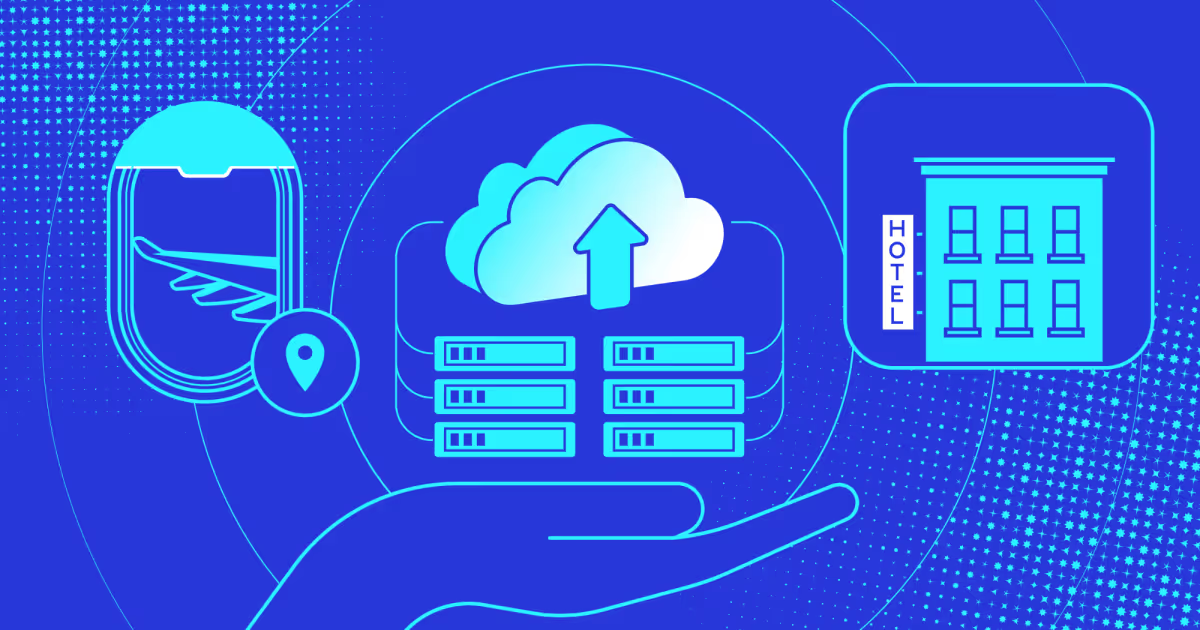
Some events don't fit a template. Multi-currency ticketing for international conferences, hotel room resale bundled with event access, bus booking integrated directly into the purchase flow, or white-label checkouts handle all of this cleanly.
That's where custom-built event ticketing systems make all the difference. At COAX, we build full-cycle ticketing and booking products, from event marketplaces to ticket and seat booking, hotel room inventory resale, and bus or transport booking, layered directly into the ticket purchase experience. We've worked across the full stack: backend infrastructure, payment processing, attendee-facing interfaces, and operator dashboards.
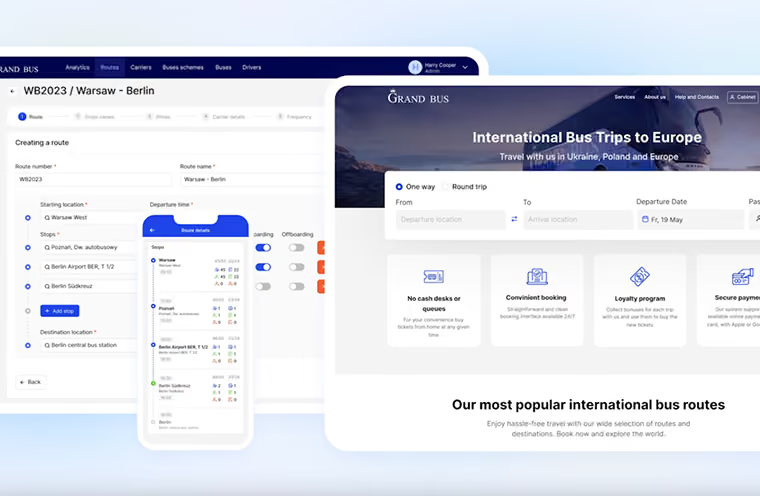
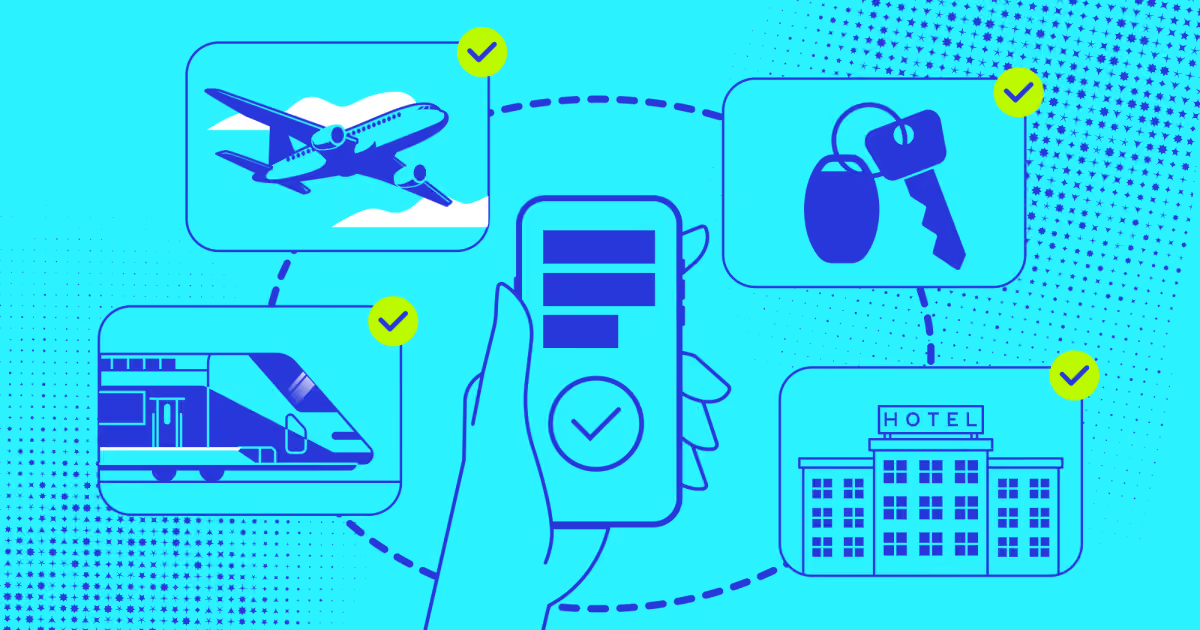
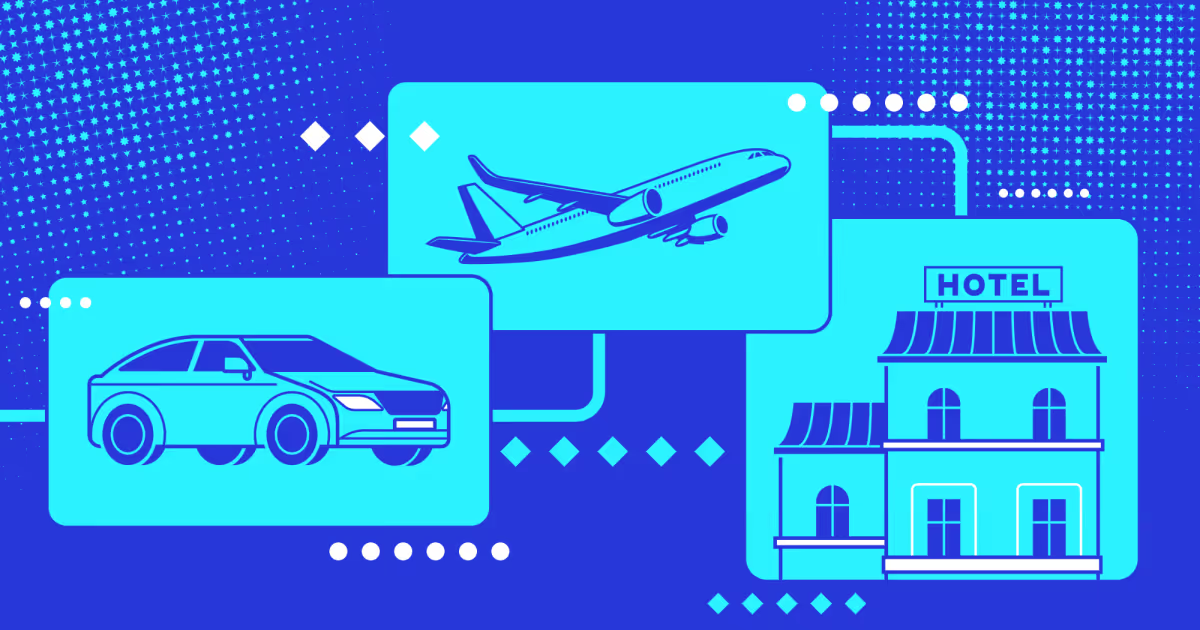
Custom travel booking software development built alongside ticketing means your attendee can buy an event ticket, reserve a hotel room, and book a shuttle in one checkout. No redirects, no third-party carts.
We stay with you after launch: maintenance, feature releases, scaling support. If your event has requirements that no existing platform was designed to meet, that's exactly where this model earns its place.
Our services fit event marketplaces, travel-integrated booking, white-label products, and any operation that has outgrown what packaged software can offer.
Key features of event ticketing software
Good solutions share a core set of capabilities that determine whether your event runs smoothly or falls apart at the seams. Here's what to look for.
Branded event pages and customizable setup. Your event page is the first thing a potential attendee sees. It should look like you, not like the platform hosting it. White-label functionality lets you embed ticket sales directly on your own website, so buyers never get redirected somewhere else and never see a competitor's event listed next to yours. Bulk editing tools and the ability to copy existing events save hours when you're running multiple dates or recurring shows.
Multiple ticket types and pricing control. A solid concert ticketing system needs to handle more than one price point. General admission, VIP tiers, early bird windows, group rates, promo codes, and donation options should all be configurable without touching any code. Fee flexibility matters too: the ability to absorb fees yourself or pass them to the buyer changes your margin picture significantly. Hidden fees that appear at checkout kill conversions.
Payment gateway options. Limiting buyers to one payment method loses sales at the final step. The platforms worth using support credit cards, PayPal, Stripe, Google Pay, Apple Pay, and increasingly, regional payment providers for international events. A clean, fast checkout with familiar payment options is the difference between a completed purchase and an abandoned cart.
Mobile ticketing functionality. More than 58% of tickets are now purchased on mobile devices. Your platform needs to work flawlessly on a phone: fast page load, thumb-friendly checkout, and instant delivery of a QR code or wallet pass to the buyer.
Mobile ticketing software also handles the entry side: staff scans tickets from a phone app rather than a dedicated scanner, which reduces hardware costs and speeds up queue times. Offline scanning capability matters for venues with poor connectivity.
Check-in and access control. QR code scanning with real-time validation, guestlist management, and attendee reporting at the door. The check-in system should talk to the ticketing system so that a ticket sold five minutes before doors open is already in the system when the buyer arrives. For multi-zone events, session-level access control determines who gets into the VIP area, the backstage zone, or a specific conference room.
Real-time analytics and reporting. You should know your current ticket sales, revenue by type, check-in rate, and no-show percentage without having to export a spreadsheet and do the math yourself. A live dashboard during the event tells you whether to open a second entry queue or call in extra staff. After the event, clean exportable data feeds into your planning for the next one.
Email marketing integration. Your ticketing platform should either include email tools or connect cleanly to the ones you already use. Automated confirmation sequences, reminder sends, and post-event follow-ups should run without manual intervention. A built-in campaign builder with scheduling and list segmentation removes a separate tool from your stack.
Registration and data capture. Customizable registration forms let you collect exactly what you need from attendees: dietary requirements, T-shirt sizes, session preferences, company names for B2B events. A drag-and-drop form editor means your operations team builds these without developer help. All data should be GDPR-compliant, with clear consent capture and the ability to respond to deletion requests.
Festival and large-scale event tools. Festival ticketing software has specific demands: wristband integration, multi-day passes, camping add-ons, capacity management across multiple stages or zones, and cashless payment systems that tie into the same attendee record. Platforms built for this scale handle RFID wristbands at entry, real-time crowd density data across zones, and on-site merchandise sales from the same dashboard.
Vendor and sponsor management. For expos, trade shows, and festivals where vendors and sponsors are part of the operational picture, the best platforms handle their registration and payment in the same system as attendee ticketing. Interactive floor plans for vendor placement, e-signature for contracts, and sponsor portal access reduce the back-and-forth that otherwise happens over email.
The test for any platform is simple: can your team set it up without calling a developer, and can your attendees buy a ticket in under two minutes on their phone? If either answer is no, the features list doesn't matter much.
Best event ticketing software
We have reviewed how event ticketing platforms work, what features actually matter in practice, and where most tools fall short. Now the focus shifts to real products you can start using right away. This event ticketing software comparison looks at the widely used platforms, with clear notes on what each one does well, where it limits you, and who it fits best.
Below is a practical ticketing systems list with a mix of lightweight tools, marketplace platforms, and more advanced systems.
Tool
Key features
Best use case
Pricing
Weezevent
Full ticketing suite, seating, resale, access control, cashless
Small to large events, festivals, sports
£0.99 + % per ticket
Eventbrite
Event pages, marketplace distribution, analytics, mobile check in
Public events, community, discovery driven
% + flat fee per ticket
Ticketor
White label ticketing site, full fee control, direct payouts
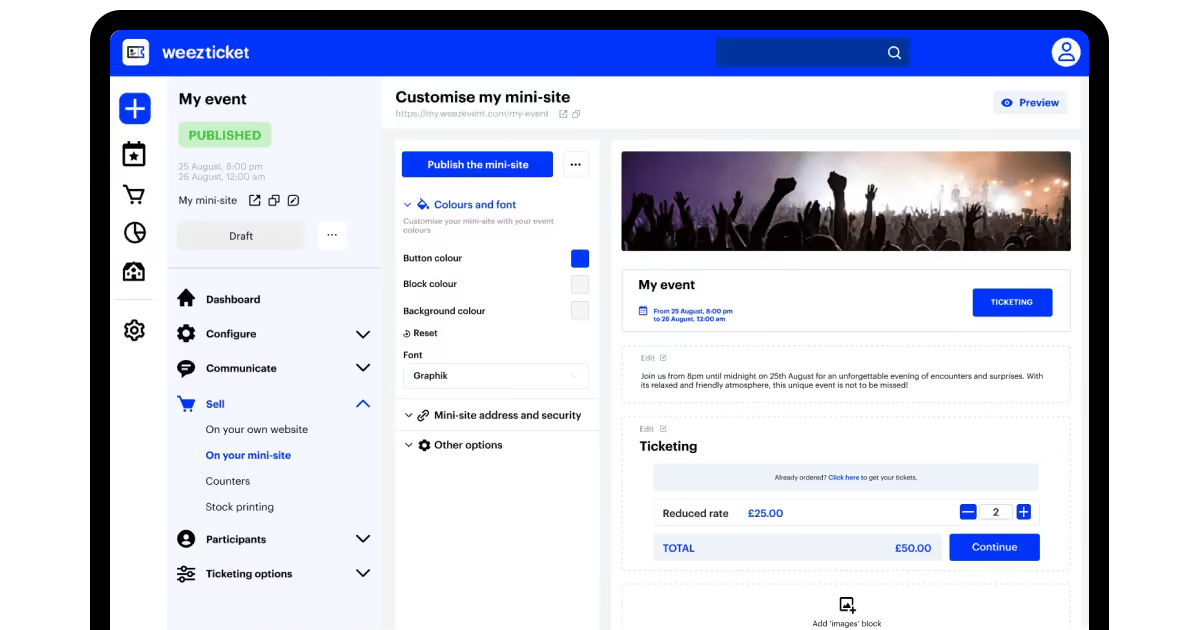
Weezevent is one of the best event ticketing software because it combines ticketing with access control, payments, and attendee management. You can create unlimited events, define complex pricing structures, and manage everything from online sales to on-site entry without switching tools. It works equally well for small organisers and large-scale events such as festivals or sports matches. The pricing model is simple and predictable, with a per-ticket fee. This makes it a strong option if you want a free event ticketing system to start and scale later without changing platforms.
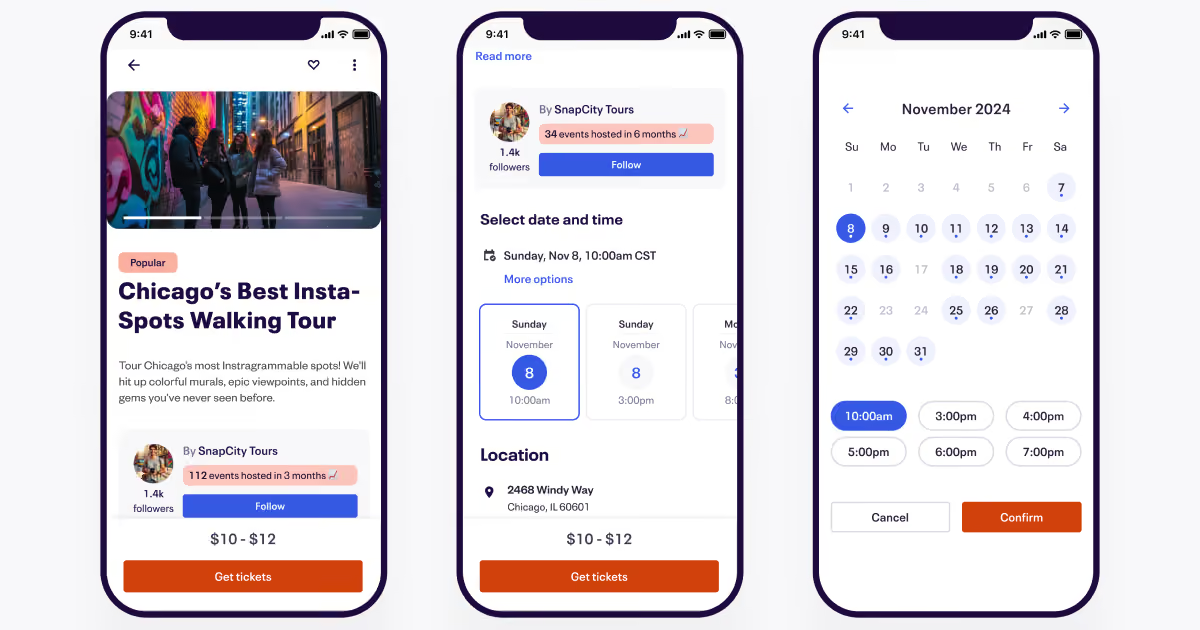
Eventbrite is one of the most widely used platforms globally and is often the first choice for organisers who want fast setup and built-in visibility. You can create an event page, publish it to the marketplace, and start selling tickets within minutes. Its main advantage is reach. People actively browse Eventbrite to discover events, which can help fill seats without heavy marketing. At the same time, fees can add up, and you have limited control over branding and customer data compared to more independent tools.
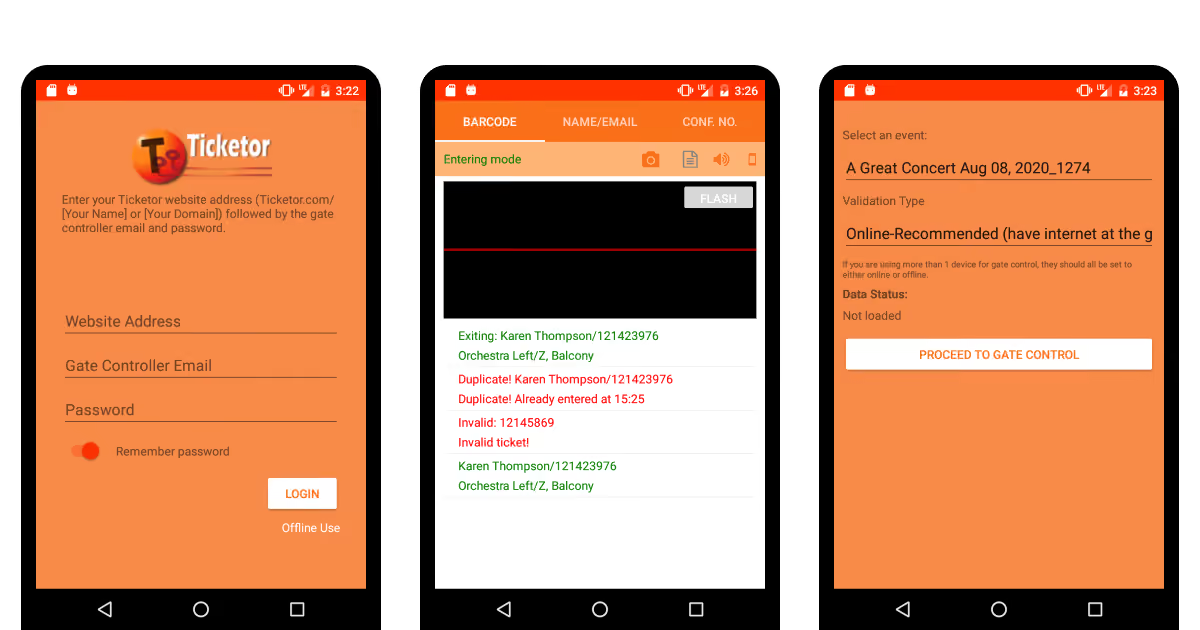
Ticketor takes a different approach by giving you ownership of your ticketing process. Instead of relying on a marketplace, you build your branded ticketing website and control pricing, fees, and customer relationships. Payments go to your account, which improves cash flow and removes platform dependency. This makes it a strong choice for organisers who run events regularly and want to build a long-term brand.
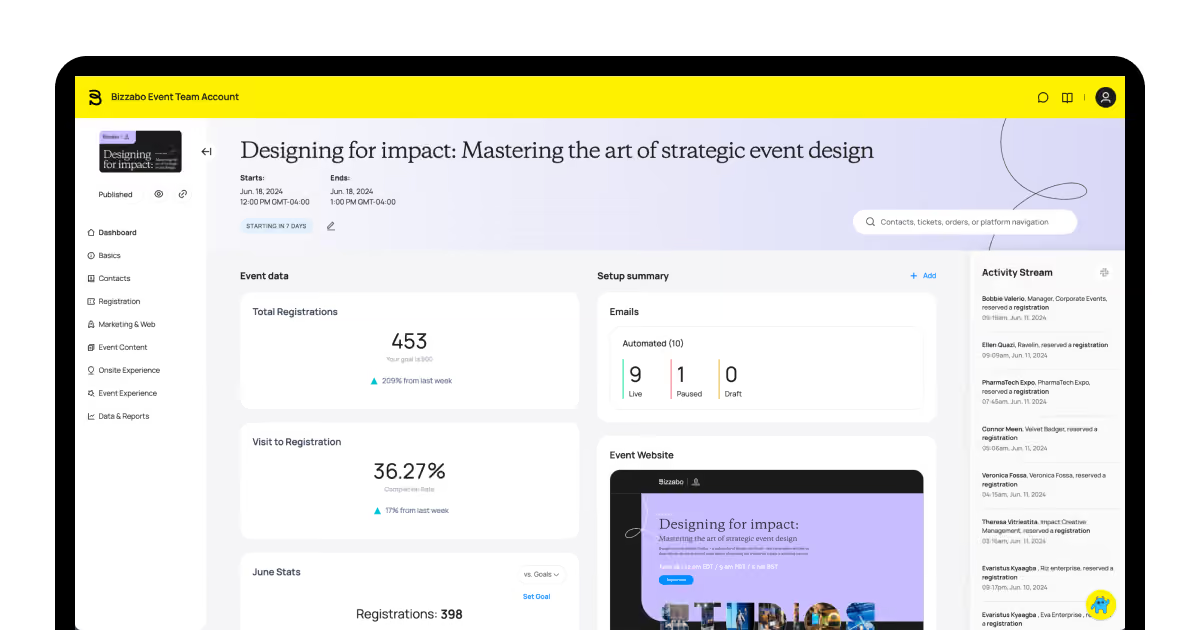
Bizzabo is designed for companies that run complex events, especially in B2B environments. It combines ticketing with registration flows, CRM integrations, and detailed attendee tracking. The platform focuses on data and engagement, which is useful for conferences, lead generation events, and corporate programs. The cost reflects this, so it is better suited for teams with larger budgets and ongoing strategies.
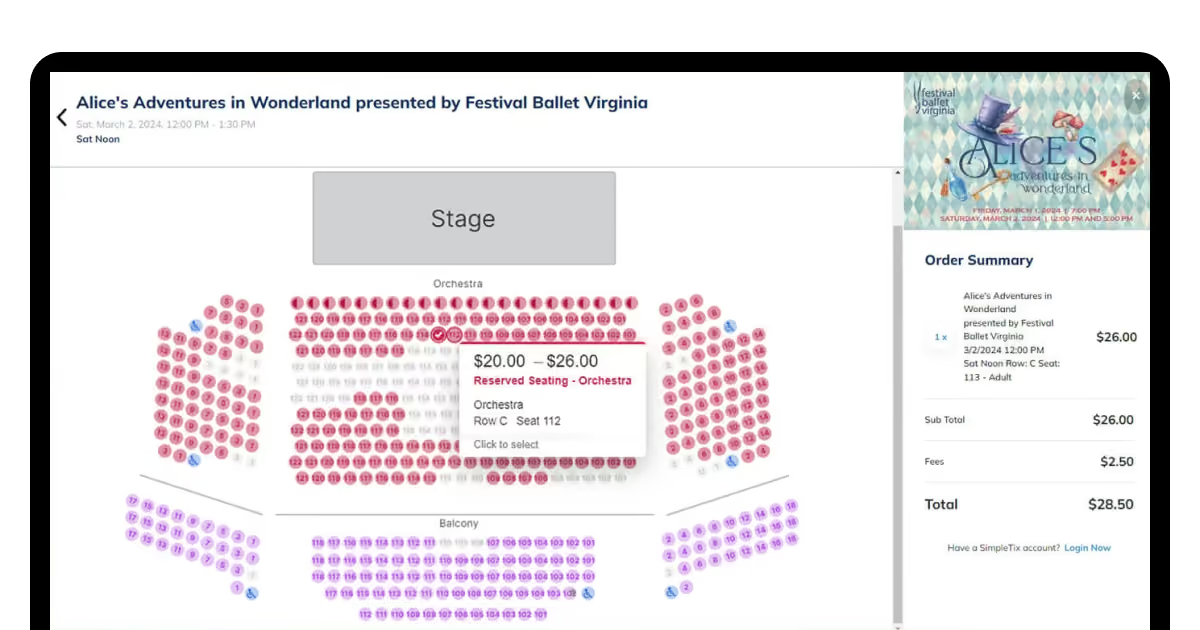
SimpleTix is designed for speed and simplicity. You can create an event quickly, embed ticket sales on your website, and start accepting payments through Square or similar providers. It includes timed entry, upsells, and mobile check-in, while keeping the interface straightforward. This makes it one of the easier options in the best ticketing platform for events category for smaller organisers.
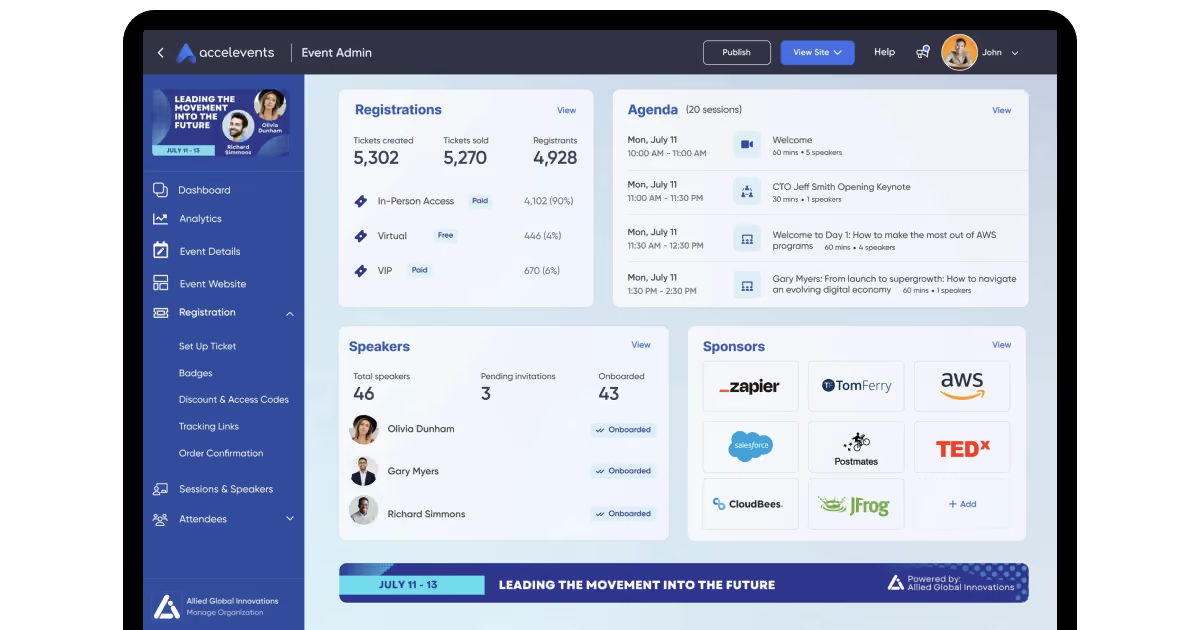
Accelevents is built for organisers who manage both in-person and online experiences. It combines ticketing, event pages, communication tools, and analytics, which makes it easier to manage hybrid setups. You can track attendee behavior across formats and keep data in one place. This is useful if your events are not limited to a single format and you want consistency across all touchpoints.
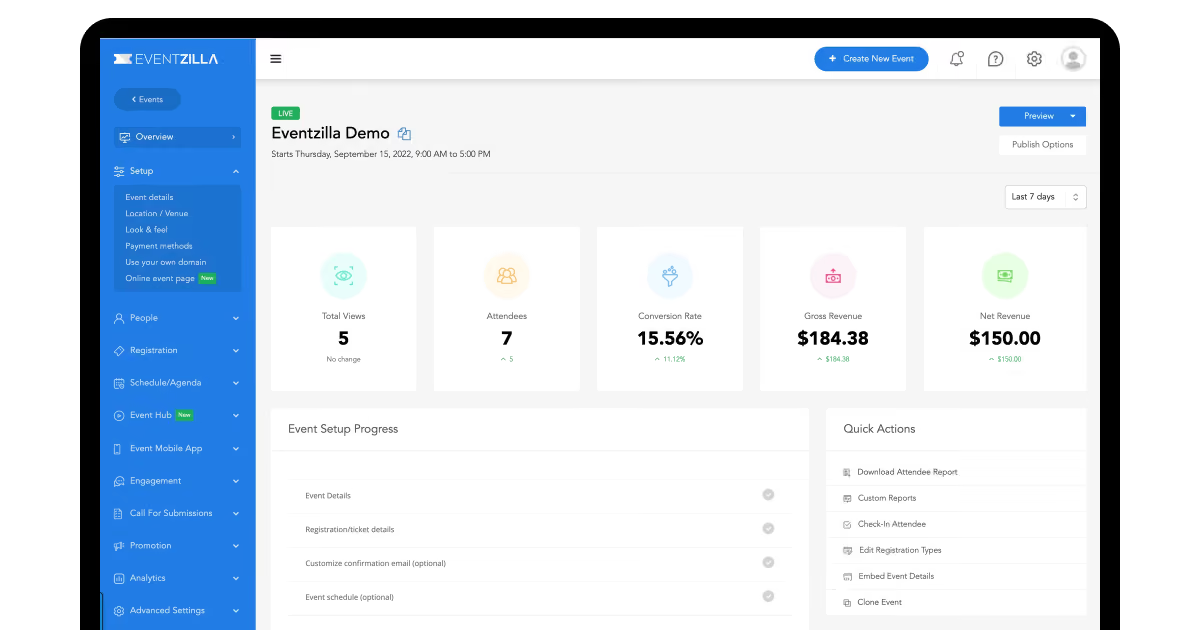
EventZilla focuses on structured events such as conferences, workshops, and training sessions. In addition to ticketing, it supports agenda management, session tracking, and attendee communication. It provides more control than basic tools while staying easier to manage than enterprise platforms. This balance makes it a solid choice for professional events that require more than simple ticket sales.
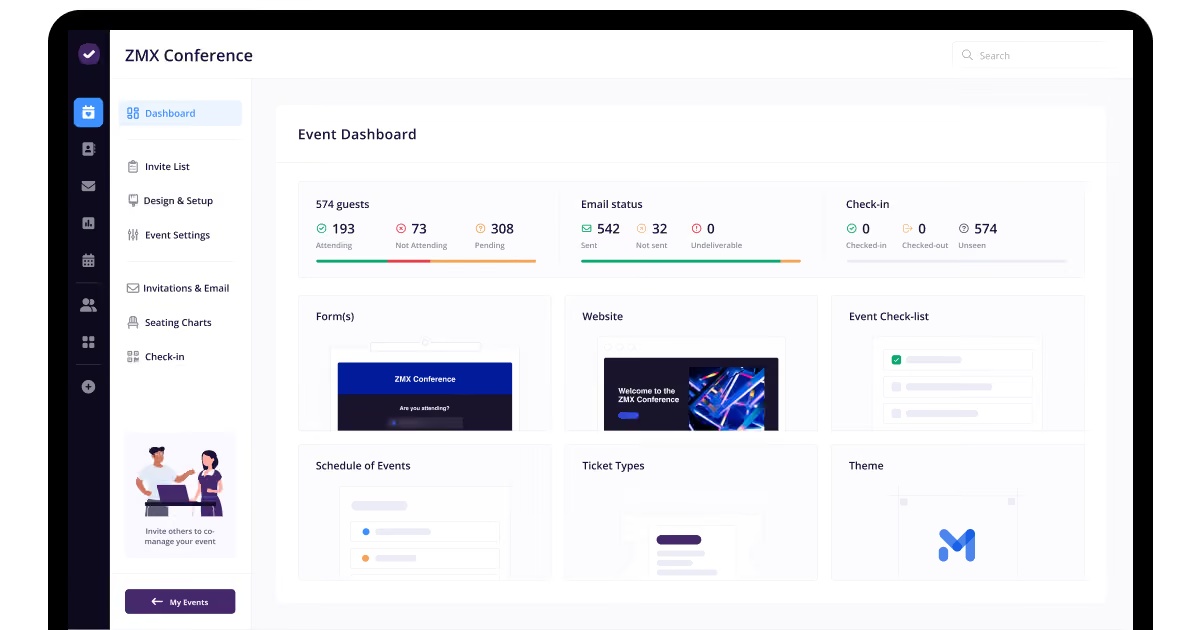
RSVPify is less about selling large volumes of tickets and more about managing guests. It’s great for private events, corporate gatherings, and invitation-based experiences where seating, personalization, and communication matter. You manage guest lists, assign seats, and collect detailed attendee data. This makes it a good fit for organisers who care about experience and control rather than open ticket sales.
The market is generous for ticketing systems for small businesses and larger enterprises. You can get standard, mostly fitting functionality there, and run your standard workflows there. However, what do you do if your business isn’t that standard?
What you get with a custom solution (and when you need one for sure)
As we mentioned, off-the-shelf tools cover standard cases perfectly well. They handle simple ticket sales, basic registration, and predictable flows. The problem starts when your event does not follow a standard script. That is where a tailor-made event ticketing solution becomes the better choice.
You run into limits when your workflow includes multiple systems, unconventional rules, or strict operational requirements. A generic ticketing platform is built for an average business and not your specific process. It forces you to adapt your event to the tool, while in reality, you need it to be the other way around.
Here is where ready-made ticketing system software stops working in practice:
You need multi-step approval flows for partners, sponsors, or internal teams.
Pricing depends on dynamic rules such as demand, user type, or bundled offers.
Seating logic is complex and changes in real time.
You manage multiple events, locations, or time zones with shared inventory.
Payments must follow specific financial or regional rules.
You need deep integration with CRM, ERP, or marketing systems.
Data ownership and reporting must match internal standards.
Such things may sound extraordinary, but these are not edge cases. They are common in sports, travel, and large-scale events. This is also where experience in custom software development for travel businesses becomes relevant, because ticketing, inventory, pricing, and user flows often overlap.
Instead of working around limitations, a custom system lets you define how everything works from the start. This fits COAX’s approach perfectly: we start with your exact needs and requirements, your user behavior specifics, and define your tech and integration infrastructure from the ground up.
Integrations matter here. Your system needs to feed data into your CRM, connect to the payment method you prefer, and provide analytics on the metrics you need. Also, you might need to touch base with accounting, marketing, and many other systems - some might be legacy, some custom-built, some very specific. Integrating custom from the start is a way to avoid costly rebuilds in the future.
Your solution should reflect how your business runs. This is why we can build white-label ticketing software that runs under your brand, not a third-party platform. You keep control over fees, customer data, and the full purchase experience, which means you capture more revenue from every ticket sold.
Moreover, any complex new technology you might need isn’t new to COAX. We create cloud solutions for the travel sector that cover AI and ML integration, non-standard analytics, and other options of emerging tech that are suitable for your business. With us, you get a well-rounded, reliable partner for years to come and travel tech to change.
Real results from real events
Real impact shows up when systems are tested under pressure. Large-scale sports events and multi-venue operations reveal what a top event ticketing software can do when demand spikes, fraud risks grow, and operations become complex.
Super Bowl and NFT ticketing.
The Super Bowl has long struggled with ticket fraud, resale abuse, and a lack of transparency. Fans were often exposed to counterfeit tickets and inflated resale prices. The introduction of NFT-based ticketing changed it fully. Each ticket became a unique asset, which made duplication almost impossible and gave a clear ownership history. During Super Bowl LVI, the result was not just safer transactions. Fans received digital collectibles linked to their tickets, while organisers gained better control over resale and pricing logic. This is how custom technology can solve long-standing problems.
LW Theatres and multi-venue operations.
LW Theatres rolled out its Line Up ticketing system across six venues, including high traffic locations such as the London Palladium. Managing multiple venues under one system involves shared data, consistent reporting, and coordinated operations. By implementing a unified event ticket management system, the business improved ticket sales, audience data, and venue operations. Instead of running separate tools for each venue, they created a single structure that supports better planning and visibility. This highlights a different kind of result, not just about selling tickets faster but about managing complexity at scale.
Both cases point to the same conclusion. Standard tools handle basic needs, but real gains appear when ticketing systems solve deeper problems such as fraud prevention, data control, and multi-system coordination.
FAQ
How to use event ticketing software if your company has never used one before?
Start by mapping your current ticket sales and registration process step by step. Then configure your system to mirror that flow with clear ticket types, statuses, and user roles. Centralize all transactions and attendee data in one place. As Aglibar highlights, structured ticket tracking improves transparency, accountability, and response time across teams.
What are the challenges of implementing event ticketing solutions?
The main challenges appear during integration and scaling. You often need to connect payment gateways, CRM systems, and marketing tools, which creates data sync issues. Custom pricing logic, multi-event setups, and real-time availability add complexity. User adoption can also slow things down if workflows change too much. Security, compliance, and handling traffic spikes during peak sales require careful system design.
How to define what features you need in your event ticketing booking software?
Start from your event model, not from software features. Define how you sell tickets, manage attendees, and track performance. Identify required ticket types, pricing rules, and sales channels. Then outline integrations such as CRM, analytics, and payment systems. Focus on features that support real workflows like check-in, reporting, and communication instead of optional extras that add complexity without real value.
How does COAX create secure and efficient event ticketing software?
COAX builds systems with production reality in mind, based on over 15 years in travel and logistics. We use ISO certified security practices, NDA protection, and strong data handling standards. Our senior team designs a scalable architecture that supports growth from day one. With full cycle delivery, from planning to DevOps, we ensure stable performance, clear communication, and no gaps between teams.










































































.avif)


%20for%20hotels.avif)

.avif)
.avif)


.avif)




.avif)
.avif)


.avif)
.avif)

We are interested in your opinion