To get out of the trap that 40% of employees fall into, wasting 25% of their time on manual data entry, an experiment by Radman et al. suggests a workflow on how to implement automatic construction productivity tracking that allows at least a 24% reduction in entry and analysis time:
Use on-the-go mobile apps instead of repetitive manual processes to collect real-time information on smartphones nd tablets.
Integrate the mentioned apps with a project management software to make progress tracking and real-time monitoring fully automated.
Eliminate manual classification of activities in the workflow — the planners will report progress percentage and real-time critical issues only through the app.
Provide automatic analytical reports that are generated for project managers to provide quicker decision-making.
Sound simple? Well, there are many nuances to trace. In this article, we will break down the benefits, workflows, and implementation steps, and unveil the best contractor time trackers and advanced technology improving this process.
How is time tracking software better than manual timesheets?
Let’s agree on the fact that manual timesheet tracking is inherently prone to human error and makes decision-making an extremely complicated process. Modern construction timesheet software provides significant cost savings by eliminating these errors, the time spent on correcting them, and the overall extra hours spent filling in reports and time tracking papers.
The mentioned work by Radman et al. shares how manual data collection generates significant human errors, preventing project managers from seeing the productivity issues. Similar evidence is the comparative costs related to the absence and presence of real-time updates and automatic communication. With these factors efficiently established, the budget tracking improved from 48% to 76%, while the goal accomplishment improved from 52% to 80%.
Zhao et al. also reported that manual processes remain "time-consuming and subject to judgements" versus the real-time location and time-based information provided by automated systems. The manual processes impose delays from manual reporting or data collection systems, but digital connected systems make a difference, as managers can intervene before the delay escalates into a costly issue with subsequent rework efforts eating up your profits.
Benefits of construction timesheet software
“The main differentiation for construction is digital technologies,” shared PJ Rudden, chairman at Ireland’s Department of Public Expenditure & Reform. Indeed, the global construction marketplace is rapidly going digital, and with time and materials tracking software, your construction business opens up a world of possibilities:
Digital time sheet software eliminates data entry, which usually takes 7 minutes for each card to go through. When you have a crew of 100 workers, that adds about two full days of time saved at the end of the month. Automated calculations also help eliminate issues with reading handwriting and mistakes, standard problems with paper systems.
Managers get instant visual feedback on what labor costs are for each project and task. Managers then quickly adjust the budget by tracking labor in real-time. Also, you are instantly aware of cost overruns before they spiral out of control and prevent any loss with accurate resource management, so that project profit remains.
Working time rules, automated overtime computations, and break monitoring lower the risk of noncompliance. Integration with accounting software ensures compliance with labor laws by speeding up payment cycles and streamlining audit preparation.
Geofencing helps ensure workers only clock in from job sites. Face recognition helps limit 'buddy punching' where employees make fake records for their teammates who don’t show up. Ultimately, this transparency mitigates an opportunity for dishonest time cards and unauthorized extended breaks.
Better vendor selection and budget control are made possible by time tracking for construction that monitors the hours and productivity patterns of subcontractors. Comparing performance makes it easier to find the best contractors for upcoming projects.
Precise cost estimation and competitive pricing strategies are made possible by historical time data from comparable projects, which enhances bid accuracy and customer satisfaction.
Even with the advantages evident, any new software is a substantial time, money, and effort investment. Is it worth it, then?
The ROI of construction time tracking software
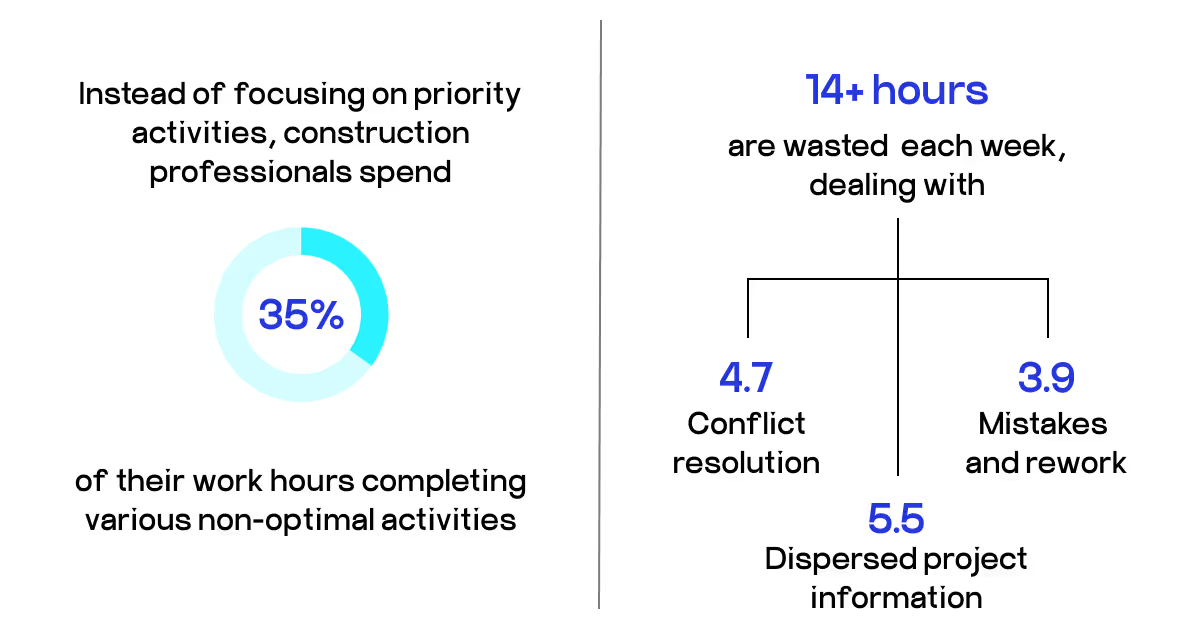
Let’s begin by understanding what you lose without digital timesheets for construction workers. According to WorkforceHub, time theft costs roughly 7% of labor budgets and affects 75% of employers. With employees averaging four hours of ineffective work per week and only 20% of hours dedicated to high-priority tasks, the financial impact is significant. Time tracking software uses real-time monitoring and GPS verification to directly address these losses.
Another source of new revenue unlocked is from better equipment scheduling and maintenance planning. Similarly, they are enabled by real-time data, which also prolongs asset lifecycles and lowers rental costs. Additionally, with efficient solutions, overstaffing is avoided and won’t be draining your budgets anymore, as crew deployment across several projects is optimized with better resource allocation.
The ROI formula for your time tracking software is calculated as follows: (Net Profit / Total Cost of Investment) x 100%. You can estimate your financial gain, subtracting implementation costs, by calculating decreased time theft, productivity improvements, and resource allocation.
FInally, custom reporting capabilities deliver budgets, forecasts, cost analysis, and performance metrics to stakeholders instantly. This transparency speeds up decision-making and project approvals, which translates to decreased delays that compound costs.
How does construction timekeeping software work?
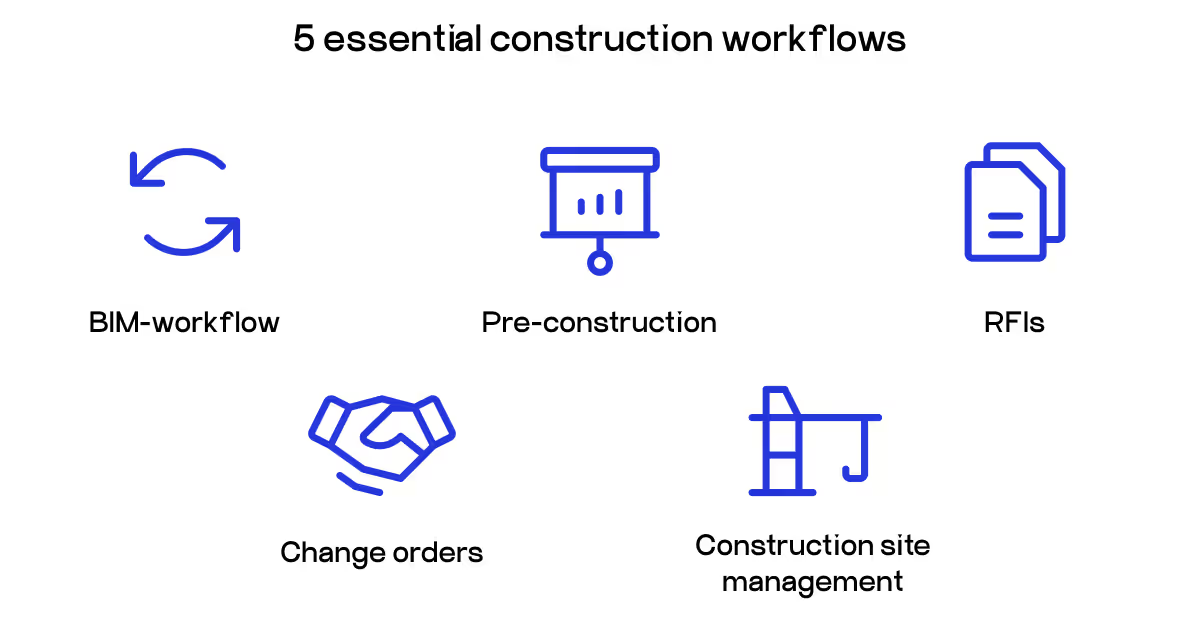
To understand the essentials of how time management construction solutions work, you need to know how it fits the different workflows that construction inherently has. In this section, we will tell you the specific operations this software improves for each process.
Pre-construction planning and workforce preparation
At the pre-construction stage, time tracking software can help establish digital employee profiles and project codes before construction begins. Managers can create job sites, assign workers to projects, and set up geofenced boundaries around the locations. The preparation ensures that by the time construction begins, time tracking for contractors will be correctly set up.
Key setup features include:
Creation of employee profiles using biometric information.
Assignments of project codes to help accurately track costs.
Creation of geofenced boundaries around job sites.
Integrating with existing payroll and project management systems.
The application pulls all of our workforce data into one place, eliminating the relic of scattered information that typically encumbers construction projects. Incorporating time tracking early on will simplify the construction in its entirety by ensuring that time tracking is captured accurately from the get-go.
Verification of the site and daily clock-in
Construction productivity tracking software automatically confirms workers' arrival at the job site and logs their start time. The system makes sure employees can only clock in when they are physically present at the assigned work location by utilizing GPS tracking and geofencing technology. To improve security and stop buddy punching, some sophisticated systems employ fingerprint or facial recognition.
Traditional construction timesheets' guesswork is no longer the issue wutg modern time tracking. Employees only need to open their mobile app or go to a time clock kiosk, finish the authentication process, and their presence on the site is automatically recorded. After timestamping their arrival, the software starts monitoring their working hours in real time.
Project and task assignment tracking
Construction time tracking software allows workers to log time in increments on specific projects, phases, or tasks throughout the workday. This detailed allocation of time provides managers with insight into where labor hours are being applied and highlights possible delays or inefficiencies. With modern electronic time cards for construction, the worker can easily switch from project code to project code as they move from task to task.
More advanced time tracking capabilities include the following:
Real-time project code switches.
Time allocation per task.
Equipment tracking.
Material handling time tracking.
The detailed time allocation provides great insight into project management and helps attribute labor costs to the right project phase. All data is automatically included into project management workflows, making it easy to plan and allocate resources.
Handling lunch and breaks
Break and lunch times are automatically managed in accordance with business policies and labor law requirements. To guarantee adherence to rules, the system can enforce mandatory break times and automatically remind employees when their breaks are due. The total number of work hours is automatically reduced by all breaks.
The best time tracking apps for construction handle complex break calculations that would take a lot of time to manage manually. It guarantees that employees get enough rest while keeping correct records for compliance and payroll. This automation lessens the administrative load and assists your team in avoiding possible labor law infractions.
Monitoring compliance and overtime
Construction time tracking software keeps an eye out for overtime thresholds and compliance requirements throughout the workday. When employees get close to their allotted overtime, the system automatically flags them and can notify managers of possible overtime expenses. To make sure all labor laws are followed, it keeps track of hourly totals on a daily, weekly, and project-specific basis.
Features for real-time monitoring include:
Automated overtime computation and notifications.
Tracking of daily and weekly hour limits.
Reporting on labor law compliance.
Updates to cost estimates based on actual hours.
By preventing unforeseen expenses, this monitoring assists construction managers in making well-informed decisions regarding scheduling and resource allocation. For compliance reporting and wage determination requirements, the software keeps thorough audit trails.
Data sync and end-of-day clock-out
The time tracking program automatically determines the total number of hours worked for the day after employees finish their shifts and logs their clock-out time. Many systems have offline features that sync data when an internet connection is restored, making them ideal for remote areas with poor connectivity, so no data is lost.
Automatic validation checks are incorporated into the end-of-day procedure to find any possible mistakes or missing time entries. Supervisors can digitally approve timesheets, and employees can review their daily totals before completing them. This lessens disagreements over working hours and produces a transparent audit trail.
Payroll integration and processing
Your daily construction timesheet solution integrates with your payroll system, so you eliminate double data entry and save a tremendous amount of processing time. Once time entries are verified, the system will automatically send all time data to payroll, including regular hours, overtime hours, and project-specific time allocations. The time saved in processing the payroll is twofold; in addition, you will significantly reduce the human error.
The automated payroll process also makes it much easier to pay workers accurately and on time, and with proper reporting for project cost accounting and finance management. The construction company can track labor costs through detailed reports as a project, as a worker, or for a specific time frame, thus enhancing financial and project profitability reporting.
Steps to implement time tracking software in construction
The successful implementation of time tracking timesheets for construction takes careful planning and execution. Moussa et al. found that the effective adoption of leading-edge software for construction project control has a substantial influence on managing cost, schedule, and quality.
Set communication and goals. Communicate the purposes of the implementation with your team. Zhao et al. stated in their case that acceptance by workers increased when teams knew that tracking was for the benefit of project efficiency, not an exercise in micro-managing workers. Establish clear goals, such as budget control, payroll accuracy, or productivity measurement.
Choose the software. When selecting the best time tracking software for construction, take into account several technical and operational considerations. Note mobile capabilities with offline functionality (as offline sync of data is vital to accurately record time), together with GPS, and geofencing capabilities. Also, ensure that the payroll, project management, and accounting systems can integrate with existing technology. Check if the solution offers facial recognition or a fingerprint scanner, and make sure that it fits the future growth of teams without total replacement of the software.
Create an implementation schedule. Make a well-organized rollout strategy with assigned roles. Assign implementation oversight to seasoned staff members who are capable of handling technical problems and coordinating setup.
Carry out pilot testing. Prior to full deployment, carry out a soft launch with a small team. This method enables software performance validation in real-world construction settings and the identification of workflow integration problems.
Offer thorough instruction. Conduct focused training sessions that cover the features and advantages of the software. Before a full system launch, you can train your staff on using the free construction timesheet templates like the ones from QuickBooks.
Continue to provide support. To guarantee continued software use and efficacy, set up ongoing support mechanisms such as help desk access, frequent feedback gathering, and recurring training updates.
The main idea in this process is to have empathy. Your employees are probably people of hard manual work, and getting used to digital solutions after the years of trodden paperwork can be difficult for them. Put them in the center of implementation and actually show the real benefits for them -not just the electronic Big Brother controlling every minute of their workday.
Tips for effective time tracking
Even with the general steps taken, there’s still a chance of some issues happening. Time estimated for the tasks can differ from the actual one, and your employees might find the new construction time card template too difficult to use. So, here are some more insider tips on how to implement this technology from a company that actually builds solutions for builders (pun intended).
Schedule buffering for complex tasks. Allow for 10-15% buffering of time estimates for tasks requiring setup or coordination of materials. Workers regularly underestimate the transition time between activities — therefore, we see unreliable project costing.
Use visual time cues. Install a digital display in the workplace that provides current project hours and budget status for use in common areas. This visual cue has immediate feedback and creates awareness while increasing compliance without constant supervision.
Establishing cross-verification systems. Weekly spot-check random time entries by connected observations of the site by a foreman. Rao et al.’s research mentions that dual verification identifies discrepancies early, and accountability measures enhance without creating distrust in a team.
Use weather data as integration. Link time tracking software for construction with weather data, issuance of alerts/resumes of outdoor work will be automatic. This avoids dispute over weather delays, and provides objective documentation of adjustments to client billing.
Create role-specific time tracking categories. Do not simply share tracking codes of time for "construction" time, create tracking codes for time coded specifically to the worker role; (i.e., electricians, plumbers, labor, etc.). This tracking will allow for distinguished analysis of labor cost and delegate consistency of productivity targets within trades.
Indeed, there are a lot of nuances here. However, skilled and experienced construction development services bridge this gap. At COAX, we are with you through every step of your digital journey, from discovery and consulting, where we will analyze your processes with detail, to designing custom solutions that fit your actual needs. Our experienced professionals will work with you to implement, test and onboard the new technology easily on site. While continuing to improve and refine based on your feedback, we will stay with you and ensure the software continues to adapt as your business grows.
Tools for time tracking in construction
On your way to defining the most optimal timesheet for construction workers in your business, you will face several categories of solutions. The first ones are the most comprehensive systems covering both desktop and mobile software, with robust functionality.
Small-medium construction companies needing compliance without enterprise complexity
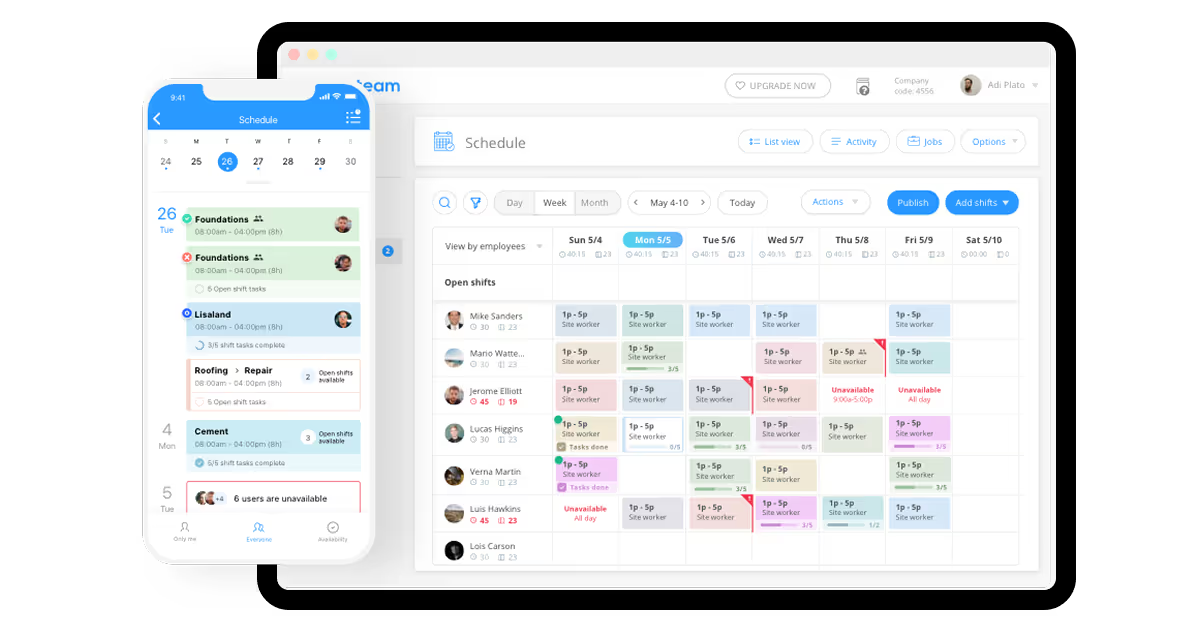
Connecteam is the most comprehensive all-in-one solution for construction teams, including time tracking along with communication tools, scheduling, and human resources functions. The platform offers an easy one-touch time clock, automated timesheet creation, and automated payroll integrations with major payroll providers like ADP and QuickBooks. This tool does well with small to medium construction companies in centralizing multiple workforce management needs under one cost-effective platform.
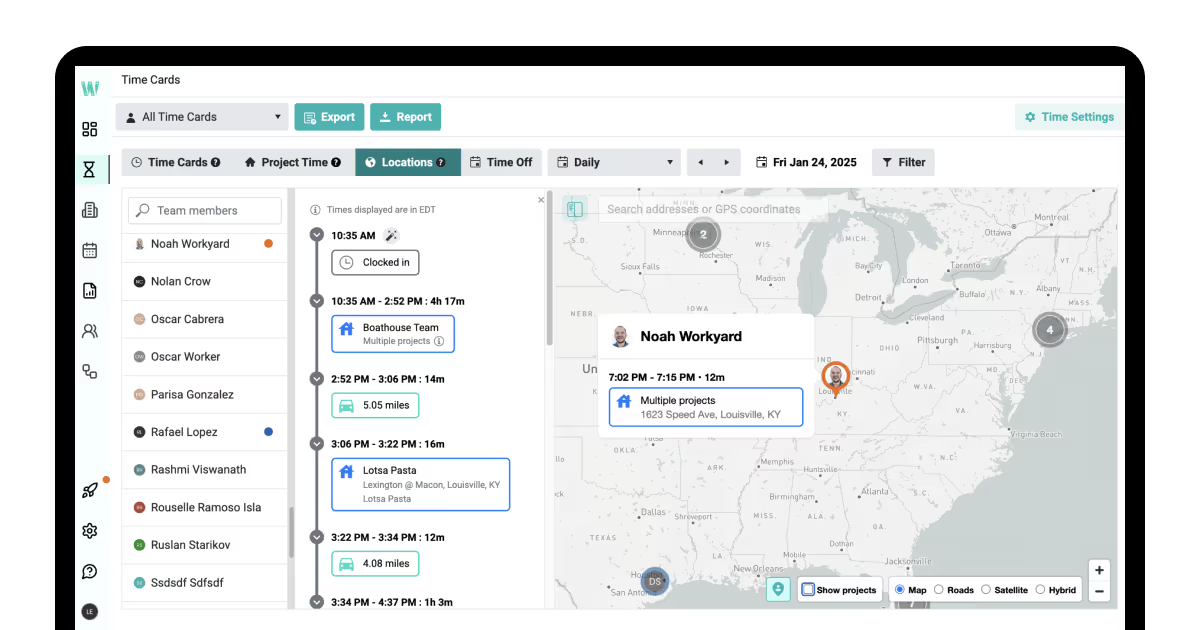
Workyard is the most construction-specific time tracking solution from an entrepreneur who has personally worked as a contractor overseeing over 700 workers. It combines accurate construction GPS tracking with geofencing, which automatically clocks workers in upon arrival at job sites, and shortens clock-out times per actual work locations. The value comes from construction-specific features such as smart compliance alerts, exact job costing, and the Meerkat algorithm, which saves phone battery.
Intended for larger construction crews, ExakTime appeals with an intuitive traffic-light interface design and FaceFront Biometrics system to eliminate buddy punching and time theft. The platform offers integration with other HR management capabilities in Arcoro for seamless employee lifecycle management from hiring through succession. This solution is best for larger construction companies that have a significant number of employees who can benefit from time clocks placed centrally along with the use of mobile applications.
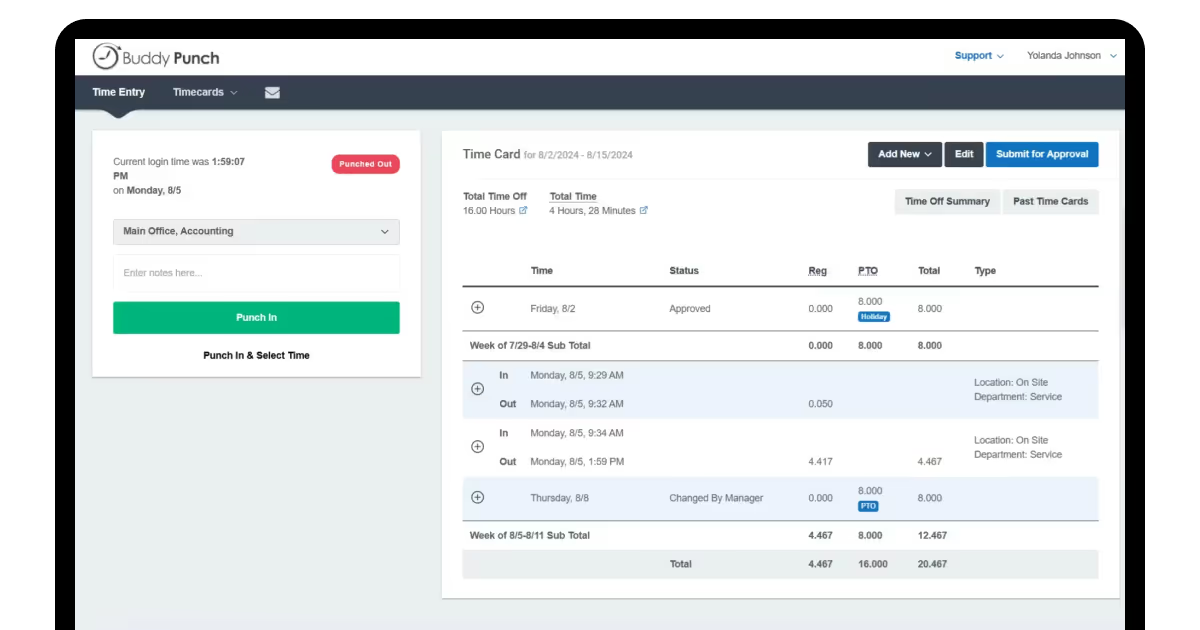
Buddy Punch focuses on flexible clock-in methods for multi-role construction teams, such as PIN codes, QR codes, and facial recognition, as well as compliance with labor laws. With more than a dozen customizable settings and automated break-time triggers to guarantee compliance across various jurisdictions, the platform excels at tracking overtime. Small to medium-sized construction companies that require compliance tracking without enterprise-level complexity can use this tool.
You can easily choose your perfect construction labor tracking software from this list — or move to the mobile apps if these are what you need for your business.
Mobile
Let’s be honest, it’s great for a construction timesheet app to be mobile-first. It allows for on-the-go work, typical for building sites. Here are some of the best mobile apps:
Free unlimited users, facial recognition, multi platform
Free plan, Premium $4.99 per user
Startups, testing time tracking solutions
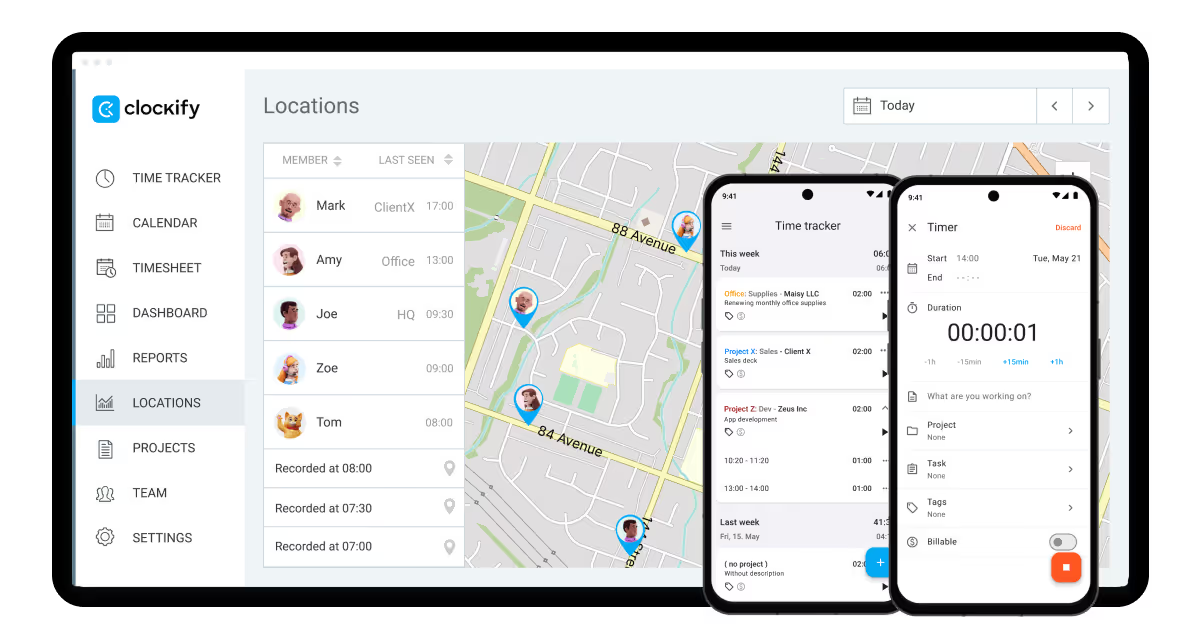
Clockify provides a budget-friendly time tracking solution based on a kiosk model that works on mobile with GPS tracking and automatic timesheets. The platform has flexible pricing options that offer cheaper subscriptions for workers who just need to clock in and clock out, while offering full-feature subscriptions. This solution works well for construction companies with crews working at established job sites who require an uncomplicated, reliable time tracking solution without complex features.
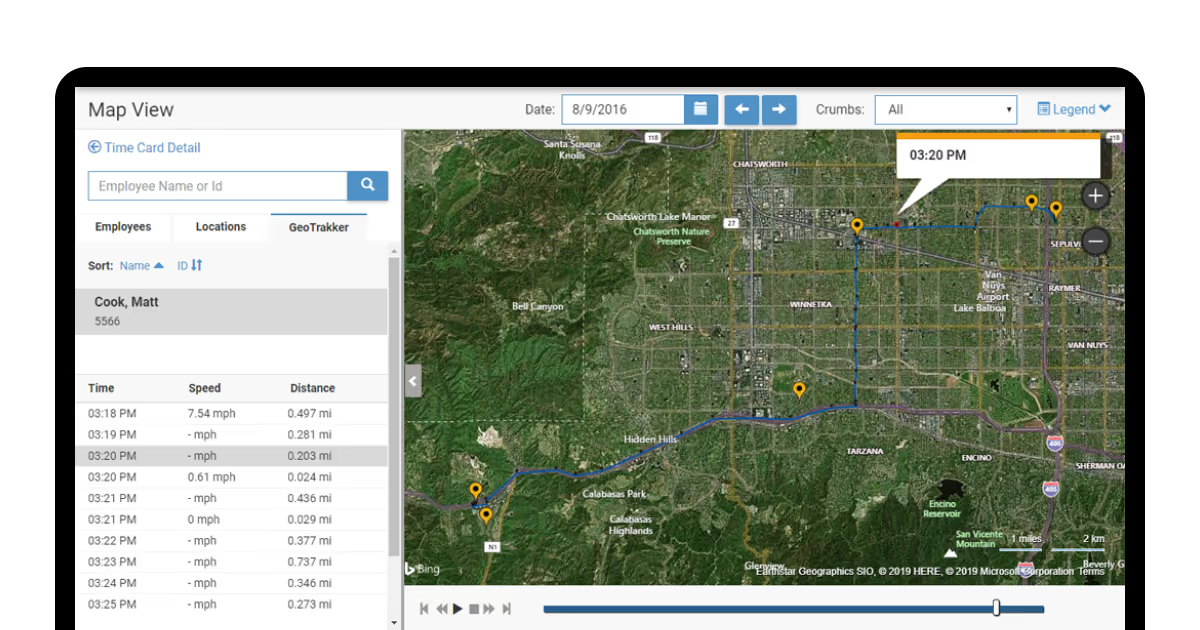
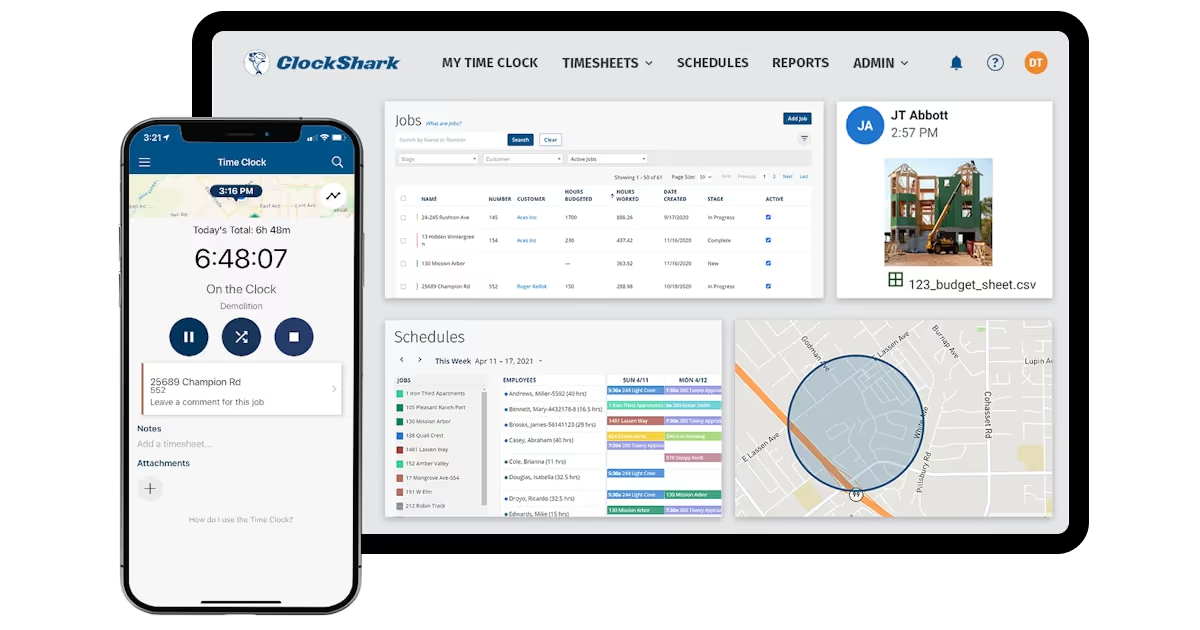
ClockShark is probably the best time tracking app for contractors as it centralizes time tracking for construction workers in remote locations, thinking about offline ability and online collaboration through job-based comment features. This app works best for construction workers who work remotely in places where the internet connection is sporadic and need basic collaboration tools.
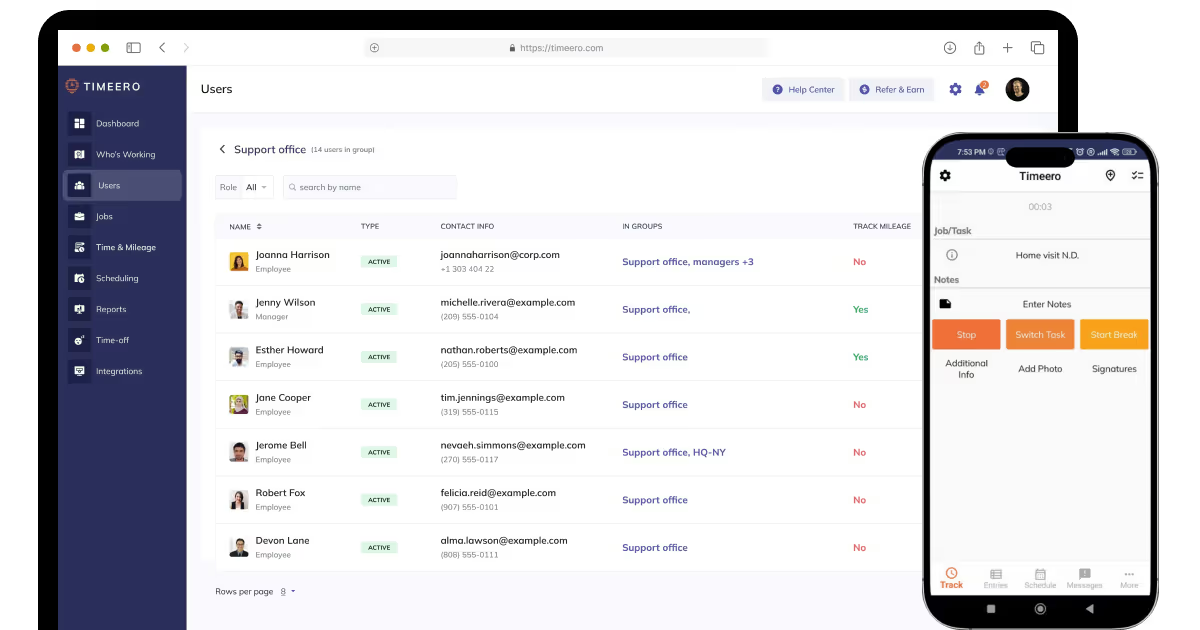
Timeero is a flexible option that can be used across industries (e.g., construction and healthcare) while providing expertise in GPS time tracking and mileage tracking for mobile crews. The platform has Electronic Visit Verification compliance for specialty contractors and has been praised for exceptional customer service in user ratings. This solution is best for construction companies with a blend of remote and in-office teams that need reliable assistance in both set-up and ongoing use.
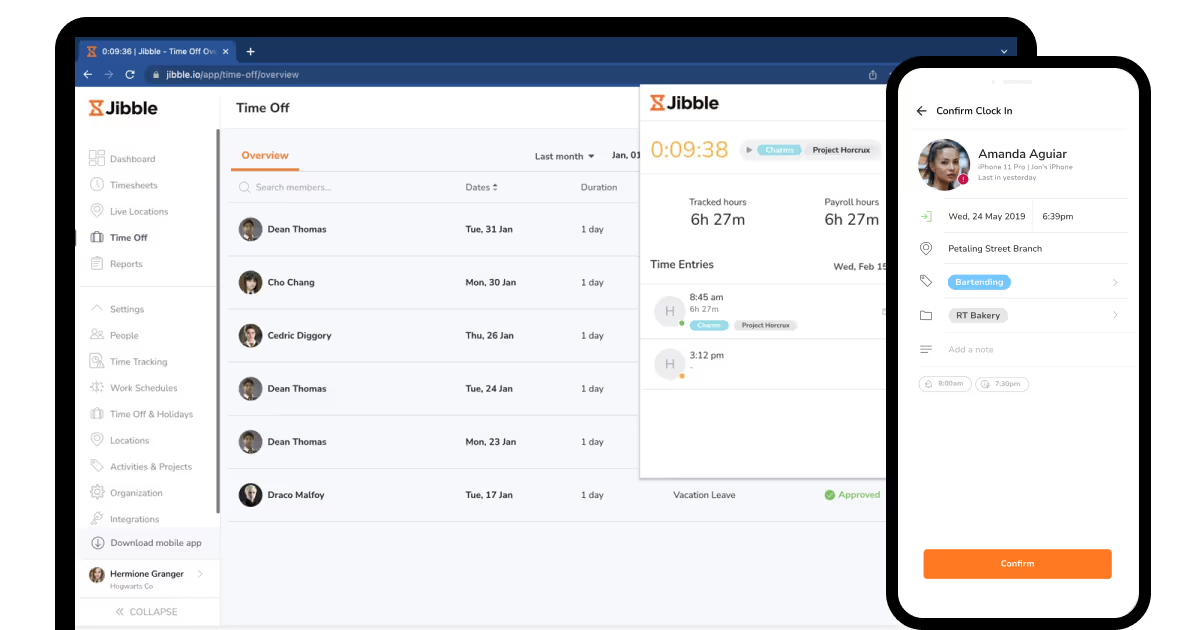
Jibble is incredibly cost-effective for construction teams on a tight budget because it provides a robust free plan that supports an unlimited number of users along with GPS geofencing and facial recognition features. With self-learning facial recognition technology that increases accuracy over time, the time and material tracking app offers flexible time tracking in desktop, web, kiosk, and mobile modes. Small construction firms or startups that require accurate time tracking without incurring upfront expenses, but can function without integrated scheduling or communication tools will find it useful.
With several decent options existing in the market, you are still limited to the present ability that might not cover every need you have. To fit it, mobile application development provided by COAX allows you to get just the number of employees, features, integrations, and security requirements that you need in one app, with interfaces adjusted to your needs and preferences.
Project management
Project management capabilities enable your timesheet app for contractors to get all the visibility into the process, integration with your other systems, and are perfectly made to adjust to the projects and their monitoring.
Large general contractors, complex multi-project operations
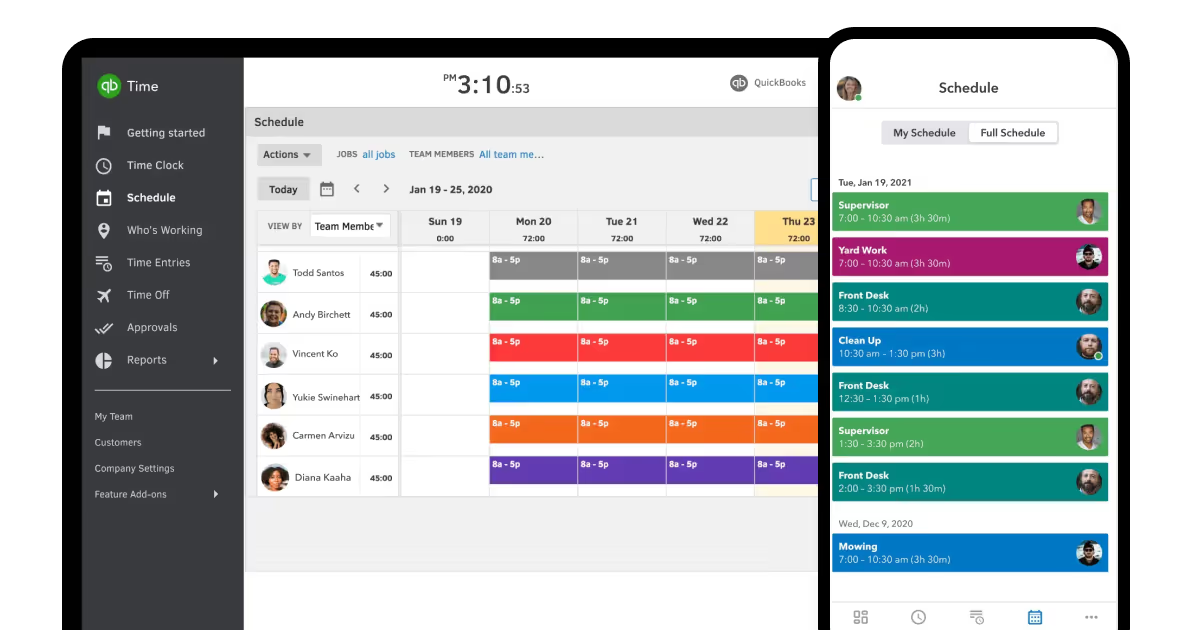
For construction companies that already use QuickBooks for payroll and accounting, QuickBooks Time offers the safest option due to its smooth integration and streamlined data flow. The platform has crew functionality that enables supervisors to clock in entire teams at once. Established construction companies that value industry-specific features over integration with current QuickBooks systems will find this solution most effective.
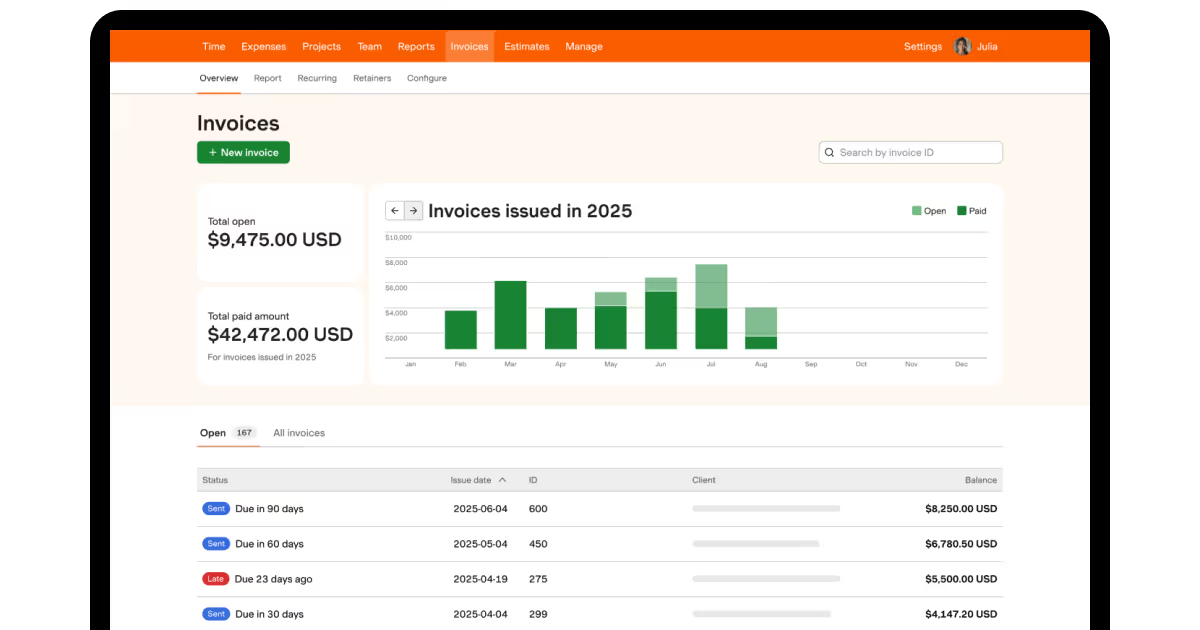
Harvest is perfect for construction firms that charge by the hour because it concentrates on thorough time tracking reports and project profitability analysis. For precise client invoicing, the platform is excellent at producing customizable reports that detail time spent on each project, task, and team member. Construction consultants, specialty contractors, and project-based construction firms that require precise time allocation for billing purposes will find this tool most useful.
For large-scale construction projects, Procore offers enterprise-level project management with integrated contractor time tracking software. To provide thorough project oversight, the platform integrates workforce management with financial tracking, document management, and project scheduling. Large general contractors and construction firms handling several intricate projects at once with high documentation needs are the ideal candidates for this solution.
As you see, tracking construction projects rarely goes without GPS capabilities — so let’s break down why they are important, how they work, and what tools you can also use.
GPS time tracking
The ability to track location in real time with precision, without human error, is necessary for construction safety and sustainability, which includes accident prevention and effective operations. As stated in the research by Gharami et al., GPS tracking construction systems provide a solution to the specific set of challenges seen at construction sites that cause traditional time-keeping methods to degrade, especially when the GPS signal is impacted by multi-path conditions.
Current integrated GPS time tracking technology use Radio Frequency Identification (RFID) tags as well as more sophisticated algorithms to filter the sources of location error across a variety of construction scenarios (indoor and outdoor). GPS time tracking systems are critical to preventing safety mishaps that otherwise would cost lives and ensure more efficient labor cost management in a profit-margin-challenged industry.
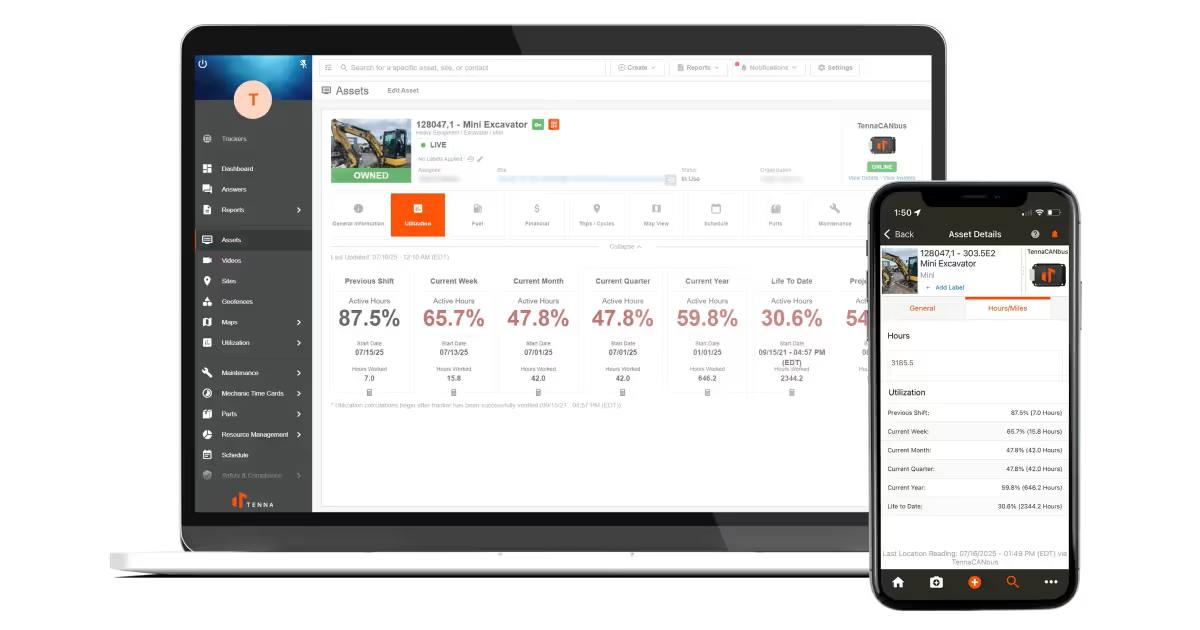
If you decide not to stick with an all-in-one solution, there are several solutions specifically for GPS tracking. First, GPX Intelligence, created especially for challenging construction environments, offers complete end-to-end tracking, automated theft alerts, and smooth ERP integration. Also, for improved safety monitoring, Tenna uses AI-powered telematics with video analytics and predictive maintenance features, if, apart from a construction timesheet, you need thorough equipment tracking.
Tenna
How to choose the best time tracking app for construction
When it comes to choosing new construction time tracking software, the features are of utmost importance. Research by Brodnansky has shown that construction sites have some very unique challenges: teams that are widely scattered, safety issues, and a very high volume of data. A proper tool should include:
Accurate time capture, necessary because you cannot substitute a paper sheet accurate timesheet, and relying on sometimes inaccurate or easily manipulated information adds even more risk when it comes to tracking labor hours. Tools like facial recognition, GPS validation, or sensor-based tracking, and accounting for shifts on-site can all help to reduce the likelihood of fraud or error.
Offline access & local storage, as construction sites are often in areas of weak or unreliable internet. Therefore, if the tool should work offline and then uploads data later, that will be very helpful in accessing it.
Custom reporting & analytics, as companies require visibility into their costs and processes. Larger contractors highly value advanced analytics, as they can see productivity on multiple projects at the same time.
Integrations with inventory management systems for materials tracking, accounting for payroll, and ERP for project management. According to the research, logistics systems and industrial IoT systems, for safety, could be integrated, which could extend to time tracking systems too.
Export options, or the ability to manually extract the timesheets to CSV or Excel, remain important to maintain compliance and/or for audit with local state agencies or unions.
Security and compliance, as worker data is understandably sensitive, so make sure it’s stored securely, with multi-factor authentication, facial recognition, and role-based access.
In a nutshell, the best construction time sheet software enables usability for the crews, but has scalability, security, and reporting depth for the managers.
When do you need custom software?
Although ready-made tools can be launched more quickly, long-term efficiency, flexibility, and dependability are guaranteed by custom solutions. When process optimization, security, and expansion are top concerns, custom time card apps for construction make perfect sense. They scale with your projects, fit your strategy, and integrate with third-party tools you need, unlike ready-made apps that limit you.
Custom software is required if:
Your business needs scalable systems because it is expanding quickly.
One of the main concerns is data security.
You don't like how standard apps only have a few features.
All business operations should be consolidated onto a single, secure platform.
At COAX, we have good evidence that custom software can replace manual timesheets with automated reporting, GPS tracking, and QuickBooks integration, as shown by our successful project completed for Trident Restoration Inc. We created a tailored construction tracking app for validating employee location with GPS and facial identification, managing site assignment, job title tracking, and overtime approvals, together with effective financial reporting.
As a result of our work, managers see who was on-site, for how long, and print reports based on roles, while accounting and decision-making are simplified with actionable analytics. This shows that custom timesheets for construction workers aren’t just an investment — it’s a great market benefit.
FAQ
How is construction productivity tracking different from that in other industries?
Tracking construction productivity is different from any other industry due to the characteristics of the projects. As construction projects have a varied set of characteristics and features, it makes it hard to measure your work in a standardized way. As Gutierrez-Bucheli et al. have pointed out, the construction industry does not have standard ways of measurement, but measuring construction productivity is more difficult because construction productivity has to be measured inside unique environments, with unique challenges, and with unique scopes that do not fit neatly inside the kinds of standardized measurement available in manufacturing.
How to overcome employee resistance in implementing timesheet construction solutions?
Overcome resistance by:
Implementing changes gradually
Providing thorough training
Pnd proving your worth.
According to Radman et al., automated data collection through smartphones and QR codes lessens the workload associated with manual entry. Emphasize how digital timesheets help employees by reducing paperwork and increasing accuracy.
What should a construction weekly timesheet template contain?
Time cards for construction typically include:
Project identification and WBS codes
Person details and roles
Hours by day and activity/task
Quantity of materials used
Hours of equipment used
Weather conditions
Safety incidents
Percentages of progress
Causes of delay or references for RFIs
Signatures related to supervisor approval
Costs center assignments.
How does COAX ensure the efficiency and security of your construction mobile apps and web solutions?
To protect your construction data, our engineers use OAuth 2.0/JWT authentication, coupled with end-to-end encryption. COAX is ISO/IEC 27001:2022 certified for security management and also ISO 9001 certified for quality processes. These frameworks ensure compliance while protecting sensitive construction data, such as your project plans, worker information, and financial data.
























































We are interested in your opinion